
On this page
Managing Blocks
This documentation needs review. See "Help improve this page" in the sidebar.
Video Link: Complete documentation of Blocks, Configuration related to Blocks
Blocks are boxes of content rendered into an area, or region, of a web page (such as "User Login" or "Who's online") that can be displayed in regions (such as footer or sidebar) on your page. This functionality is provided by the Block module, which is a part of Drupal core. Drupal 8 also introduces another module that allows the creation of content blocks through the user interface: the Block Content module. There was an experimental module which was also introduced in core (Place Blocks) which when enabled allowed administrators to place blocks on any Drupal page, but it was superseded by the Layout Builder, non-reusable blocks, functionality in Drupal 8.7.
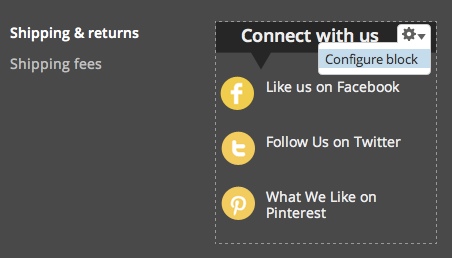
Example of a block. This block displays social media icons.
Blocks are made available to your site most commonly by enabling core or contributed modules. Once created, a Block can be modified to adjust its appearance, shape, size, and position - or which Website pages it appears on. Any custom or contributed block can be assigned to a particular region by clicking on a button Place block. If the block is already enabled, its region can be changed by choosing specified regions from drop-down. For example, to assign any block in the Header region, click on "Place Block" button and choose any block to be placed in this particular region.
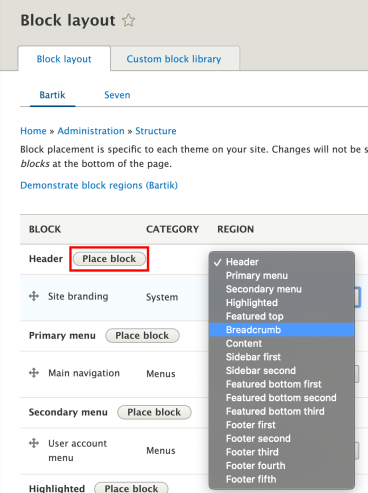
An Image showing the Place block button and a list of regions for changing block position.
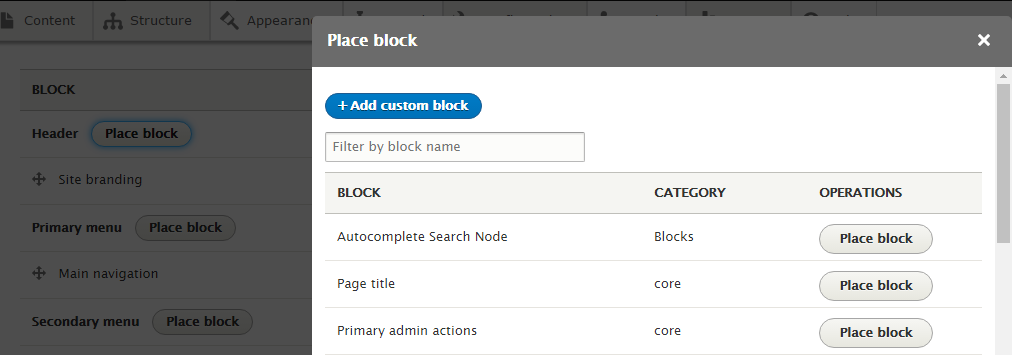
You can place one block at multiple regions. Here I'm placing the Page title (Core block) in the Header region. Click Place block button for the Page title block and you will see a configuration popup showing:
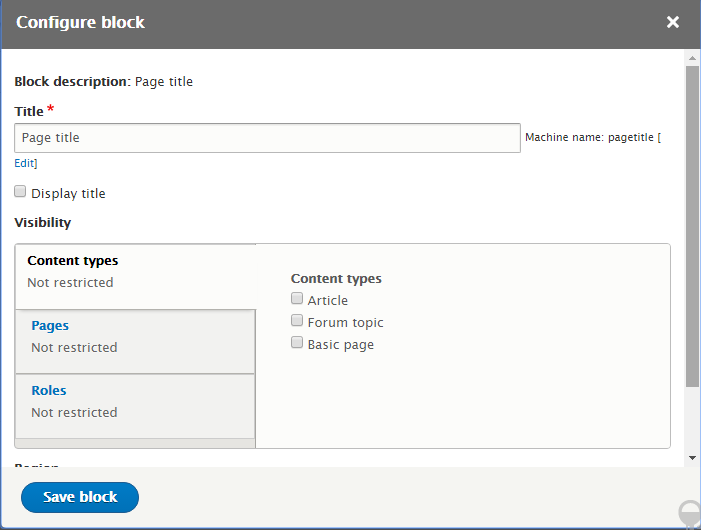
Hitting the Save block button will place Page title block inside the Header region.

If you click "Configure Block" you can go ahead and edit the contents of the block, deal with the visibility settings and even change the placement of where it is on your theme.
Blocks are placed in regions via the Block Admin page Administer > Structure > Block Layout.
Your site's theme defines the regions available. Therefore, block placement in regions is done per theme on the Block Admin page. If you have more than one theme enabled on your site blocks can be placed differently for each theme.
You can learn more about Assigning content to regions.
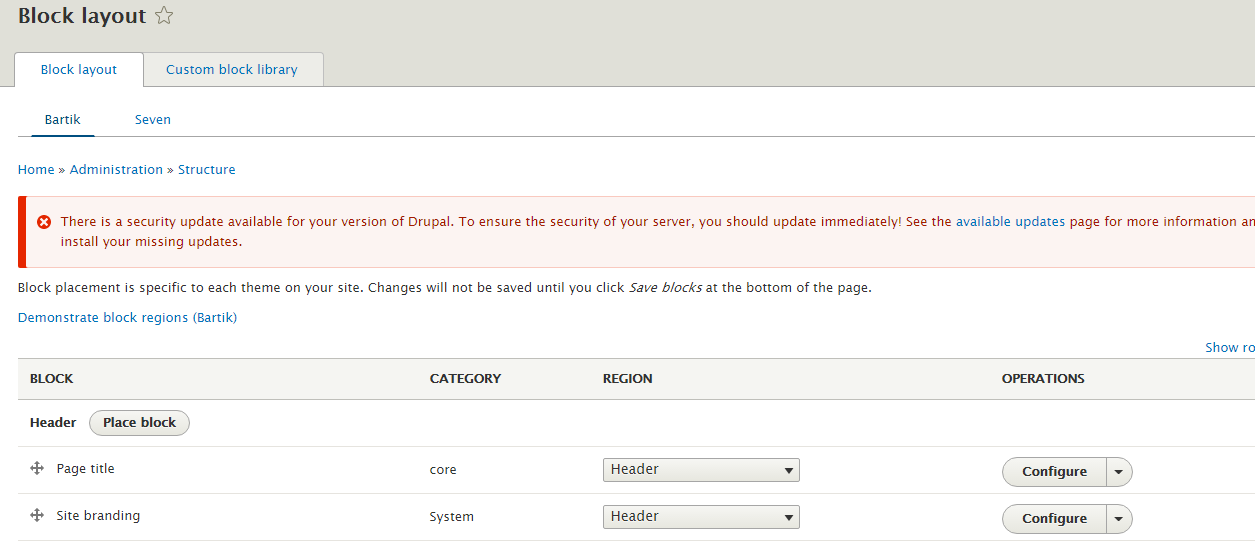
The block management screen also lets you specify the vertical sort-order of the blocks within a theme region. This can be done by dragging blocks to the desired position. When Javascript is not enabled, you do this by assigning a weight to each block. Lighter blocks (smaller weight) "float up" towards the top of the region. Heavier ones "sink down" towards the bottom of it.
The block management screen also provides checkboxes (depending on what modules you have enabled), as well as a configure link, which takes you to the configuration screen. The checkboxes and configuration page let you customize the visibility of the block. A block's visibility depends on:
- Whether it is Enabled and assigned to a region. Disabled blocks (blocks not assigned to any region in your theme) are never shown.
- Page-specific visibility settings. Individual blocks can be configured to only show/hide on certain pages. This can be a path like "about" for the [site-root]/about page, "about/*" where the asterisk is any path that starts with "about". An important exception is the frontpage: "<front>".
- Custom visibility settings. Individual blocks can be configured so that users decide whether to show/hide certain blocks.
- Its function. Dynamic blocks (such as those defined by modules) may be empty on certain pages and will not be shown.
The content management screen (Admin > Content) also has an another tab which is used to add Content Blocks. The name of the tab is "Blocks". This tab ultimately provides a link to add content blocks. This allows you to define a block containing content of your choice. Each administrator-defined block consists of fields defined by the available Block types on your site, much like a Content Type does to a piece of Content. For example, a block type might define a content block with a title, a description, and a body which can be as long as you wish;
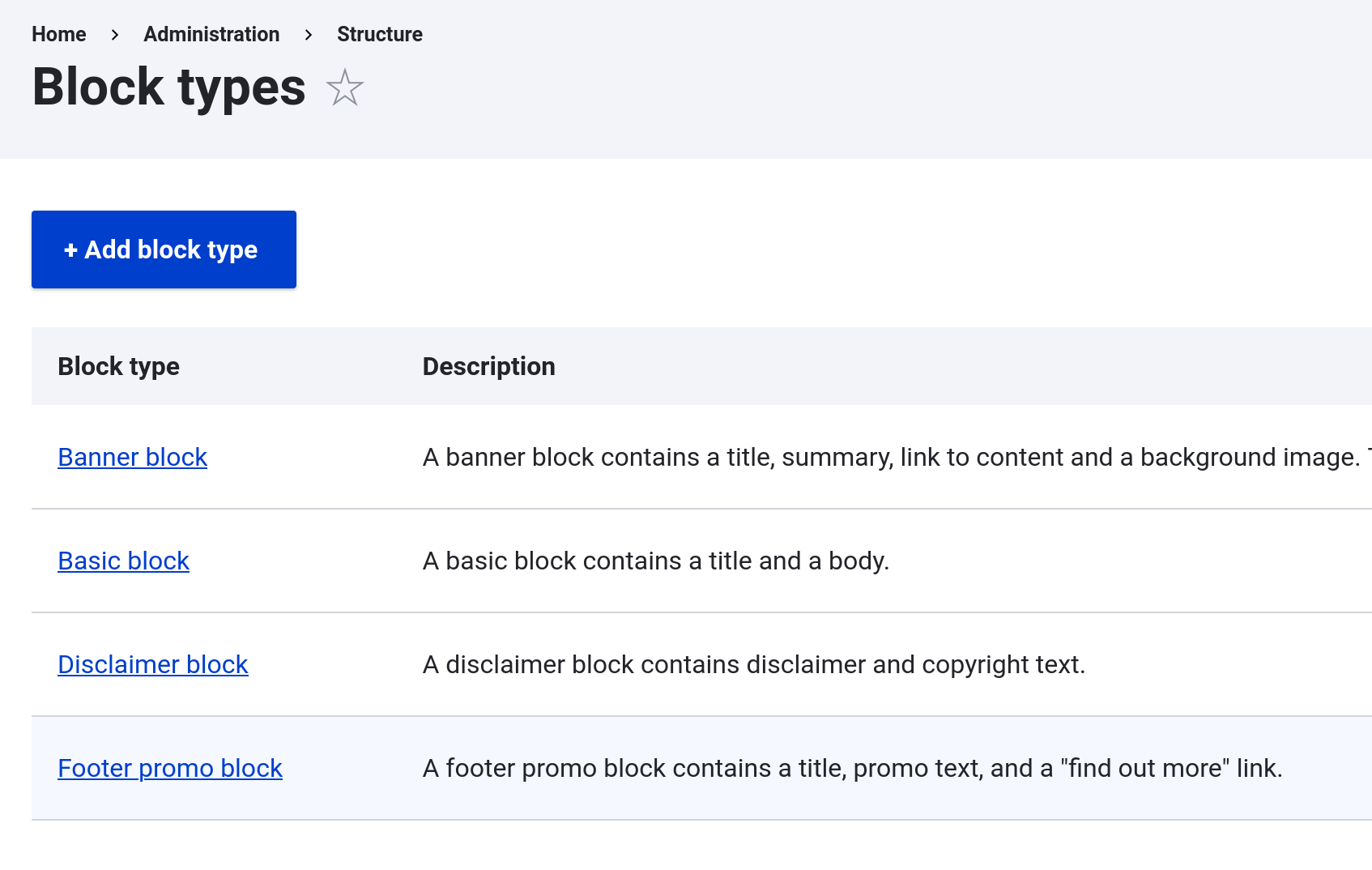
You can add, edit and remove Block types from the Block types item under Admin > Structure > Block types. Now you can create a particular type of block with Manage fields, Manage form displays, Manage displays. By default, the type is provided by the Standard installation profile is the Basic block. This block contains a title and a body field.
Exclusive Insights
- enable, place, and configure blocks at Administer >> Structure >> Block layout.
- add a block at Administer >> Structure >> Block layout >> Place block.
- add a custom block at Administer >> Content >> Blocks >> Add content block.
Note:
If the option is not available on a new installation, go to Administer >> Customize Dashboard >> Add more Blocks. There you can add the "Management Block" which will have the Structure option.
When working with large numbers of blocks (say, more than 100), it may be necessary to increase max_input_vars in php.ini. Otherwise, blocks may not save in regions correctly when moved.
Technical details
Core module: Yes.
Dependencies: None.
Related Modules: Dashboard.
Permissions: Administer blocks. Also see the API docs at block permission.
API Documentation: block.api.php, block.libraries.yml, block.links.contextual.yml, block.links.menu.yml, block.links.task.yml, block.permissions.yml, block.routing.yml, block.services.yml, block.module
Template files: block.html.twig
Other files: block.info.yml, block.css, block.admin.js, block.js, block.install
Database tables (4): block, block_role, block_custom, cache block. Also see the API docs at block schema.
Help improve this page
You can:
- Log in, click Edit, and edit this page
- Log in, click Discuss, update the Page status value, and suggest an improvement
- Log in and create a Documentation issue with your suggestion
