

Closed (fixed)
Project:
Views (for Drupal 7)
Version:
6.x-2.9
Component:
User interface
Priority:
Normal
Category:
Support request
Assigned:
Unassigned
Reporter:
Created:
21 Dec 2010 at 14:32 UTC
Updated:
30 Oct 2011 at 05:30 UTC
Jump to comment: Most recent file


Comments
Comment #1
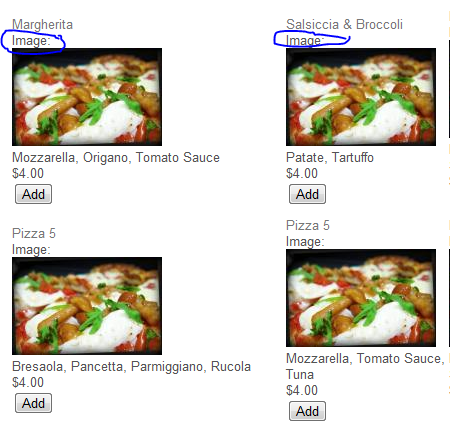
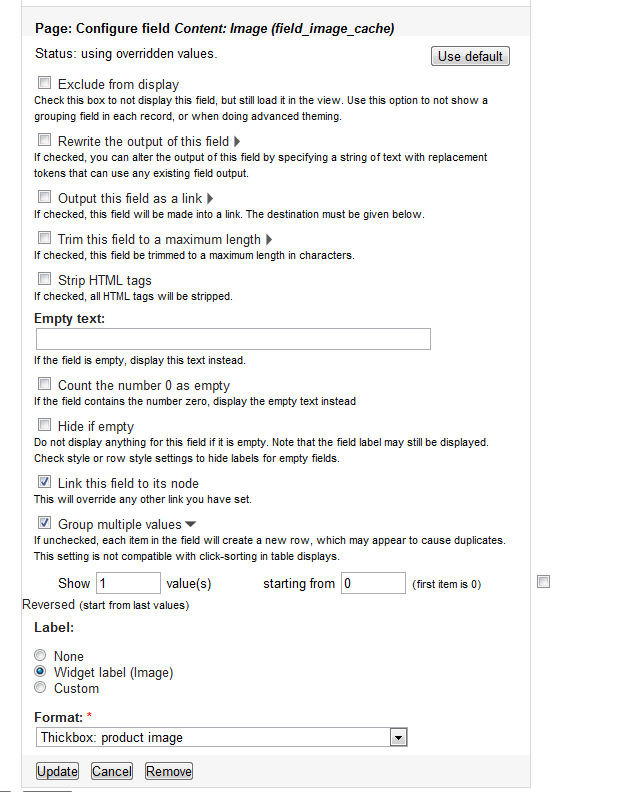
Road Kill commentedHi think this might help you go to the Page and field in views where you want to disable the label for you this would be content image. Now go to the bottom and under label select none.
Hope this helps you.
Comment #2
dawehnerIsn't this image wonderful :)
Did you used "find/search" on your browser already?
Hope this picture helps you :)
Comment #3
zylootino commentedOk Dereine, you got me!!! Like the nose right in the middle of the face...
Thank you 1000 times.I stared 2 hours at this form :)
Comment #5
beck24 commentedI'm having the same issue but for some reason I don't have the label option on my installation. Drupal version 6.22 and the most current views release. I have the option on another installation and I can't find the difference.