

 Come together with the global Drupal community in Rotterdam, 28 Sept – 1 Oct 2026. Sessions, contribution, connection, and Early Bird savings until 8 June.
Can you implement a different way of visualization of pictures in galleries so they are visualized alphabetically and not only by input date?
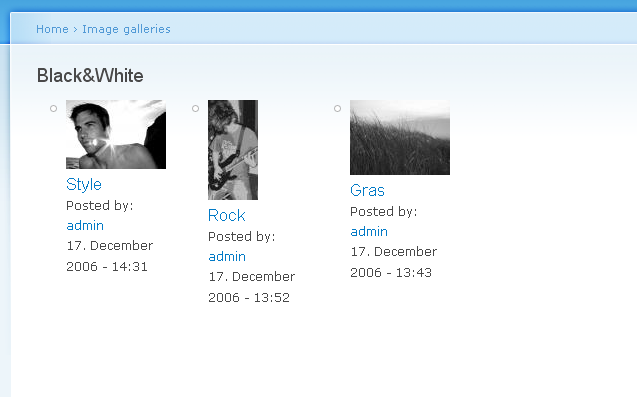
Can you align center the thumbnails in the area block ?
Thank you.
| Comment | File | Size | Author |
|---|---|---|---|
| #3 | gallery.png | 33.53 KB | bloomaniac |

Comments
Comment #1
bloomaniac commentedAgree,
would be great to have some more options on the modules.
Comment #2
harrisben commentedTo modify the order that image gallery items are sorted look here:
http://drupal.org/node/83973
As for designing the look of your image galleries, the template can be found in the image_gallery.module file under "Theme a Gallery" (towards the end of the file) and you should use that to customise the layout and look you're going for. I don't think hard-coding these kinds of things into the module is a good idea as it reduces the flexibility and usefulness of the module.
More information on overriding the default image gallery can be found here:
http://drupal.org/node/41259
Comment #3
bloomaniac commentedI think customization is good, but a good default design is better.
I attached a screenshot of a default gallery on a new Drupal 5 rc1 install with 3 images. I think this looks poor.
Comment #4
sunSorry, unfortunately this request is way too specific. Please have a look at the issue queue - Image maintainers are buried already. You might want to try to get further support at http://drupal.org/support. Additionally, the answer to your question might be covered in the handbooks at http://drupal.org/handbook/modules/image already.
If you were able to solve this issue on your own in the meantime, you might want to add the involved steps to this closed issue, so other users searching for a similar solution might find it.