Closed (won't fix)
Project:
Drupal core
Version:
8.0.x-dev
Component:
php.module
Priority:
Normal
Category:
Bug report
Assigned:
Unassigned
Issue tags:
Reporter:
Created:
9 Jan 2011 at 22:04 UTC
Updated:
29 Jul 2014 at 19:18 UTC


The "administration pages" link and
the http://example.com/?q=admin/reports/dblog link gives:
Fatal error: Call to undefined function db_fetch_array() in /.../modules/php/php.module(75) : eval()'d code on line 17
I have just tried on one of my Drupal sites to upgrade from 6.20 to 7.0.
I disabled every module other than core required and optional.
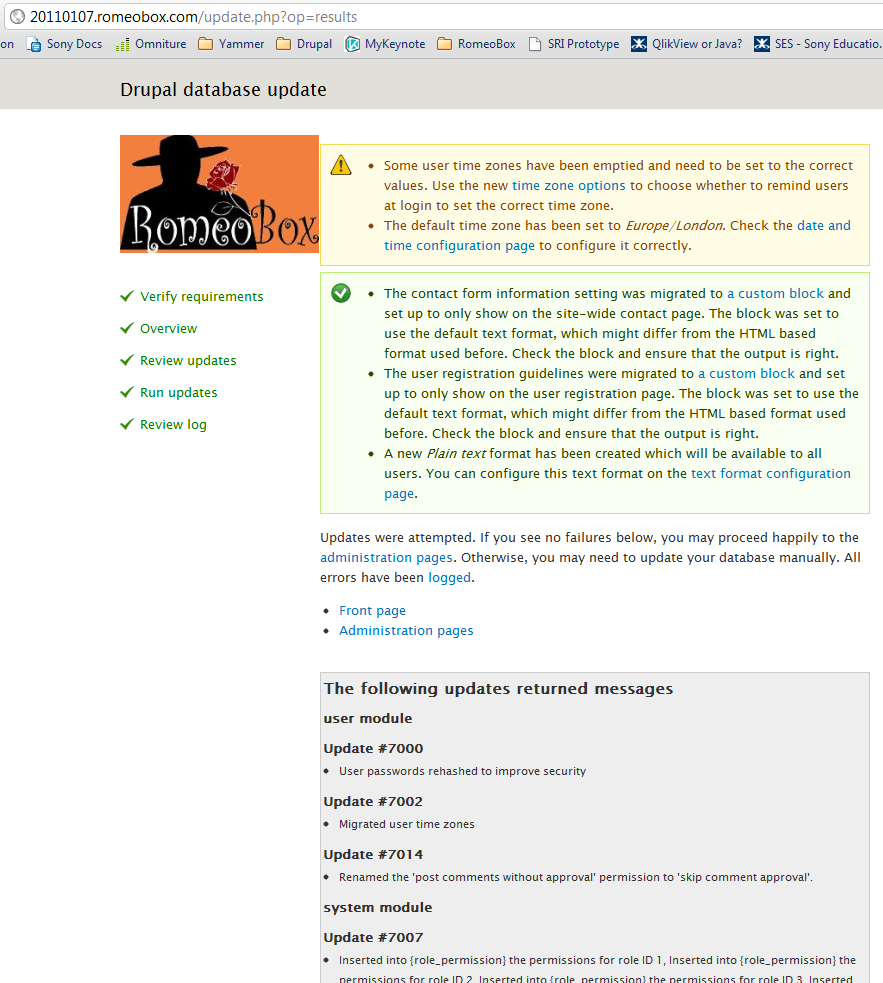
Everything appeared to go OK (see attachment).
However, the home page link gives "Oops! This link appears to be broken." and the other links give the error message above.
PHP Version 5.2.11
| Comment | File | Size | Author |
|---|---|---|---|
| drupal_database_update.png | 137.52 KB | drupalshrek |

Comments
Comment #1
Josh The Geek commentedDrupal tests bugs against dev releases.
Comment #2
swentel commentedOne of your blocks has PHP code in it which tries to iterate on a database result using old database functions. You'll have to update that block. Setting to normal, might become a won't fix eventually.
Comment #3
Josh The Geek commentedOr PHP node.
How could we fix this in core? We could put it in the upgrade for php.module, but we would probably break more than we fix.
Moving to php.module.
Comment #4
drupalshrek commentedThanks for this:
At least I know the problem.
If this is a known possible issue, why is disabling all user-defined blocks not required for upgrade?
This is not in the upgrade instructions. Shouldn't this at least be documented?
And if it's a known possibility surely it should be possible to break gracefully? Such as "Your block ABC has been seen to not function correctly due to using old functions x, y and z. It has therefore been disabled".
And is there an easy way to disable this block in the current state? This is surely a minimum of user-friendliness for the upgrade.
I cannot get into admin, so I cannot disable it. It seems my only option is to completely uninstall Drupal 7, remove the block, then reinstall Drupal 7!! Surely this isn't user-friendly design to the upgrade path?! Is there any other alternative?
Thanks!
Comment #5
drupalshrek commentedI have changed it to major because I think that this completely breaks the upgrade path for anyone who has this issue and it leaves them without a clue how to fix things. They are then completely blocked. This cannot be just a normal priority. Even if later it's agreed to not fix it!
But hey, if someone else puts it down to normal priority I'm not going to fight it!
Comment #6
catchThere is no way we can search for every possible deprecated function in custom block content.
One thing that could possibly work is have the block upgrade path disable all blocks that use PHP format on upgrade, probably with a drupal_set_message() to tell people if this happens.
Also this is a good reason to remove PHP module from core in Drupal 8. See also #786208: Support PHP module.
Comment #7
drupalshrek commentedAnother thought: this completely broke my Drupal during an upgrade with seemingly no escape other than reinstall of Drupal 6. Would it be possible for someone to unfortunately enable a block under Drupal 7 which then completely breaks Drupal 7 so that the only way to recover would be to downgrade to Drupal 6?!?
Horror scenario.
Comment #8
catchYou can recover from this by tweaking the {blocks} table, or switching to a different theme without a re-install.
Yet another thing we could do here would be to /disable/ the PHP module during the Drupal 6-7 upgrades, again with a notice to review everything before enabling it again.
Basically there's no good solution for this, and PHP module needs to go die.
Comment #9
catchDowngrading this, only affects sites with custom PHP code stored in the database that don't disable PHP module before upgrading.
Comment #10
valthebaldI mark this won't fix due to reasons listed in #6