

Closed (duplicate)
Project:
D7 Media
Version:
7.x-1.0-beta4
Component:
Code
Priority:
Major
Category:
Bug report
Assigned:
Unassigned
Issue tags:
Reporter:
Created:
12 Jan 2011 at 02:54 UTC
Updated:
14 Jul 2011 at 20:20 UTC
Jump to comment: Most recent file


Comments
Comment #1
james.elliott commentedHave you tried running update.php on your site?
Comment #2
james.elliott commentedThis also belongs in the media issue queue
Comment #3
effulgentsia commented@MrPhilbert: see #1, are you still getting this error?
Is anyone else who is using Media in conjunction with Rotating Banner seeing this error?
Comment #4
MrPhilbert commentedYou are up late!
No library errors thank you.
However, when I try to create a banner, I get another fatal error:
* Warning: array_merge() [function.array-merge]: Argument #2 is not an array in rotating_banner_block_configure() (line 198 of D:\inetpub\wwwroot\drupal-7.0-beta3\sites\all\modules\rotating_banner\rotating_banner.module).
* Warning: array_merge() [function.array-merge]: Argument #2 is not an array in rotating_banner_block_configure() (line 200 of D:\inetpub\wwwroot\drupal-7.0-beta3\sites\all\modules\rotating_banner\rotating_banner.module).
* Notice: Undefined index: fluid in rotating_banner_block_configure() (line 281 of D:\inetpub\wwwroot\drupal-7.0-beta3\sites\all\modules\rotating_banner\rotating_banner.module).
* Notice: Undefined index: width in rotating_banner_block_configure() (line 292 of D:\inetpub\wwwroot\drupal-7.0-beta3\sites\all\modules\rotating_banner\rotating_banner.module).
* Notice: Undefined index: height in rotating_banner_block_configure() (line 303 of D:\inetpub\wwwroot\drupal-7.0-beta3\sites\all\modules\rotating_banner\rotating_banner.module).
* Notice: Undefined index: controls in rotating_banner_block_configure() (line 352 of D:\inetpub\wwwroot\drupal-7.0-beta3\sites\all\modules\rotating_banner\rotating_banner.module).
*Note: I know it says beta3 but it's actually 7.0. That is just the folder that IIS is pointing to with the updated install.
I can add an image (even from the library) but if I save the rotating banner and display it in a block, I get the white screen of death?
I had to back up and delete the banner in order to get the site back.
Comment #5
regent commentedYes I too get this error shown when using Rotating Banner
Comment #6
mthart commentedI also get this error, with latest HEAD versions of Media and rotating Banner modules.
Comment #7
rodolfo.flavio commentedComment #8
JacobSingh commentedIs this outdated? I think so. Please re-open with steps to reproduce if not.
Comment #9
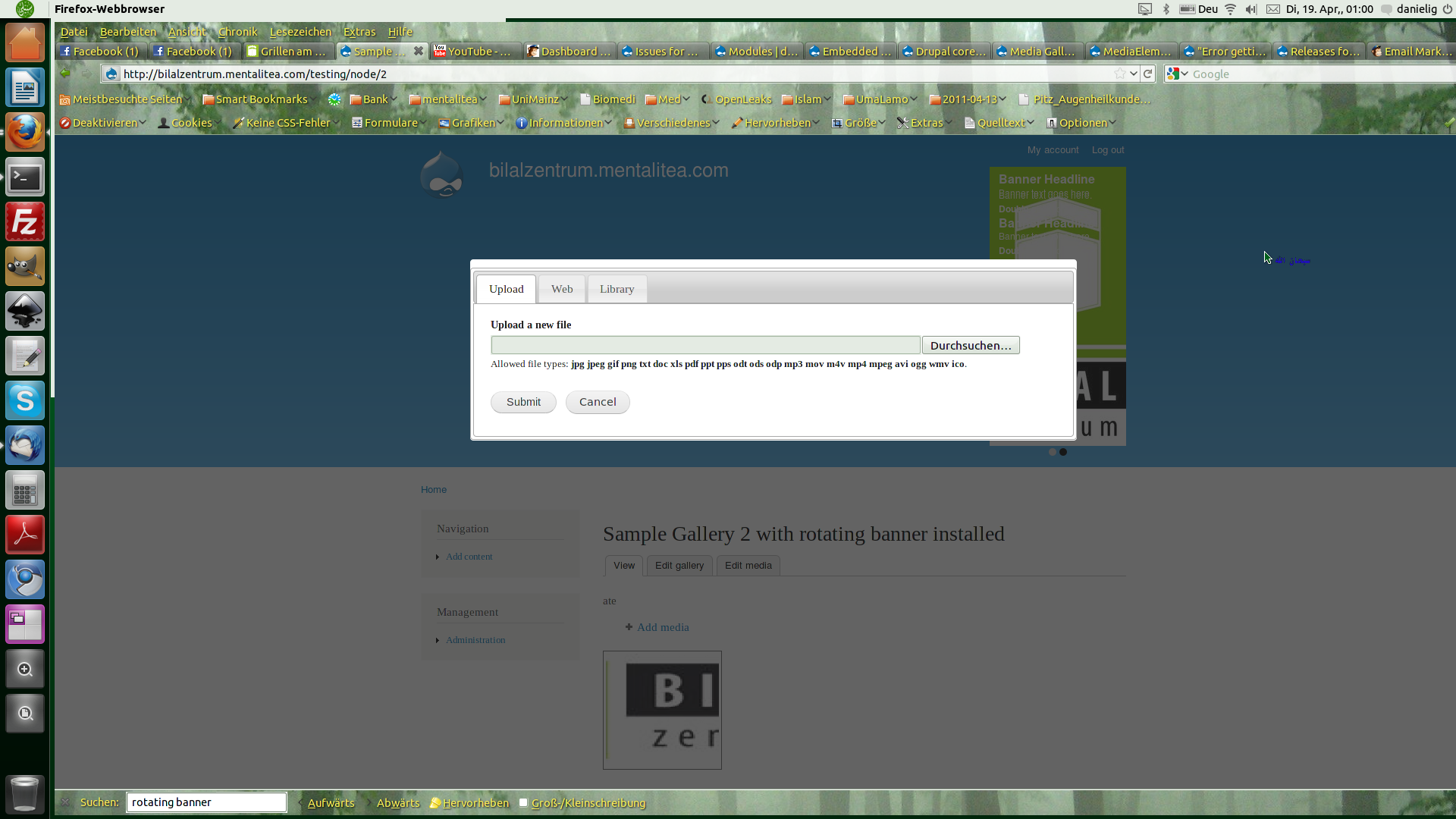
triple5 commentedI have this issue with rotating banners but noticed it in a different moment, after installing media_gallery the media browser did not load correctly in when trying to upload an image to the gallery (see screenshot1.png)
Installed versions:
rotating_banner 7.x-1.0-beta1
media_youtube 7.x-1.0-alpha4
media 7.x-1.0-beta3
media_gallery 7.x-1.0-beta4
Drupal 7.0
As visible this does not work very well, but since it all rises and falls with the rotating banner, I guess this issue should be located there.
I could use the same install without rotating banner and make it work in a subsite.
(see screenshot2.png)
after activation of rotating banner still everything is working as expected.
(screenshot3.png)
So the error seems to be in a different area. this really bugs me, though...
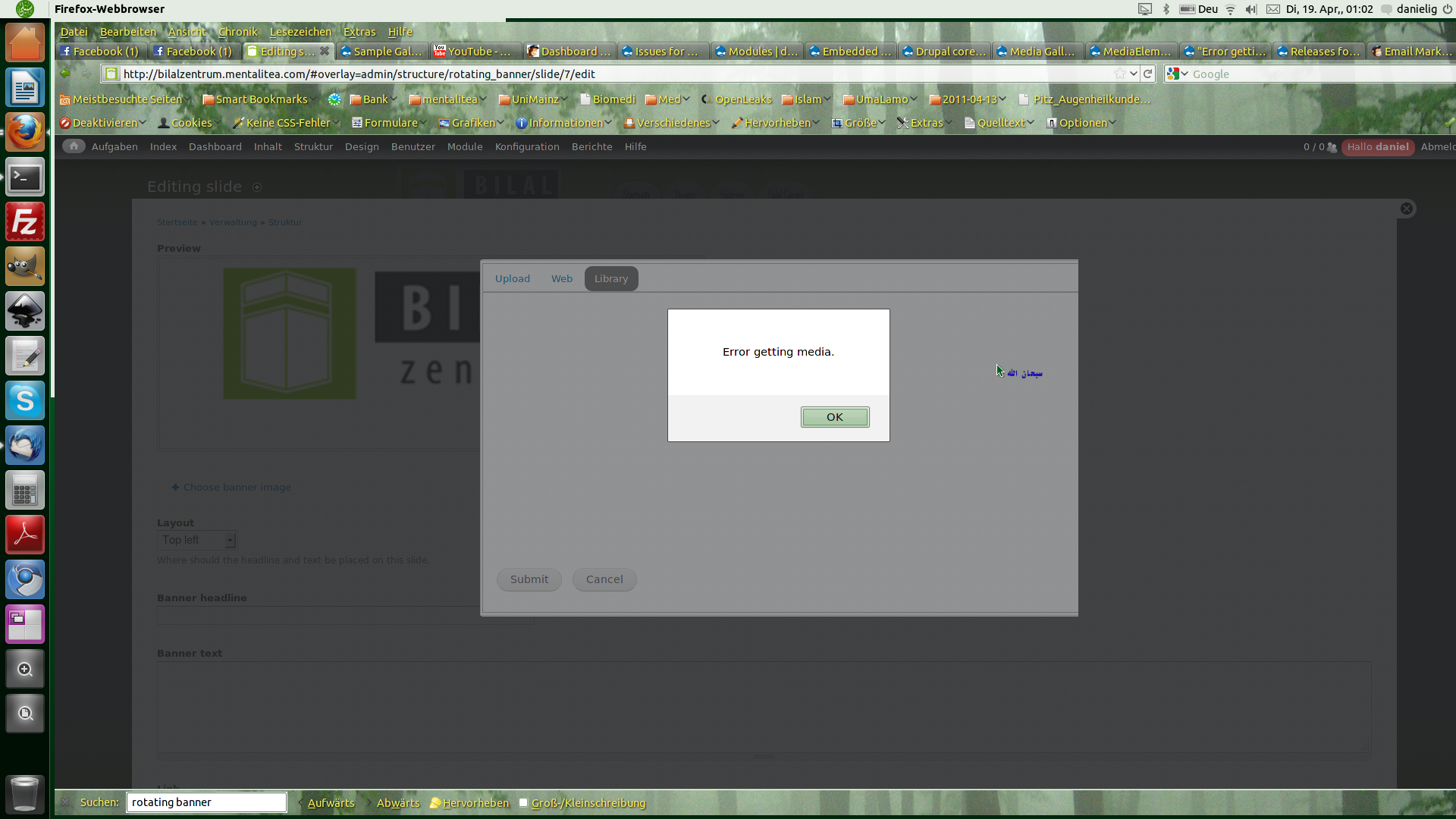
The problem is, that it manifests more in the media-gallery where I cannot add content at all except youtube videos, whereas in the rotating banner it just gives me an error when I try to access the library.
(see screenshot4.png)
in the media gallery the complete popup window / colorbox is not in order, whereas it looks fine in the rotating banner in my first install, however neither the media, nor the rotating banner modules seem to cause the problem.
I tagged this comment in order to be able to track it more easily since this affects the media_gallery and rotating_banner modules and the media_browser_plus while in fact it does not seem to be located here, could this be an issue in some core module?
I am trying to be creative...
However in the install where the error occurs I have many other things installed, I will triage what causes the problem and keep you updated, if possible I will create a link to continue this issue in another module...
Comment #10
triple5 commentedI just reopened this...
Comment #11
bmx269 commentedI now have the same issue. Started when I tried adding an image to the Rotating Banner modules add image area. This caused and error, and doesn't work anymore for anything where you need access to the media library.
Comment #12
JacobSingh commentedPlease test w/ dev versions. There is an incompatibility. There will be a media beta-4 release (probably this week). If you still find the problem with dev versions of everything, that's probably it.
Comment #13
triple5 commentedI am now using media 7.x-1.0-beta4 and my media-gallery became unusable, also, when trying to add a video or image and loading the library the error turns up again,
Some images or video thumbnails load but then a popup window tells me again: Error getting media.
Comment #14
JacobSingh commentedThis is actually because of #1106922: Clean up filenames, standardize on directories and it is already fixed in media_gallery 7.x-1.x: #1122330: Media module moved files around, need to update references
Update to the branch if you want it to work or patch. Another media_gallery release will come sometime soon.
Comment #15
Jayson Wonder commentedWell when I try to add a banner image and I click on Libray it is blank. I have images already on my site/default/files/images/banner directory, should I not be able to see these?
Thanks,