

Active
Project:
Wysiwyg ImageField
Version:
6.x-1.x-dev
Component:
Code
Priority:
Normal
Category:
Feature request
Assigned:
Unassigned
Reporter:
Created:
16 Jan 2011 at 20:49 UTC
Updated:
4 Jun 2011 at 21:26 UTC
Jump to comment: Most recent file


Comments
Comment #1
murzComment #2
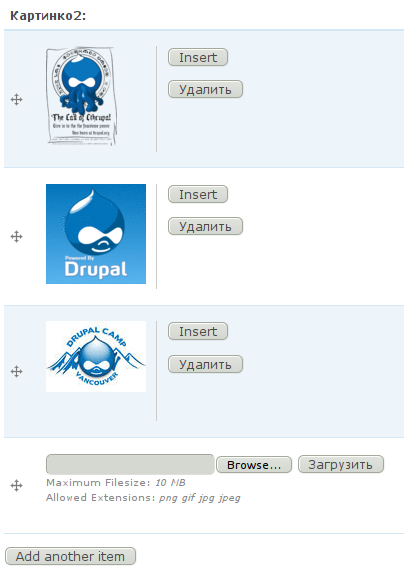
murzWill be good to see something like this:
Comment #3
murzOr maybe more compact style:
Comment #4
nbchip commentedThis is great idea, cause now u cant delete images from node, only remove them from body.
Also now , by default, u cant insert image u just uploaded, multiple times, cause view is filtering them with "File: Status = Permanent".
Well done.
Comment #5
alexbk66- commentedsubscribing
Comment #6
murzSeems that this is already realized in 7.x-1.x-dev version of module, here is screenshot: http://wstaw.org/m/2011/06/04/plasma-desktopiF8355.jpg