

Closed (fixed)
Project:
Mapstraction
Version:
6.x-2.x-dev
Component:
Code
Priority:
Normal
Category:
Bug report
Assigned:
Unassigned
Reporter:
Created:
16 Jan 2011 at 23:26 UTC
Updated:
5 Aug 2011 at 01:50 UTC
Jump to comment: Most recent file

Comments
Comment #1
joaomachado commentedModule doesn't work..... nothing renders and I have the library in /modules/mapstraction/mapstraction/source/
can't figure it out....
Comment #2
joaomachado commentedWell...I got Google maps to work, but I wanted Bing maps...where does one enter the Bing/Virtual Earth keys?
Comment #3
joaomachado commentedWell, not sure how I got Virtual Earth to work...but now the map takes up the entire screen...
Comment #4
marc.groth commentedSorry to hijack this issue queue but the issue is related to the last comment and still appears to be active.
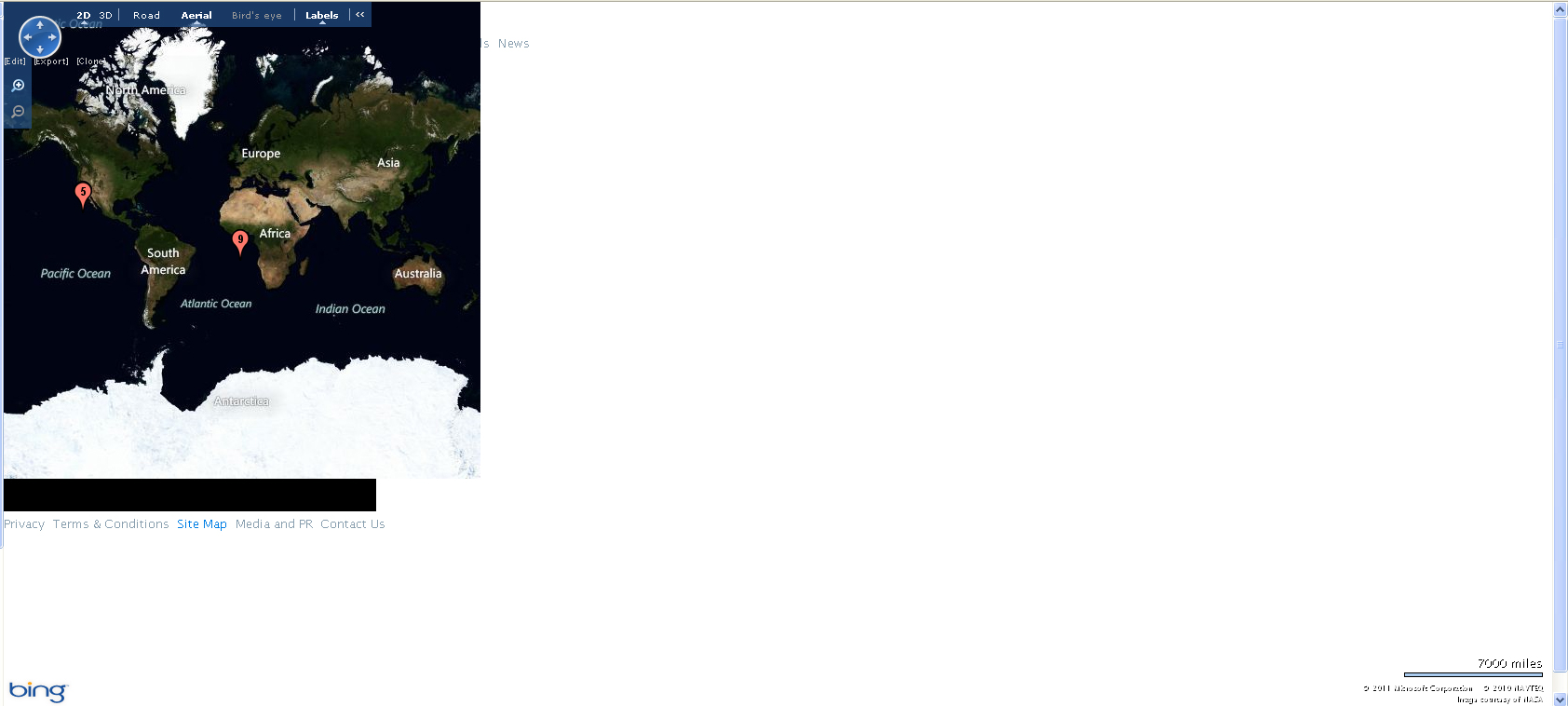
I have a view where I've specified the width as 'auto' and the height as 480px. I want the map to span the whole width of the browser, but I only want the height to be 480px. However even when I have these limits specified (and in fact even if I change the width to something like 200px) it always takes up the entire screen. The map itself seems to be confined to the restricted area, but whenever you move the map around it seems to expand over the rest of the content.
I am using the Location module to plot the latitude and longitude points which seems to be working fine. It's just the display of the map that is not working correctly.
Attached is an export of my view so hopefully it's easy enough to replicate.
I have also attached a screenshot to indicate the map 'area' being full screen even when you can clearly see the actual map is within the correct confines... The map is also overlaying over the rest of the content, but that's probably a CSS position issue?
Any help/guidance is much appreciated.
Cheers,
Marc
Comment #5
marc.groth commentedI think this is actually a css issue.
If you add position:relative; to the main map div ID it seems to go into the set space (and stays there when you pan around the map).
Closing this issue. Feel free to re-open if the above doesn't work for you.