Hi, I've done a backup of my Drupal 6 website and now trying to restore this after creating a new Drupal 7 site. Module installed and running ok, but when I do a restore it fails with the following error:
500 Internal Server Error
The server encountered an internal error or misconfiguration and was unable to complete your request.
Please contact the server administrator to inform of the time the error occurred and of anything you might have done that may have caused the error.
More information about this error may be available in the server error log.
The server error log shows:
Premature end of script headers: index.php, referer: http://www./admin/structure/backup_migrate/restore
Help please...


Comments
Comment #1
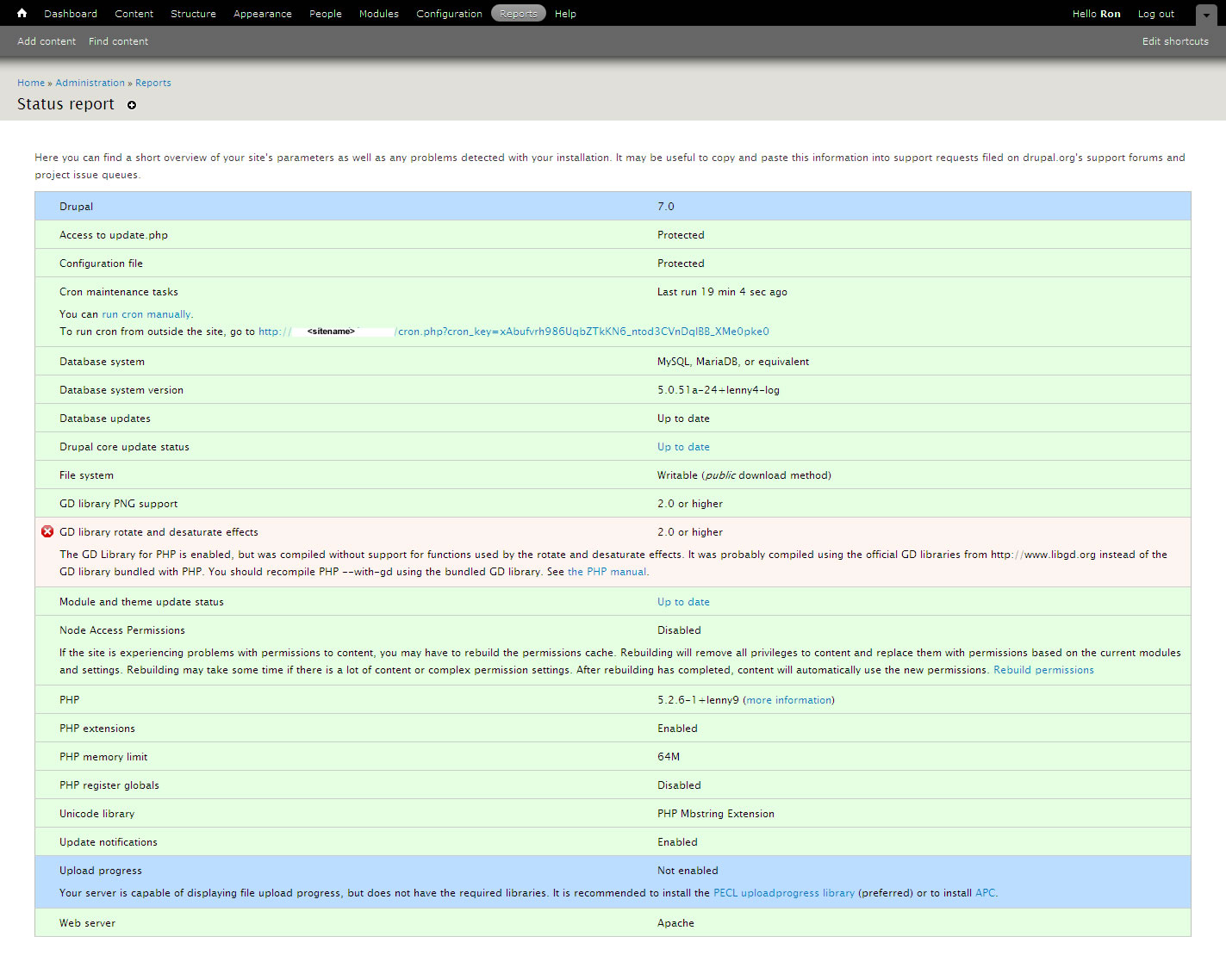
Beernink commentedDrupal status report attached.
Comment #2
ronan commentedThe most likely causes of a thing like this are memory limits and timeouts. Can you set your php settings to increase both and see if it works again?
Comment #3
Beernink commentedI increased the PHP memory to 64Mb. I am now getting the following error:
PDOException: SQLSTATE[HY093]: Invalid parameter number: no parameters were bound in backup_migrate_destination_db_mysql->_restore_db_from_file() (line 134 of /var/www/vhosts//httpdocs/sites/all/modules/backup_migrate/includes/destinations.db.mysql.inc).
Comment #4
Beernink commentedp.s. I created a php.ini with the increased memory setting, which I put in the Drupal root directory. Not sure how to increase PHP timeout.
Comment #5
Beernink commentedComment #6
Beernink commentedHelp please...
Comment #7
ronan commentedIf this is an emergency situation, try using phpMyAdmin or mysql command line to restore your site while we figure out what's going on here.
The timeout may not be necessary since the module will raise your time limit if it can and should be able to give you an error message if it runs out of time during a restore.
Is the error you mention in #3 is a new one to me. There shouldn't be any parameters bound to the statements so I wonder if there's something in the sql statement itself that's making PDO expect parameters.
Comment #8
Beernink commentedNot an emergency as such (I've changed the priority to "Normal"). I'll keep my site in maintenance mode till we can sort this out. I'm not that familiar with doing a manual database restore so prefer to wait till hopefully you may be able to get to the bottom of this. Other option is that I revert my site to Drupal 6 in the meantime.
Comment #9
Beernink commentedIssue title updated to reflect subsequent error after increasing PHP memory limit.
Comment #10
Beernink commentedUpgraded to later version of B+R and restored ok
Comment #11
killtheliterate commentedExperiencing this problem again with the latest version
Comment #12
Tino commentedSame error when trying to restore a downloaded backup created with this module. Restore is impossible!
Increasing
php_value memory_limit 256Mdidn't help either...PDOException: SQLSTATE[HY093]: Invalid parameter number: mixed named and positional parameters in backup_migrate_destination_db_mysql->_restore_db_from_file() (line 198 of .../sites/all/modules/backup_migrate/includes/destinations.db.mysql.inc).Comment #13
Tino commentedAlso increased
php_value max_execution_time 240, but still the same error.After extracting the .gz-file to a .mysql, I was able to restore the database with phpmyadmin.
Comment #14
mfarha commentedI just ran into this problem when I exported my DB with Backup and migrate using Chrome. When I export using Firefox it works fine!
Comment #15
greenwork commentedFirefox not working for me
Comment #16
greenwork commentedI got this to work when I went into advance and removed the gzip and zip options. Just used normal sql
Comment #17
dgastudio commentedsame here
Comment #18
vako commentedI am not using compression (gzip and zip options), only FireFox and PHP.ini memory limits are as indicated above, still getting this error sometimes, and no matter what, the restore doesn't work.
Comment #19
mths commentedI wonder if there is any more light on this? I just got the same error, it might be because there is a different database / php version?
Comment #20
jimsmith commentedI got this error while trying to work on a friend's site. In my case, I was making a copy of her site on my local machine. It may very well be a case of different databases here because, I discovered, she had been trying to run her D7 site on a shared host account that only provides MySQL 4.1. I'm not sure how she managed to install it, but I can certainly see why problems show up now.
Comment #21
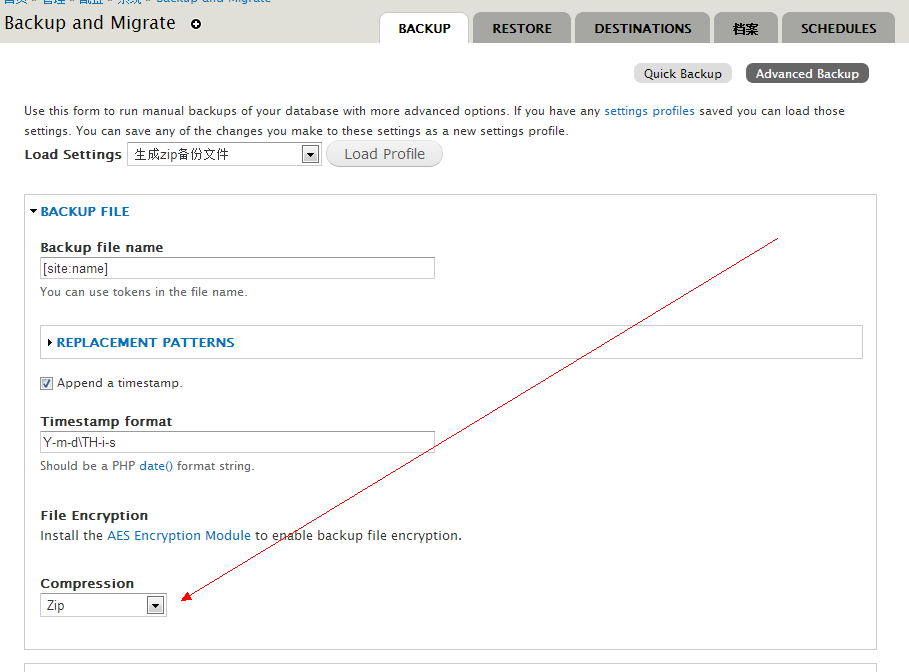
creatorwpy commented备份我也遇到了同样的问题.
用高级备份,选择压缩格式为zip,就可以了.
I also encountered the same problem.
Advanced backup, zip, you can select the compression format. This ok.
Comment #22
fledev.com commentedSame issue here again:
PDOException: SQLSTATE[HY093]: Invalid parameter number: mixed named and positional parameters in backup_migrate_destination_db_mysql->_restore_db_from_file() (Line 198 at /usr/www/users/brandr/subdomains/mediacup/sites/all/modules/contrib/backup_migrate/includes/destinations.db.mysql.inc).Working with 256MB of memory and 60sec of execution time.
Tested with Firefox and also Chrome.
QUICK FIX1: Use Zip instead of Gzip compressor
QUICK FIX2: uncompress the DB backup file and if you are still able to upload the file with the new size (due upload limit), add a ".mysql" at the end and restore the DB like that.
Regs
Comment #23
crutch commentedExperienced same issue today going from live site to local dev site on latest release using gzip via download method
from
vps hosting - mysql version 5.1.68
to
local dev - mysql version 5.5.27
sounds like gzip may be the culprit
Comment #24
Anonymous (not verified) commentedHave same issue using gzip.
Created a backup on MySQL client version: 5.1.63 and tried to restore this on MySQL client version 5.5.31.
backup and restore using zip works fine.
Comment #25
crutch commentedgzip does work in reverse direction from mysql 5.5.x to 5.1.x. Seems backward compatible but not forward.
Comment #26
buntstich commentedBackup DB: 5.0.51a-24+lenny5
No Compression
Restore DB: 5.1.66-nmm3-log
PDOException: SQLSTATE[23000]: Integrity constraint violation: 1062 Duplicate entry 'läßt' for key 'PRIMARY' in backup_migrate_destination_db_mysql->_restore_db_from_file() (line 198 of /www/htdocs/w008d3d7/cmss/sites/all/modules/backup_migrate/includes/destinations.db.mysql.inc).
Comment #27
ronan commented@bunstich: This is a different error from the one everybody else is reporting. If you're still having this problem please open a new ticket.
Everybody having the issue with gzip and downloaded backup files please join the issue over here: #1564408: Gzip backups are compressed twice when downloaded. I'd really like some people to try out what I'm asking so I can confirm if this problem is caused by double-compression by mod_deflate.
Anybody who is having any other issues please open a new ticket.
Thanks.
Comment #28
weekbeforenextUsing the gzip file has worked fine until just now. I unzipped the file and used the .mysql file to restore and that worked.
I am pulling from a dev site to an Acquia Dev Desktop local dev site for Drupal 7.
Comment #29
bradoc commentedHI everyone
I just have the same issue today
PDOException : SQLSTATE[HY093]: Invalid parameter number: mixed named and positional parameters dans backup_migrate_destination_db_mysql->_restore_db_from_file() (ligne 210
I have tried to apply the different soluces from ronan and weekbefo no success !!
Does everyone has a new proposal
Cheers
Comment #30
bradoc commentedHI everyone
I had today this issue when I tried to upload a backupfile
I got this message
PDOException : SQLSTATE[HY093]: Invalid parameter number: mixed named and positional parameters dans backup_migrate_destination_db_mysql->_restore_db_from_file() (ligne 210
I have tried to apply some related soluces => no results
what can I do ?
Cheers Philippe
Comment #31
masher commentedTurning off compression before saving back-up file fixed this error for me. Cheers
Comment #32
hmartens commentedThanks weekbeforenext, solution #28 worked for me! I did an advance backup with no compression and then the restore worked perfect.
Thank you for the help!
Comment #33
jprj commentedJust had this problem with a crashed site. Using solution #28...
Thanks for the guidance.
Comment #34
couturier commentedPlease re-open a new issue under the current 7.x-3.2 version if this problem continues.