

 The 2026 Drupal Business Survey is open. Your response will help shape the future of the Drupal business ecosystem.
This project is very helpful for beginners like me. Thanks.
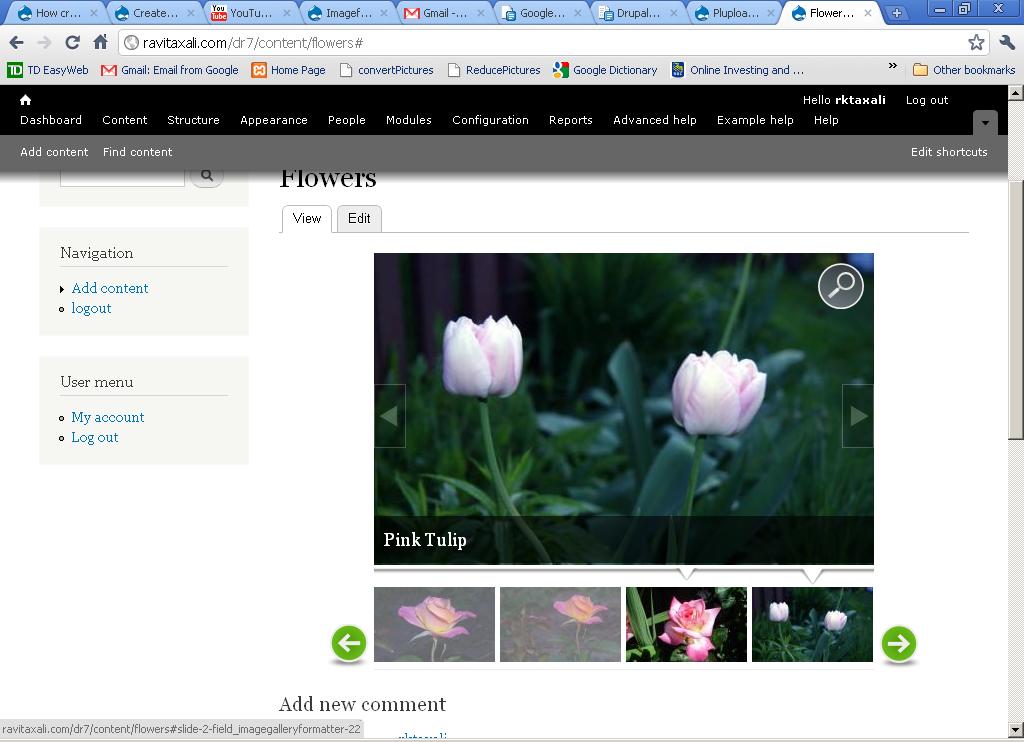
Now, coming to the issue: I define Title for the image and it appears on the image displayed on the page. I have setup my website to display the image in colorbox when I click the image to view full image. However, the colorbox does not display the title (caption); instead I see something like: Flowers Image 1, Flowers Image 2, etc. ( Image Please see the attached files. Do I need to configure something somewhere to show the captions or it is a feature not implemented yet?
| Comment | File | Size | Author |
|---|---|---|---|
| #5 | galleryformatter-1049376.patch | 2.26 KB | manuel garcia |
| #3 | galleryformatter-colorbox-modal-image-galleries.jpg | 111.83 KB | DRIVE |
| gallery2.JPG | 73.29 KB | tax14 | |
| gallery1.JPG | 89.48 KB | tax14 |


Comments
Comment #1
xaverx commentedsubscribe
Comment #2
bkmarsh commentedsubscribe
Comment #3
DRIVE commentedIn /sites/all/modules/galleryformatter/galleryformatter.module
Current 7.x.1.0 code starting from line 202:
"TODO" and "doesn’t work yet" were self explanatory to me :)
Without getting all fluffy on you, I got sidetracked on this issue and came up with a solution that should work for any of the other Modals that GalleryFormatter supports.
I am displaying my Galleries with Views and using Colorbox for the Modal and it works great.
----------- use code below ---------------
--------- use code above -------
Can't say enough great things about GalleryFormatter. Now that I have my head around some of its possibilities I can see that some of the stuff just needs reworking probably due to Drupal 7. If I understand correctly thus far, because key elements like CCK, Image etc. made it into the core for 7 this module just needs to standardize, sanitize and organize a little bit. I am not taking that on but hopefully my crude workaround will spark "the real" way to do it and the small issues will go away with the next release.
THANK YOU VERY MUCH FOR THIS MODULE. IT IS VERY USEFUL
I am not new to writing code but am new to Drupal and have a lot of bad coding habits that I need to get rid of :)
For now I am focusing on the theming aspect of Drupal 7 (my new theme is nearly ready).
I take criticism, compliments, money or whatever :D .... if it helps the overall deal it's all good. I figured since I was chasing ghosts between Colorbox and GalleryFormatter for the past couple hours, I would spend more time with my thoughts..... hope this is useful to ya's....
later :)
Comment #4
tax14 commentedDRIVE,
Thanks for providing the fix. It works.
As you have mentioned, this is a great module and very easy to implement. Hats off to the module developers!
Comment #5
manuel garcia commentedOK, seems like we had a bit of a mess after the migration on this issue.
Please test the patch attached, which solves the problem, and keeps some consistency in the code for maintainability.
Comment #6
DRIVE commentedThanks for the patch.
It works as prescribed -- In full view it uses Title, Alt or File Name no problem.
For slides though, if no Title exists, no caption is displayed... not the alt or the file name. You can decide what the status should now be. I think if people are too lazy to provide alt and title they probably dont care about slide captions... haha.... it would make it pure though ;)
I just dont have time right now to go into that one but figured I'd test your patch since you were nice enough to provide one so quickly.
Comment #7
manuel garcia commentedThanks for testing DRIVE, I've just committed the patch.
About whether or not to display the ALT as the caption, it's up for discussion. Technically it's not meant to be used like that, but well I can see the benefit. Let's discuss it in a new issue to keep things clean.