Active
Project:
Danland
Version:
7.x-1.0
Component:
Code
Priority:
Normal
Category:
Support request
Assigned:
Unassigned
Issue tags:
Reporter:
Created:
24 Feb 2011 at 00:04 UTC
Updated:
21 Mar 2013 at 19:09 UTC


Hello all,
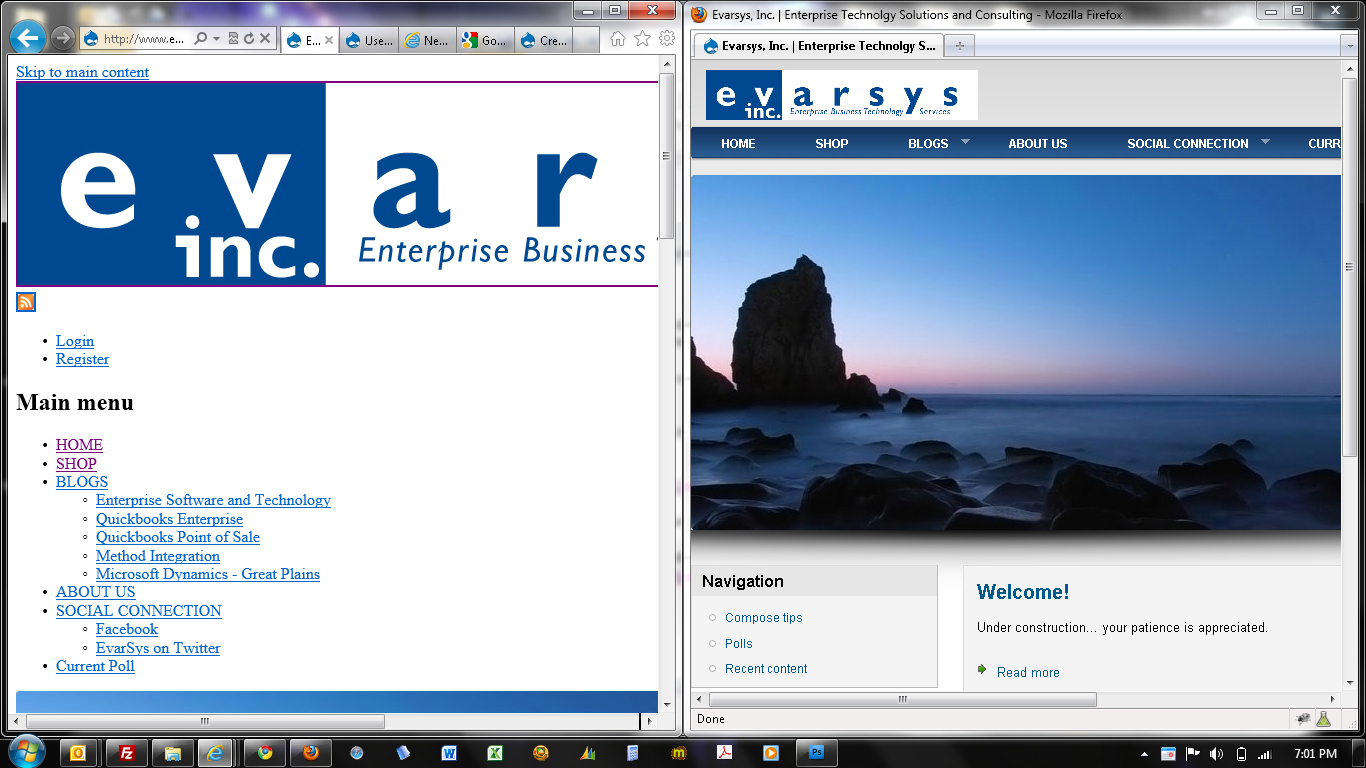
I've been working with the Danland template/theme for a few days now and really like it so far. The only issue that I've had are with Internet Explorer 9 and it not wanting to display the page correctly. All other browsers work fine.
Site Name: http://www.evarsys.com
Any support suggestions or help would be greatly appreciated.
Thanks
| Comment | File | Size | Author |
|---|---|---|---|
| ie9beta_drupal_theme_issue.jpg | 489.55 KB | Drupal Designs 1 |

Comments
Comment #1
Drupal Designs 1 commentedComment #2
Drupal Designs 1 commentedComment #3
mashizhao commentedI have the same problem, that looks exactly the same. Please help, thank you
Comment #4
danpros commentedHi,
Not noticed this before, can you clearing the cache please.. and report to me what you get.
Dan
Comment #5
mashizhao commentedI actually fixed my problem by optimizing CSS and Javascript in performance. Thanks.
Comment #6
danpros commented@mashizhao: thank you for let me know about the fixed :)
Little weird since its okay in previous version of IE. I will keep this open, so other users that found similar issues can read this thread.
Dan
Comment #7
hate90 commentedHEllo, im also having a very odd problem with the IE9, my website is not showing at all, only the background, i have optimized the css and the javascript but still no luck, any clues guys
thank you
multiserviciosplanb.com
Comment #8
attilahooper commentedhad rendering issues w IE 9.0.8. Page looked like it had no theme. Optimize css and cache worked.
Comment #9
jerdiggity commentedJust thought I'd throw some info out there in case anyone is wondering why this happens while using such fine software as IE:
@importrules set by CSS files. Please see this link for more info: http://support.microsoft.com/kb/262161.On the subject of IE9, sometimes you might encounter a page that does render properly in IE7 or IE8, but not in IE9. A simple solution this particular IE problem (one of many) is to send a header by which IE can be told to render the page in backwards-compatibility mode. I didn't see a module that would do something like this so I just wrote a quick one myself, as does follow:
Note: I called the module IE8 because that's the version that rendered properly for me. If IE7 gives you better results, simply replace every instance of the number 8 (below) to a 7.
sites/all/modules, create a folder calledie8, inside of which you'll need to create two files:ie8.infoandie8.module.ie8.infofile (do the same for Drupal 6, but changecore = 7.xtocore = 6.x)ie8.modulefile:ie8.modulefile:Hope that helps... :)
Comment #10
comwebd commentedJerdiggity, thanks for the great info regarding IE and it's stylesheet processing. Solved an issue I was dealing with for the last few weeks!
Comment #11
taquil commentedSo glad this was posted. I've been working with a Danland site for weeks now, but my desktop OS is XP, so I couldn't look at it with IE9. When I finally did, there were a couple oddities, like almost everything on the homepage below the logo being shifted up about 20px, so bottom of the logo covered the top half of the main menubar. And a couple other things were not vertically positioned properly. But jerdiggity's "module" cleared it right up.