Closed (fixed)
Project:
GMap Module
Version:
7.x-1.x-dev
Component:
Code
Priority:
Critical
Category:
Bug report
Assigned:
Reporter:
Created:
26 Feb 2011 at 08:38 UTC
Updated:
14 Jan 2013 at 01:48 UTC


Hi....
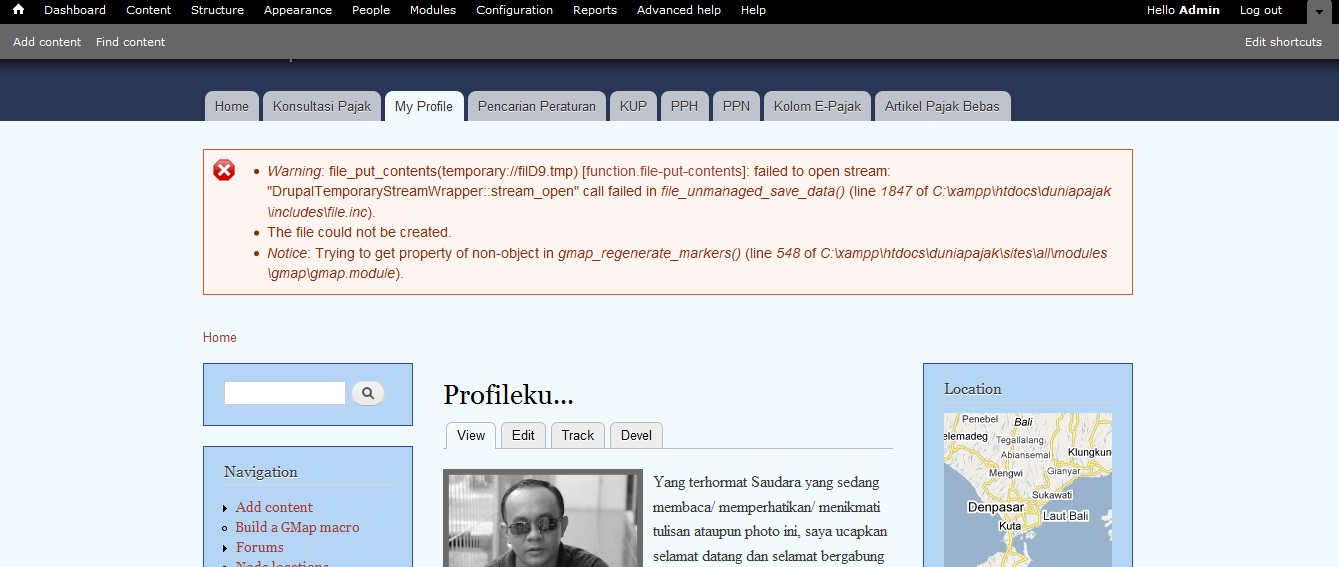
I'm using gmap module in dupal 7, but when I enable location map, error message appear
* Warning: file_put_contents(temporary://filD9.tmp) [function.file-put-contents]: failed to open stream: "DrupalTemporaryStreamWrapper::stream_open" call failed in file_unmanaged_save_data() (line 1847 of C:\xampp\htdocs\xxxxxx\includes\file.inc).
* The file could not be created.
* Notice: Trying to get property of non-object in gmap_regenerate_markers() (line 548 of C:\xampp\htdocs\xxxxxxx\sites\all\modules\gmap\gmap.module).
Thanks for helping me.....
| Comment | File | Size | Author |
|---|---|---|---|
| error.jpg | 155.24 KB | duniapajak |

Comments
Comment #1
parasox commentedI get a similar error but only the bottom part:
Notice: Trying to get property of non-object in gmap_regenerate_markers() (line 549 of /var/www/d7/sites/all/modules/gmap/gmap.module).
Comment #2
johnvidem.
Comment #3
bdragon commentedThat looks a lot like the public files directory / temporary files directory is not set up properly / writable by the webserver (see admin/config/media/file-system)
gmap assembles a compressed version of the marker .ini files and needs working files support to do this.
Comment #4
duniapajak commented@bdragon. Solved my problem
Thanks very much
Comment #5
nelsinchi commentedPlease... I have the same problem, could you explain how did you fix that issue?
Thank you.
Comment #6
giorgosk@nelsinchi
it depends on your webserver settings but usually setting the tmp directory set here
admin/config/media/file-system to
chmod 777(can also do it with ftp client with set permissions option)solves such issues
Comment #7
dmackin commentedAwesome! Thanks @bdragon! Fixed for me too...
Comment #8
johnvI confirmed this error in March (#2). After updating to latest version of Location + GMap, the following errors re-appear:
I solved it by just removing the public://js directory, expecting it to re-appear automatically (since it is generated with proper permissions by modules themselves.)
Comment #9
jan101 commentedThis did the trick for me:
I went to sites/default/files/js on my site and then adminstering the proper rights to the file gmap_markers.js
Comment #10
giorgoskhow about patch on this issue #1151230: gmap_regenerate_markers fails when clearing the cache
Comment #11
didier misson commentedYes !
Folder ../sites/.../js was ok :
Apache can write in it.
But the file gmap_markers.js was not with the correct owner :
Thanks !