

 The 2026 Drupal Business Survey is open. Your response will help shape the future of the Drupal business ecosystem.
Most shared hosting services will not grant "create temporary tables" privilege to users. This means that drupal 5.0 rc1 will not run properly in this environment.
There is a patch to database.mysql.inc for drupal 4.7.x that gets around this. I can't find the documentation on this patch. I would like to see a similar patch for Drupal 5.0.
The text of the error message:
user warning: Access denied for user: 'ghdrupal@%' to database 'ghdrupal' query: CREATE
TEMPORARY TABLE missing_nids SELECT n.nid, n.created, n.uid FROM node n LEFT
JOIN node_comment_statistics c ON n.nid = c.nid WHERE c.comment_count IS NULL in
/home/content/j/o/h/johnjolowe/html/drupal50/includes/database.mysql.inc on line 167.
user warning: Table 'ghdrupal.missing_nids' doesn't exist query: INSERT INTO
node_comment_statistics (nid, last_comment_timestamp, last_comment_name,
last_comment_uid, comment_count) SELECT n.nid, n.created, NULL, n.uid, 0 FROM
missing_nids n in /home/content/j/o/h/johnjolowe/html/drupal50/includes/database.mysql.inc
on line 167.
Thanks.
John Lowe

Comments
Comment #1
ryanthered commentedConfirm issue on fresh install.
LAMP Hosting provider is Godaddy. They still don't provide cron access or Create Temporary Tables for shared hosting environments referencing security concerns and won't grant access or configure cron jobs themselves.
Faced with sad choice to abandon idea of using Drupal 5 on our new site or losing our prepaid year of hosting to move to another host.
Comment #2
ryanthered commentedSorry me again... Here's the output of systeminfo module. Again fresh install on godaddy's shared virtual hosting product for Linux. Sensitive info overwritten with ****
user warning: There is no such grant defined for user **** on host ****
query: SHOW GRANTS FOR ***** in /****/database.mysql.inc on line 167.
Drupal
Version 5.0-RC-1
Sites directory default
Url ****
Database prefix
Web Server
Type Apache
Version Not found
PHP Interface CGI
PHP
Version 4.3.11
Magic Quotes GPC On
Magic Quotes Runtime Off
Memory Limit
Register Globals On
Safe Mode Off
Session Cache Limiter none
Session Save Handler user
Upload Max Filesize 8M
Extensions
CURL Support Enabled
GD Version bundled (2.0.28 compatible)
FreeType Support Enabled
XML Support Enabled
Zip Support Enabled
Zlib Support Enabled
Database
Type MySQL
Version 4.0.27-max-log
Charset First from version 4.1
Collation First from version 4.1
Create Temporary Tables Disallowed
Lock Tables Disallowed
Comment #3
ryanthered commentedClosing this out. I moved away from godaddy.
Comment #4
drupaltiger commentedMy /tmp directory did not have correct permissions when I encountered this problem.
Because it is a temporary table, mysql uses space in the /tmp directory. When mysql couldn't create a file in the /tmp directory it failed to create the table.
The shared host likely has the /tmp directory locked
Comment #5
kelvis97 commentedI am using Godaddy, I bought a domain 2 days ago, and pointed it towards the space at Godaddy.
I uploaded all the files from Drupal which was 4.5 megs,
next through the Control Panel created a SQL database,
went in and opened my domain in a browser,
Drupal page appears asking what langauge?
Next page after inputting info, passwrd, database name, and address of the SQL server,
I hit the continue button and get the message below:
____________________________________________
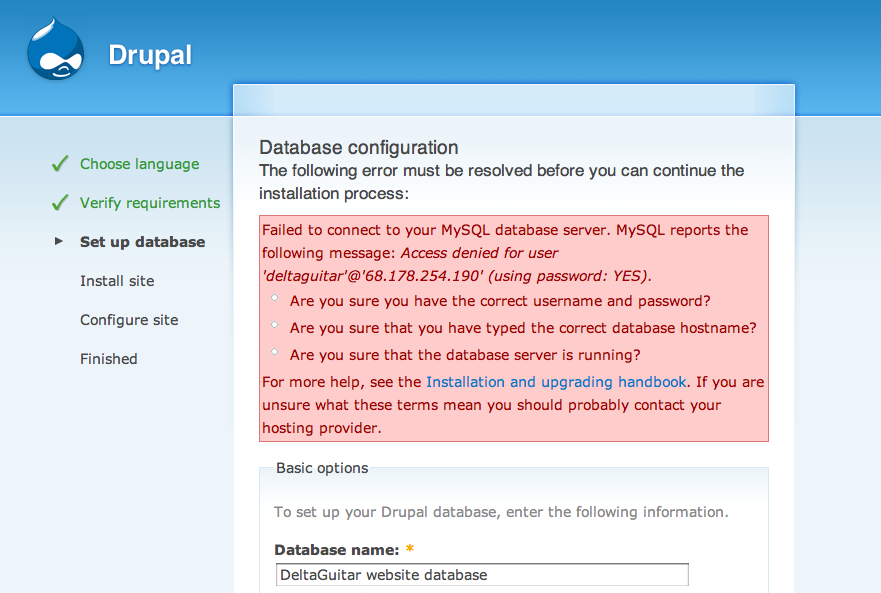
Database configuration
The following error must be resolved before you can continue the installation process:
Failed to select your database on your MySQL database server,
which means the connection username and password are valid,
but there is a problem accessing your data.
MySQL reports the following message: Access denied for user 'deltaguitar'@'%' to database
'DeltaGuitar website database'.
Are you sure you have the correct database name?
Are you sure the database exists?
Are you sure the username has permission to access the database?
For more help, see the Installation and upgrading handbook.
If you are unsure what these terms mean you should probably contact your hosting provider.
__________________________________________________________
I thought it may be some type of a permissions problem,
I am using a G5 Mac, I did change the default.settings.php (in the Sites/Default folder)
to settings.php which from what I read needed to be changed plus changed the permissions
to 444...
Thanks
Kevin
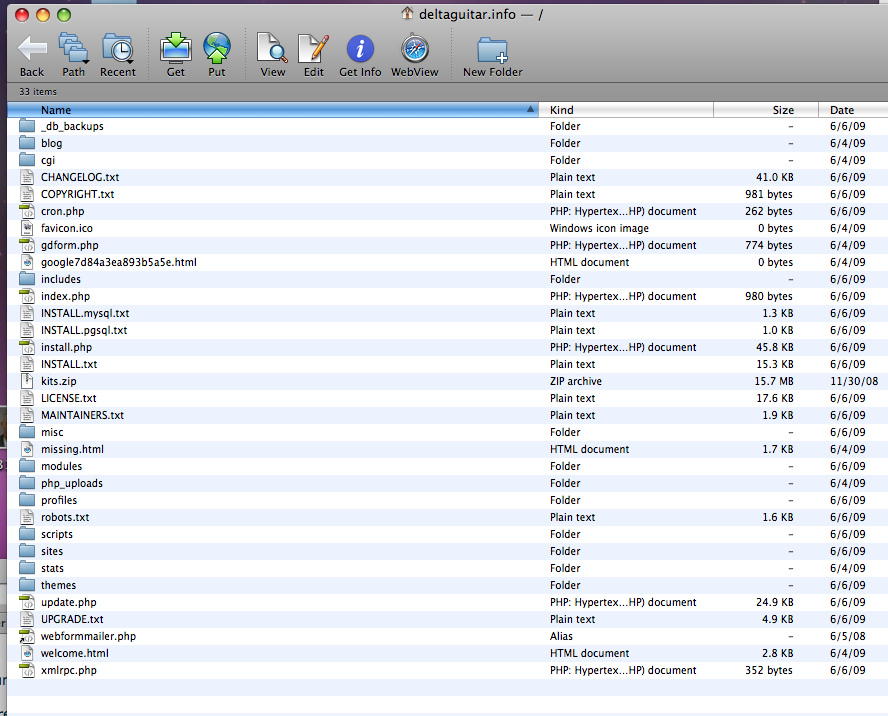
I attached 2 files one is the FTP client w/ files and the other the Drupal screen
Comment #6
kelvis97 commentedComment #7
EvanDonovan commentedSince you are getting a MySQL connection error, it most likely is not a file permissions problem. Most likely, you have entered the wrong username or password for your MySQL database.
I noticed that the message says "Access denied for user@[IP Address]". Probably the GoDaddy database, since it is a shared host is not on a separate server so you should enter localhost, rather than the IP address of the GoDaddy site.
Also, you shouldn't reopen closed issues unless you are fairly certain that you are experiencing the same problem.
Comment #8
jjlowe commented