

 The 2026 Drupal Business Survey is open. Your response will help shape the future of the Drupal business ecosystem.
Vertical position settings "center" and "bottom" have same effect. This applies to images, that should be cropped vertically.
| Comment | File | Size | Author |
|---|---|---|---|
| #3 | define_canvas_positioned.png | 127.92 KB | dman |
| #1 | define_canvas_cropped-d6-2x.png | 88.77 KB | dman |


Comments
Comment #1
dman commentedCan you share the settings that you are having trouble with?
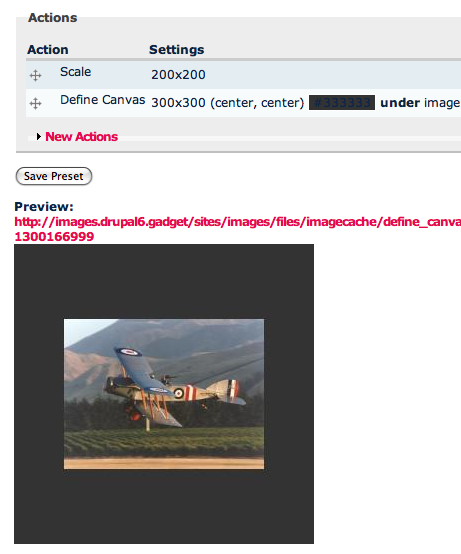
The centering works for me - as I'd expect. What are you expecting?
Comment #2
fasdalf@fasdalf.ru commentedSettings are: http://itmages.ru/image/view/147353/4ace5af8
Uncut sample is: http://itmages.ru/image/view/147354/5556e285
That's more clear?
Comment #3
dman commentedNot for me..
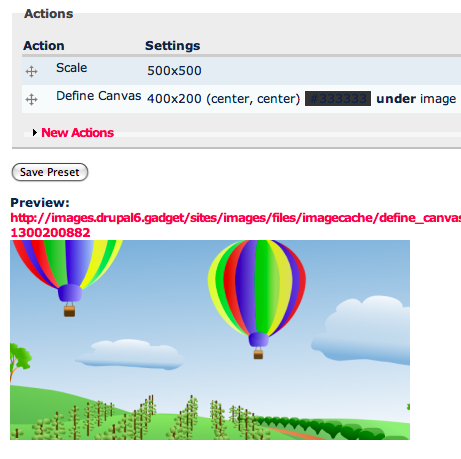
... Though I can't guess what effect you are hoping for with that process, there is probably another way of doing it.
Still, I seem to be getting a vertically 'centered' slice from that image
Comment #4
fasdalf@fasdalf.ru commentedI want "scale and crop" effect without upscale. And i need all images to match 400x200 exactly.
You use GD2 (not imagemagick) like me, don't you?
Comment #5
dman commentedyeah, this is the GD version, current 6.x-2.x-dev
I can't see what could be causing the effect you showed.
Your example used 'resize' - which usually causes warping.
I don't understand why you would resize to a big size, then use define canvas to do the cropping for you. If you are trying to get consistent padding (or 'letterboxing')then you should scale and then define canvas with the same measurements both times.
Comment #6
fasdalf@fasdalf.ru commentedsource image could be beginning from 200x100 baner and ending with 1800x3200 foto. "Scale" set without "allow upcale" option. So small images are copyed as is and grey background added (to look seamless). Big images are cropped a bit.
This effect could be repeated with "scale" and "crop" actions. But it uses black background only.
Comment #7
fietserwinThe 6.x-2.x version has been discontinued. Please read this comment #1591826-1: 6.x-2.x-dev is no more supported . Please reopen this issue in another version (6.x-1,x-dev or 7.x-1.x-dev) if the error still occurs there.
Is #1591484: Underlay not working (on IM) a duplicate of this for D7? If so, you don't have to reopen this one for D7.