

 The 2026 Drupal Business Survey is open. Your response will help shape the future of the Drupal business ecosystem.
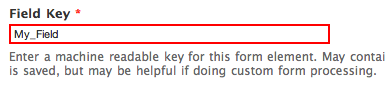
When you clone a Webform component, there's no new field key automatically generated and if you don't pay attention, you'll try to save and get an error as you have to use a unique key. I think it would be a good UX enhancement to generate a new key automatically ( "_2", "_cloned" an ID or whatever) so that you don't have to take care about this.
Besides, it seems to me that it would be the extension of #687638: When cloning, UI doesn't make new Field Key obvious
| Comment | File | Size | Author |
|---|---|---|---|
| My_Field.png | 15.13 KB | anavarre |

Comments
Comment #1
colemanw commentedThe above feature request is similar enough to this bug that I decided to extend this issue... addressing one may address the other.
When cloning a fieldset or other container element, all child elements are cloned as well, including their form keys, which are supposed to be unique.
Even stranger is that if you go to edit and save one of those child elements, form validation does not prevent you from saving it as-is, even though it has the same key as another form element.
Comment #2
vernond commentedCloned keys are unique (therefore valid) when they fall under different parents, i.e. [parent_1][foo] is not the same as [parent_2][foo]. What the validation will prevent is an attempt to have two [parent_1][foo] components. There is nothing at all strange about this behaviour where you have a form with repeating groups of similar information, for example cd_1 (title, artist, producer), cd_2(title, artist, producer) etc.
Comment #3
colemanw commentedWow, thanks for the explanation, I had no idea that's how it works, but now it makes sense since webform sets the #tree property of forms. I wonder if this is documented somewhere. The error message when you try to create an element with a duplicate key simply says:
Changing tags back to the original feature request.
Comment #4
quicksketchWe actually explicitly allow non-unique keys intentionally. Think of the common situation where you might have "Billing address" and "Shipping address" under two different fieldsets. You wouldn't want the fields under Billing Address to be "address1", "address2", "zip", etc. and then have the (cloned) fields under Shipping address to be automatically named with some terrible keys like "address1_2", "address2_2", "zip_2", etc. It makes locating and using tokens more difficult than exact cloned names.
The current functionality is by design and I don't think it should be changed.
Comment #5
pvanerk commentedI would like to reopen this case. I am not using the Drupal 7 version of this module, but the Drupal 6 version. I guess the behavior is the same for both versions.
I understand the explanantion above, however we are still experiencing some problems with a non-unique key in combination with the module Webform Conditional (Same Page Conditionals).
We have a setup of fields like this
A
1 Yes/No
2 Textfield
3 Textfield
B
4 Yes/No
5 Textfield
6Textfield
The fields 2 and 3 should only be shown when 1 = Yes
The fields 5 and 6 should only be shown when 4 = Yes
When you clone field 2 and you change the label to field 5 (but by accident you keep the field key the same), the conditional field setup of field 2 is automatically applied to field 5.
When I change the conditional field setup of field 5, the conditional field setup for 2 is automatically changed.
We had a questionnaire with quite a couple of cloned fields. We changed most of the field keys, but some slipped through. It was quite a job to find the duplicate field keys and change their keys.
It would be nice, when the fields are cloned, the field key is made unique or that there is some kind of warning when saving the instance to indicate there are duplicate field keys.
Can you please take this feature request again in consideration?
Thanks!
Comment #6
quicksketchThe conditionals system has been rewritten in the 4.x version of the module and this is no longer an issue. In 3.x, conditionals were part of the component configuration. In the 4.x version conditionals are now moved to a dedicated tab and are not cloned along with the component when it's copied.
I don't think the minor problem with conditionals is worth the effort of solving that problem in the 3.x branch. Any users that need conditionals, I'd strongly recommend using the 4.x version. Unfortunately I know you said you're using the D6 version of the module, so using 4.x isn't an option for you until you upgrade the site to D7.