Closed (cannot reproduce)
Project:
SEO Compliance Checker
Version:
7.x-1.x-dev
Component:
Keyword Rules (Code)
Priority:
Normal
Category:
Bug report
Assigned:
Reporter:
Created:
21 Mar 2011 at 20:56 UTC
Updated:
27 Nov 2011 at 16:53 UTC


From issue #1095932: SEO Checker does not allow to publish content:
but I still there is some issue in calculating keyword density and use in title. Maybe I should create a different thread for this matter...
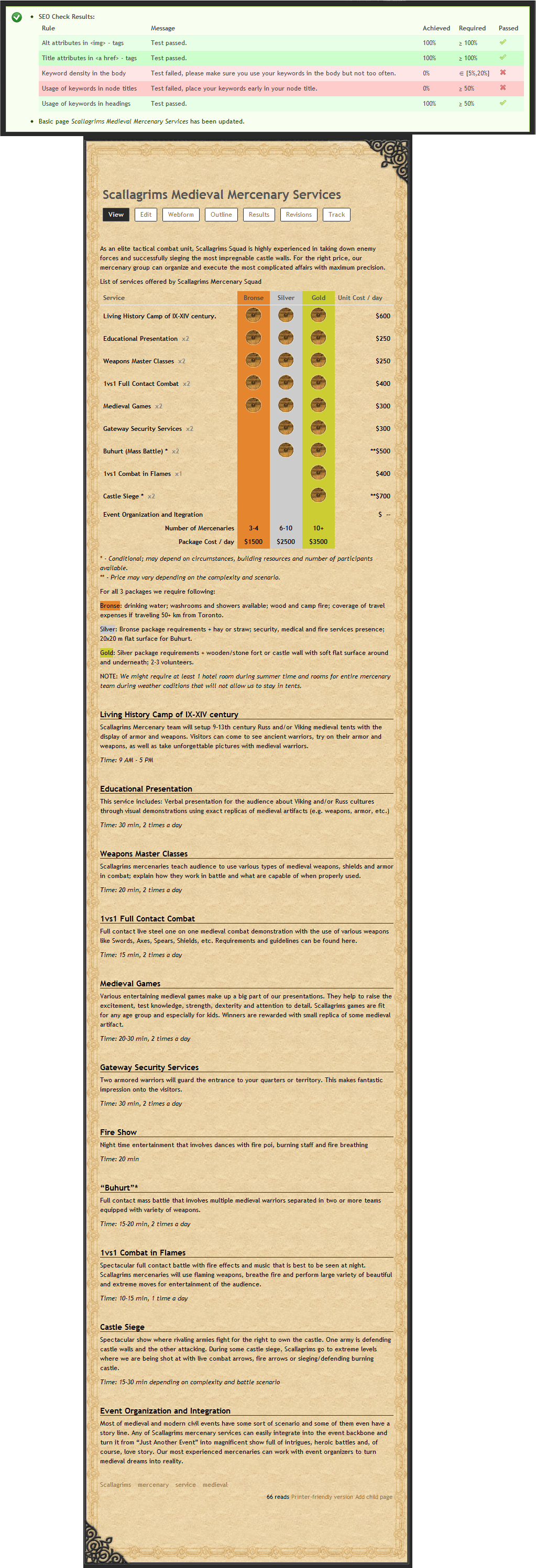
I've got 4 words in my tags field, my page title consists of these 4 words,
My body contains 729 words and about 35 of those are my keywords.I should be getting about 4.8%
SEO complience checker gives me
0% for density in body
0% for use in title.See th image with seo results and page itself.
http://www.scallagrims.com/scallagrims-medieval-mercenary-services
http://drupal.org/files/issues/SEO-Checker.png

Comments
Comment #1
miruoss commentedOkay, I've found something. I always tested with the tagging widget (comma separated list of keywords) of the taxonomy module. When I change the widget type to either "Check boxes" or "Select list", keywords are not extracted at all. In such a case of course the keyword checks always fail.
I committed a fix for this. Please use GIT or download the next development release and give me a feedback on this.
Comment #2
miruoss commentedComment #3
sashkernel commentedThanks for quickly addressing the issue.
I'll test it out today and will post feedback.
Comment #4
sashkernel commentedDid the update of the module;
Issue was not resolved. I'll try to uninstall it completely and reinstall again later today.
Comment #5
sashkernel commentedDisregard #4.
I downloaded wrong install package.
All works as it should.
Comment #6
miruoss commentedAlright, thanks for your feedback. I will release a new version 1.1 soon if there are no more issues.
Comment #7
miruoss commentedComment #8
patchshorts commentedI'm having this issues as well. The August version of the dev didn't work for me as I am trying to extract the keywords from the body. I am not sure what is missing. What i did was installed it, configured the node types, edited those node types and set the keyword checking rule to the body and consistently 0%.
Comment #9
miruoss commentedAre you using a textfield to enter keywords? Have you configured seo checker to use that field to check for keyworsd? Also be sure you enter your keywords comma separated.
If you still face this behaviour please give me more information what is the string you enter in your keywords field and as much info as you can give me on how to reproduce this.
Comment #10
miruoss commented