

Closed (fixed)
Project:
Advanced Forum
Version:
7.x-2.x-dev
Component:
User interface
Priority:
Normal
Category:
Bug report
Assigned:
Unassigned
Reporter:
Created:
23 Mar 2011 at 09:50 UTC
Updated:
1 Aug 2011 at 07:45 UTC
Jump to comment: Most recent file



Comments
Comment #1
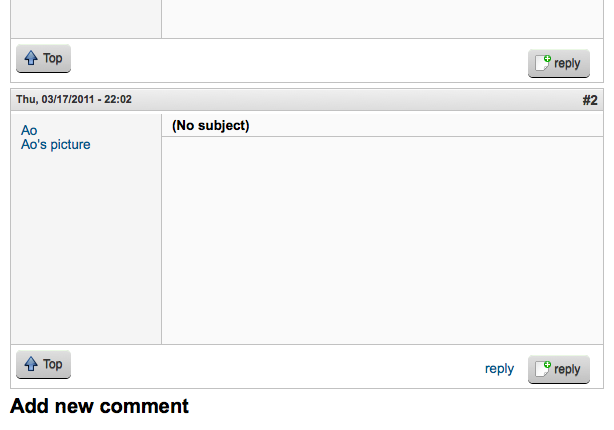
Aonoa commentedOne of them is styled with only text, while the other has the image given to it from the advanced forum style. Could it be that the text link is from the core forum and the styled one is from advanced forum?
Best regards,
Ao
Comment #2
troky commentedPlease send some screenshots so I can investigate this.
Comment #3
Aonoa commentedHere you go. =)
Best regards,
Ao
EDIT: It is a tif picture file (renamed to upload), seems it won't display here in the browser. Should work fine if you download it.
EDIT2: The post above it with only one reply link, is the topic starter or the thread node if you will. They seem unaffected.
Comment #4
michelleNeither core forum nor advanced forum provide these. The links come from the comment module and AF adds classes to them to style them. I can't think of any way that AF could be duplicating them... You checked that the problem goes away when AF is disabled?
Michelle
Comment #5
Aonoa commentedI made a true png file for you, just in case. =)
I did not try disabling AF to double check, but I never heard about this from my users until I had enabled AF. I will try it just to be sure, though.
Best regards,
Ao
Comment #6
michelleA link would actually be much better than a screenshot. Firebug may give some clues as to the origin of the other link. That or could you paste the chunk of HTML surrounding the links?
Michelle
Comment #7
Aonoa commentedI'll see what code is there, but it did indeed disappear when I disabled AF. I'm including a screenshot of a the same comment when AF is disabled.
Best regards,
Ao
Comment #8
Aonoa commentedWith AF:
Without AF:
Best regards,
Ao
Comment #9
michelleWith no AF, you have an icon by it? What's adding that? If something else is doing a link alter, that could be the problem. Try changing to a core theme and see if the problem goes away.
Michelle
Comment #10
Aonoa commentedThere's two reply links even when using the bartik core theme.
Best regards,
Ao
Comment #11
michelleI've been going through the D6 code and can't find anything that could possibly cause this. I realize this is a D7 issue, so possibly something was introduced in the porting. In D6, however, I can neither reproduce this nor see any way for AF to add another set of links to comments. The only adding of links that it does is on the node not comments.
Could you have a look at the D7 version, troky?
Also, something to port over. At the top of advanced_forum_link is two if tests one right after another. While staring at this code, I realized it made more sense to reverse them to do the quicker check first. See http://drupalcode.org/project/advanced_forum.git/commit/60bc64a . Just a tiny change but saves running through advanced_forum_is_styled() if this isn't a topic starting node.
Michelle
Comment #12
troky commentedThis part of code is much different in D7 so I have to investigate this deeply. Stand by... :)
Comment #13
troky commentedOk, I've found the problem. There was class naming change from 6.x to 7.x. In 6.x there was
comment_replyclass and in 7.x it iscomment-reply.Since link alteration code in 7.x is conformed to 6.x to maintain maximum styles/css compatibility errors like above is possible. I can make some quick fixes but this is not right way to go.
Michelle, I need your permission to change '_' in class names to '-' since that is D7 way and to avoid possible class naming problems in the future. 6.x and 7.x style css is not 100% compatibile already.
Comment #14
michelleGo for it. You really don't need to ask my permission to make changes like that. I'm not going to micromanage your handling of the branch. All I ask is that you talk to me before making major design changes or adding huge features so we're on the same page first. :)
Michelle
Comment #15
troky commentedChanged and committed.
Ao, please check if you still have double links displayed. (clear cache before testing).
Comment #16
Aonoa commentedIt works, thank you so much! =)
Best regards,
Ao
Comment #17
troky commentedThanks. Closing this.