Active
Project:
Vertical Tabs
Version:
6.x-1.0-rc1
Component:
Code
Priority:
Normal
Category:
Bug report
Assigned:
Unassigned
Reporter:
Created:
28 Mar 2011 at 21:24 UTC
Updated:
7 Sep 2011 at 11:09 UTC
Jump to comment: Most recent file


Hello,
when i have a CCK Textfield as "Checkboxes/radio buttons" and this field is "required" and the user dont fill out this field and he will save the node-form - then the "required indicator/error" will not show in the Tabs-Menu (left) - the drupal-error-message will show but the tabs-error-color will not change and the user dont know in what a tab is this require field.
When the cck-field is not "Checkboxes/radio buttons" the tabs change to red error-color and all is ok.
Has anybody an idea how can i fix this problem?
Sorry for my bad english - i hope you understand my problem.
Best Regards
Matthias
| Comment | File | Size | Author |
|---|---|---|---|
| #6 | Captura44.PNG | 10.73 KB | manoloka |
| #4 | Captura33.PNG | 33.62 KB | manoloka |
| #2 | 22.PNG | 11.67 KB | manoloka |
| #1 | required.jpg | 132.71 KB | Berliner-dupe |



Comments
Comment #1
Berliner-dupe commentedHere is a screenshot where you can see the required-fields but not the indicator left site.
Comment #2
manoloka commentedI'm having the same issue.
I've tried adding some css to my local.css file but can't get it.
The css for the input, textarea and select is this one,
I've tried using;
but that didn't worked out ????
Any ideas?
Thanks
Comment #3
Berliner-dupe commentedHere you find a fix for this problem from me.
http://drupal.org/node/259292#comment-4817446
Comment #4
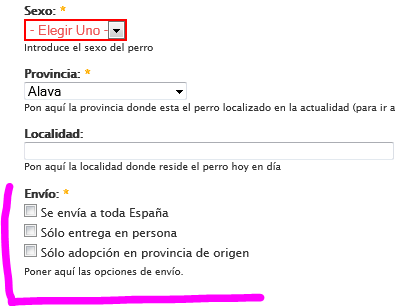
manoloka commentedI may be in the wrong post :( sorry I need it for radio buttons instead.
I think radio buttons DO show a "error" class (see pic), so I thought I could solve it with a bit of css.
Should I open a new issue?
Thanks for that
Comment #5
manoloka commentedAha :)
I just realize that it works fine for explorer, but not for firefox and chrome.
???
Comment #6
manoloka commentedComment #7
kndrLook at #289871: Error classes are not applied to "checkboxes" or "radios". It works for me.