Hi,
I'm using Custom Breadcrumbs for views and have a strange issue. The view I am using is the default og_tab_blogs view.
The issue is this: I have breadcrumbs to print the following paths and titles:
TITLES:
[ogname]
Blogs
PATHS:
[ogalias]
node/[ogid]/content/blogs
This works completely fine when the view returns a piece of content (see working-tokens.png)
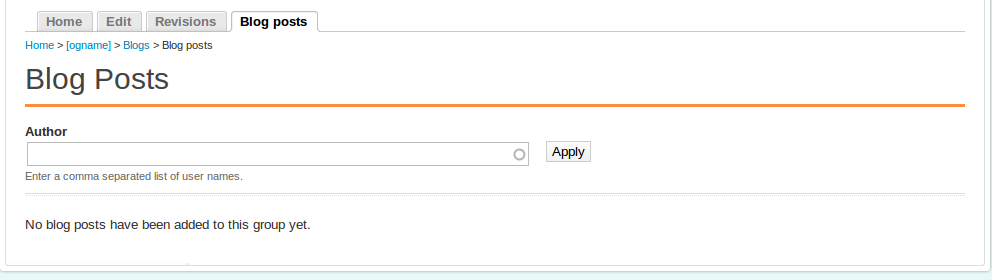
But if the view has no results it does not replace the tokens and the breadcrumbs end up using the tokens in the paths and the titles (see not-working.png)
Am I missing something? This seems to be very strange behavior .
Cheers for any help you can provide,
Adam



Comments
Comment #1
acbramley commentedComment #2
acbramley commentedI've tracked the problem down to the token replacement that happens around line 374 of custom_breadcrumbs.module. The problem lies in the fact that if the view returns no content then there are no nodes to get the og context from.
Comment #3
ptam commentedPlease help me on this i have same issue for node view search.
Like this
Home » Collections » [field_site_id-title]
Comment #4
MGN commentedYes. If there is no node object available, node-type tokens will fail. you can't replace the tokens without a node to reference. So I am not sure I see a way around this - the view needs to return a node. You could (potentially - I haven't tried this in a while) set the breadcrumb visibility to False (using php) if the view doesn't return a node. Then create another breadcrumb for the same view page that has some default breadcrumb that you would like to see when this happens.
Comment #5
brunorios1 commentedsubscribing
Comment #6
lamp5