Closed (won't fix)
Project:
Views (for Drupal 7)
Version:
4.7.x-1.4
Component:
User interface
Priority:
Normal
Category:
Bug report
Assigned:
Unassigned
Reporter:
Created:
27 Jan 2007 at 19:20 UTC
Updated:
5 Jan 2009 at 09:42 UTC


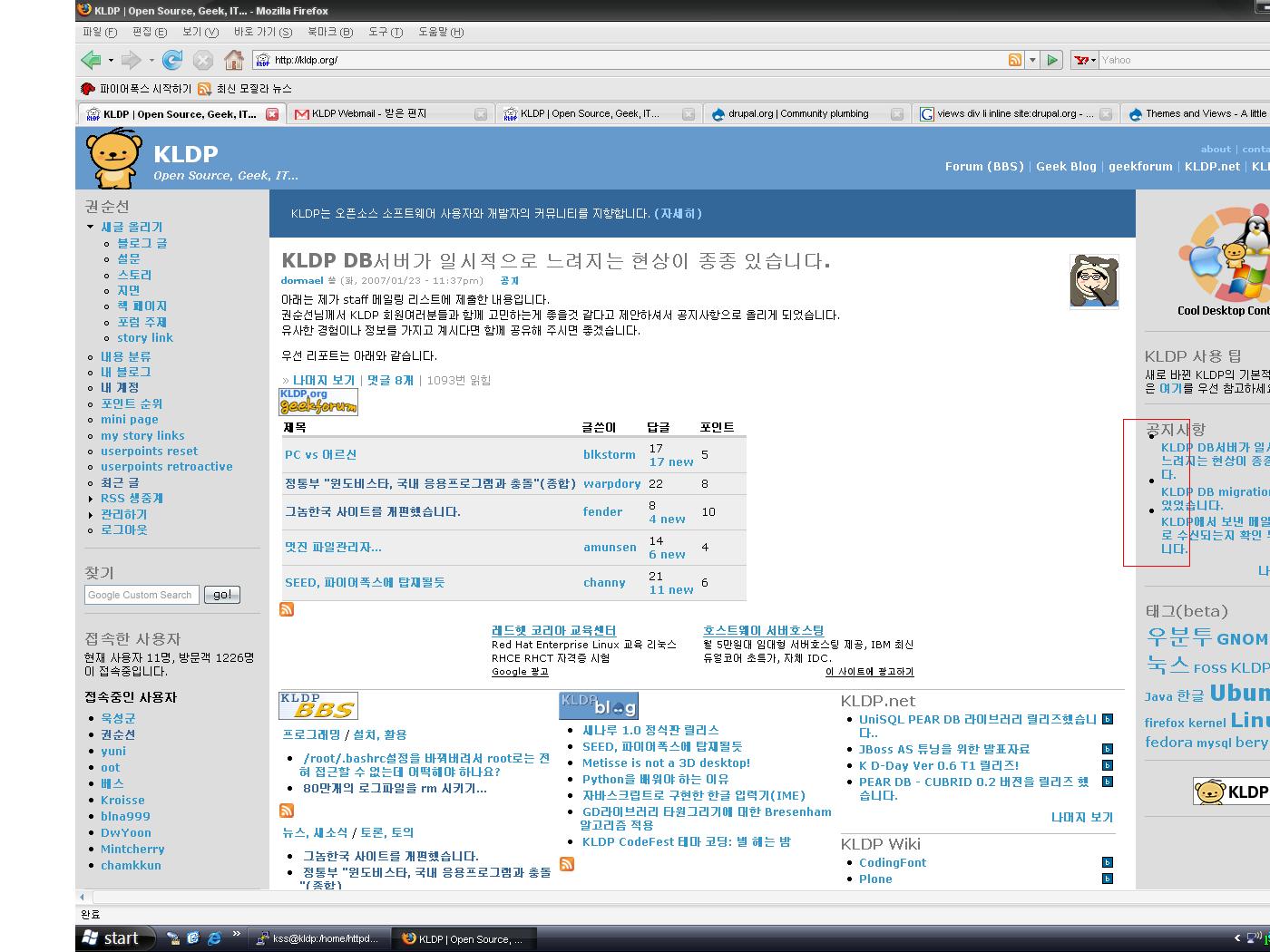
I created a views block and added it to the front page. The front page uses panels module. But as you can see from the attached screenshot, the bullet does not display correctly. (see the red box at the right side)
I tested using firefox and could fix this by adding the following to css:
.item-list li div {
  display: inline;
}
The problemistic code snippet of that part is:
<li><div class='view-item view-item-Announcement'><div class='view-label view-label-node-title'> </div><div class='view-field view-data-node-title'><a href="/node/77612">KLDP DB서버가 일시적으로 느려지는 현상이 종종 있습니다.</a> </div></div>
</li>
My colleague says that this is because the div tag, which is a block element is used within li tag, which is inline. So he suggested to add the above statement to the css file as workaround.
| Comment | File | Size | Author |
|---|---|---|---|
| inline.JPG | 217.81 KB | ksoonson |

Comments
Comment #1
merlinofchaos commentedThen you should add that to your style.css
I've not run into that problem myself, and I've often seen block elements within
<li>tags.Comment #2
summit commentedBookmarking, item-list settings.
greetings,
Martijn