When a user clicks the Facebook Connect button, the Facebook login page appears. However, when the user enters their credentials, they get a message stating "An error has occurred with . Please Try Again Later" (see attached)
I know it is not an issue with connecting to Facebook because
1. The same user can use the Like button effectively and even post to their wall.
2. My production site is on the live web and not on "localhost" so should be visible to Facebook
3. I created a new Facebook app to test things out just in case there was something wrong with the original Facebook app. The results were the same.
4. I have tripple-checked the Facebook app credentials to be certain they are correctly entered.
5. I read the readme.txt file from start to finish!
Any tips towards solving this problem will be highly appreciated.



Comments
Comment #1
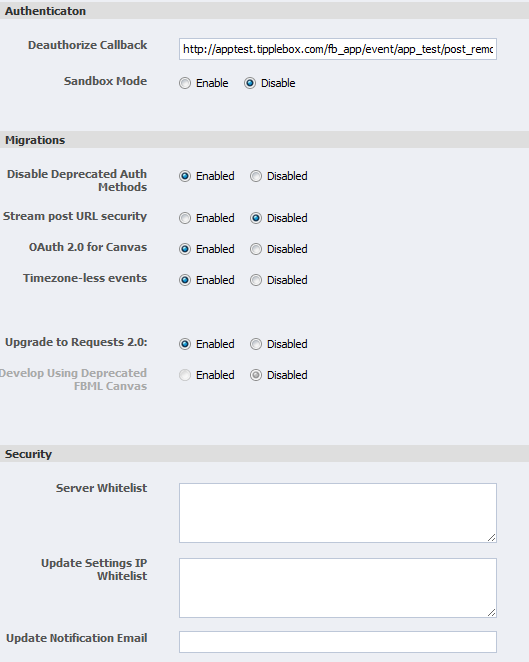
Dave Cohen commentedIs it in sandbox mode?
Comment #2
takinola commentedNo, Sandbox mode is disabled on the Facebook app.
I also tried to login with the same Facebook account which is designated as a developer and got the same result.
Comment #3
Dave Cohen commentedThe markup for the login button has a bad perms attribute. It is a bug, in that the module should replace "!perms" even when no extra perms are required.
As a workaround, configure the login block and remove the perms attribute entirely. Be sure to select Full HTML or PHP as the input format!
Comment #4
Dave Cohen commentedMaybe its not a bug. Looks like the code should replace
!permsalways. Did you just copy the recommended markup into your own block?Comment #5
takinola commentedProblem solved (using the solution in #3). You, sir, are the best!
I copied the code from example given in the Facebook Connect Login Block. The code I was using was
<fb:login-button perms= "!perms" v="2">Log in with Facebook</fb:login-button></div>It appears
!permsis not being modified. I guess I could hard code it for the permissions I want but this may still be a bugComment #6
Dave Cohen commentedThe !perms is replaced only when it is part of the facebook connect login block. Anywhere else, there's no way to replace it.