Closed (fixed)
Project:
Commerce Cart Options
Component:
Miscellaneous
Priority:
Normal
Category:
Feature request
Assigned:
Unassigned
Reporter:
Created:
4 May 2011 at 23:46 UTC
Updated:
10 Oct 2011 at 07:33 UTC


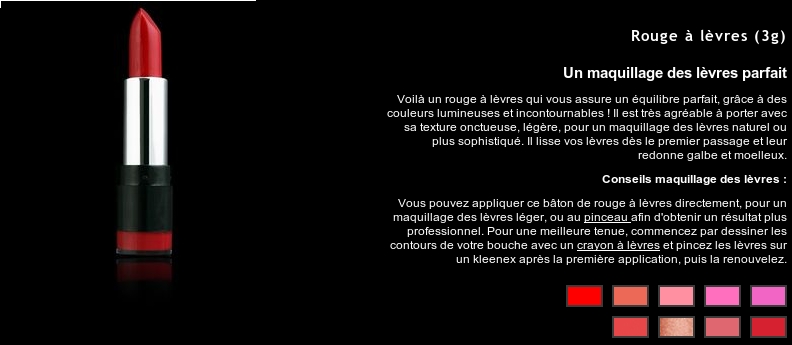
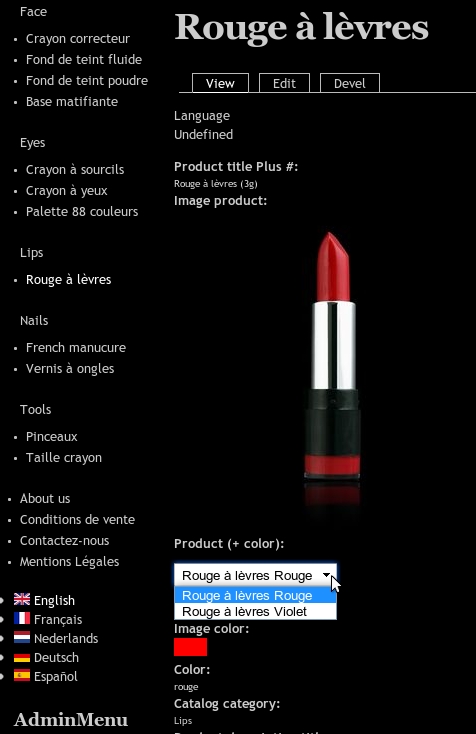
I'm searching a way to replace the dropDown menu (like on the image lipstick-2.jpg ) in the add to cart form of Commerce by images (in my case ) the different colors of a product (like on this image lipstick-3.jpg ).
I didn't find a module so I'm on the point to start writing my first module and guess what ... i see your module-description.
Are you thinking of create a feature like this in your module ?
lipstick-2.jpg is what i created in D7+Commerce
lipstick-3.jpg is what I need to make for my client.
(Btw, when I use "git clone http://git.drupal.org/sandbox/ryan.armstrong/1146154.git commerce_cart_options" I get the commerce_cart_options.info file. )
tnx
| Comment | File | Size | Author |
|---|---|---|---|
| lipstick-3.jpg | 83.3 KB | latulipeblanche | |
| lipstick-2.jpg | 89.1 KB | latulipeblanche |

Comments
Comment #1
latulipeblanche commentedThe module works fine.
Now I'll try to rewrite the uc_radio_images module (patch for D7 > http://drupal.org/node/1140634) for DC.With the module "commerce_cart_options" I changed the dropDown-list in radio buttons. Next I put a image, representing the color to replace the radio-button like this.
But this is static.
What I need is that to get the links to be dynamicaly instead of static, relative to the url. The url looks like this : ~/content/tshirt .
In this line : $form['product_id']['#options'][5] = ' '; the
[5] and the URL must be generated dynamicaly.
Comment #2
latulipeblanche commentedI created a feature request on http://drupal.org/project/commerce.
http://drupal.org/node/1180016#comment-4563468
Comment #3
latulipeblanche commentedclosed while solution is described here http://drupal.org/node/1180016