

Reviewed & tested by the community
Project:
Case Tracker Plus
Version:
6.x-2.9
Component:
Documentation
Priority:
Normal
Category:
Task
Assigned:
Unassigned
Reporter:
Created:
13 May 2011 at 20:51 UTC
Updated:
12 Aug 2011 at 23:35 UTC
Jump to comment: Most recent file


Comments
Comment #1
danepowell commentedWould love to, unfortunately development of CT Plus is nowhere near a top priority for me right now. Patches would be accepted though.
Comment #2
charos commentedPitty that CT Plus is not a priority (for the rest of us who can't code!). Off-topic ... but how about fundraising or direct contact for further development?
Comment #3
danepowell commentedI would be open to offers for sponsorship, feel free to use my contact form for that.
I too feel bad letting this languish with a growing user base, but I just have a lot on my plate.
Comment #4
iprosp commented"Enable the CT Plus feature in your site spaces"
@Dane Powell How did you do it? i have been searching it for hours with no result...
The screen shot that you attached isn't any help to me. I don't use open atrium.
Any help would be greatly appreciated.
Comment #5
danepowell commentedWhen the spaces module is enabled, there should be a link (I think named "Features") in the navigation bar that lets you enable or disable Features (such as CT Plus) for the site. Note that this is distinct from "enabling" or "disabling" CT Plus as a module.
Comment #6
iprosp commentedThank you for your reply.
If what you are saying is the same as the photo that i attached, then this was enabled by it self, but i still get the "access denied" error ( i am logged in as admin).
Comment #7
amstercadGo to user > Permissions and give the admin role more permissions, so you can achieve what you want to do.
Comment #8
iprosp commentedAdministrator has full privileges. Unfortunately thats not the problem :(. It's probably connected with the "Enable the CT Plus feature in your site spaces" because it says that if you don't do it, you will get an access denied error.
Comment #9
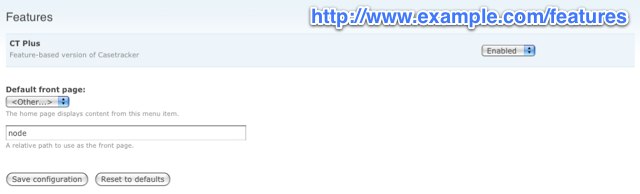
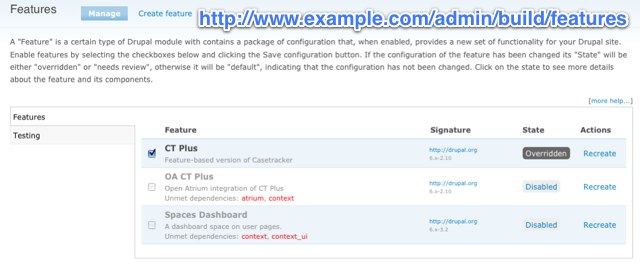
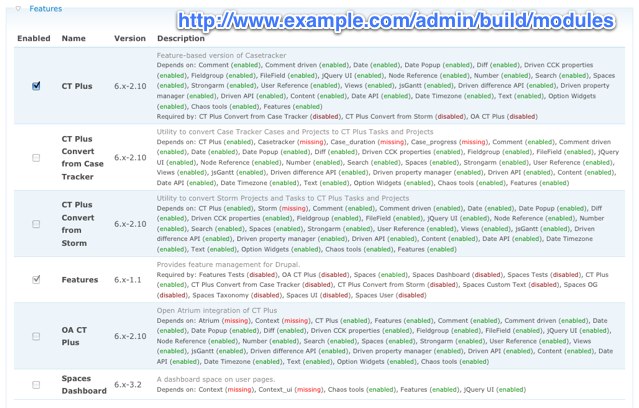
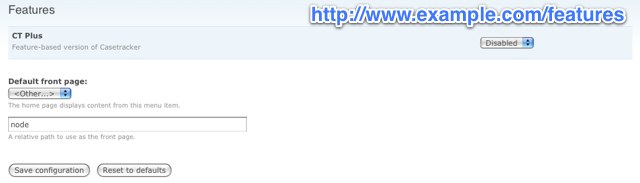
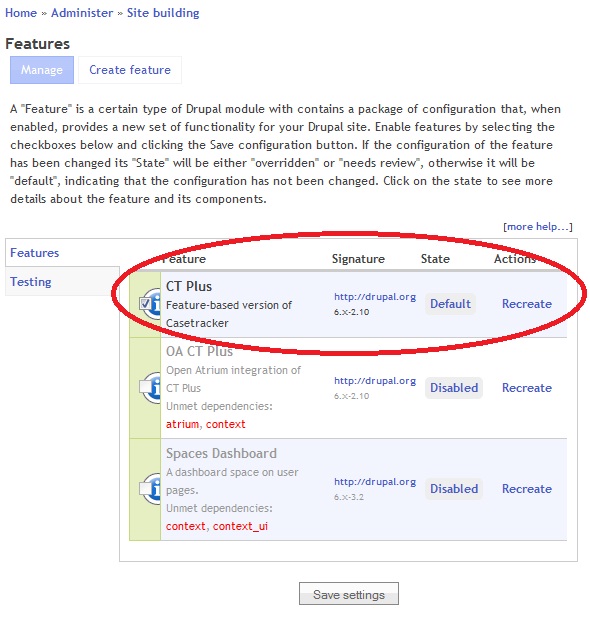
lp commentedThere are three locations where ct_plus can be enabled that can possibly be confused here:
http://www.example.com/features
http://www.example.com/admin/build/features
http://www.example.com/admin/build/modules
ct_plus needs to be enabled in all three locations.
Screenshots attached, with example URLS.
Comment #10
lp commentedAdded screenshot showing example.com/features with enabled state. The previous ct_plus_setup-features.jpg screenshot shows it disabled, which is potentially confusing.
Comment #11
lp commentedA patch to INSTALL.TX, adding:
after the 3rd bullet in SETUP
Comment #12
danepowell commented