

Closed (cannot reproduce)
Project:
Service links
Version:
5.x-1.1
Component:
Code
Priority:
Normal
Category:
Bug report
Assigned:
Unassigned
Reporter:
Created:
4 Feb 2007 at 04:33 UTC
Updated:
31 Oct 2010 at 18:49 UTC
Jump to comment: Most recent file

Comments
Comment #1
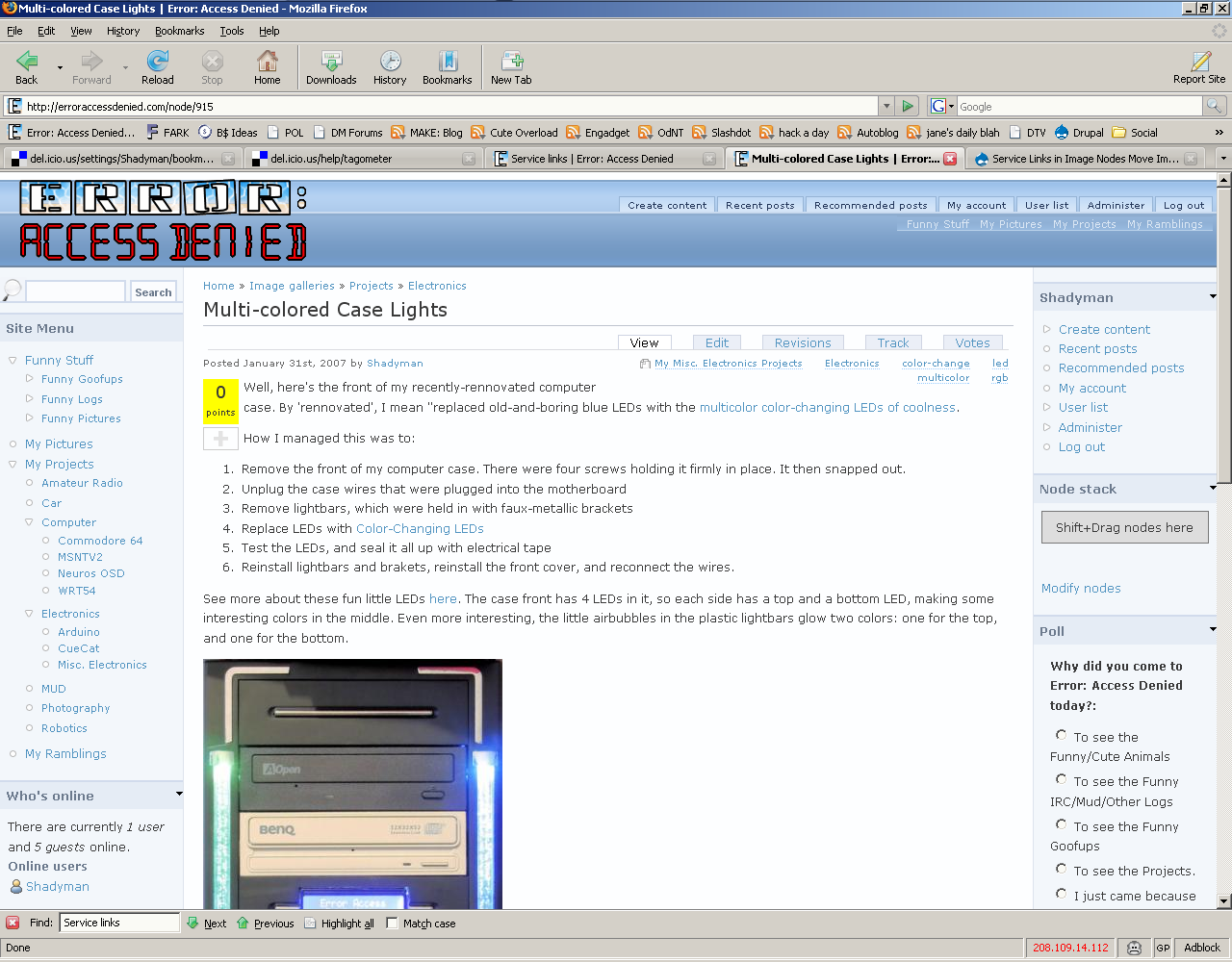
shadyman@erroraccessdenied.com commentedHere's an example. With Servicelinks enabled for Full Article, the image goes to the bottom of the node, just above the service links, instead of directly under the "Posted January 31st, 2007 by Shadyman"
Comment #2
shadyman@erroraccessdenied.com commentedI should add that it only happens with "Service links in nodes:" in Full Page View. With "Service links in nodes:" Disabled, it doesn't happen at all.
"Service links in links:" doesn't shift the positioning of images.
Comment #3
frjo commentedTHis is most likely a CSS issue that you need to adress in your theme.
Comment #4
shadyman@erroraccessdenied.com commentedMoving this issue to BlueBreeze Theme as a CSS issue.
Comment #5
shadyman@erroraccessdenied.com commentedNot sure what it was, but it's fixed now. It wasn't the bluebreeze theme, as it hasn't changed since then.
Comment #6
(not verified) commentedComment #7
kosmonaut commentedI know this is a year and a half later, but I am getting precisely the same bug. For any page where I have set "service links in nodes", the image shows up after the body text, instead of before it. I can tell that this is not as simple as a CSS issue, because when I look at the HTML source, the div containing the image is actually in two different places, depending on if service links is present. When things are working right, the "image" div is right after the opening of the "content" div; but, when service links are on the page, it is down much lower, directly above the "service-links" div (below all of the body text). I'm running Drupal 5.9.
Comment #8
jmalm commentedThis may not apply to 5.x but 6.x the way I solved this was changing the weight of the image to be lower (i.e. lighter).
Comment #9
TheCrow commented