

Active
Project:
Image Caption
Version:
6.x-2.5
Component:
User interface
Priority:
Normal
Category:
Support request
Assigned:
Unassigned
Reporter:
Created:
1 Jun 2011 at 10:56 UTC
Updated:
11 Jan 2013 at 05:43 UTC
Jump to comment: Most recent file
 to the plain text editor but should I be able to add a caption from CKEditor? If so, I can't see how to do this (for example I can't see how to add the caption class to the image in CKEditor).


Comments
Comment #1
N4R4YAN commentedActually i am trying this right now and i found out that the caption shows up when i add, in the CKEditor field named "Stylesheet Classes", the "caption" string and then add whatever text string you want as caption in the "Advisory Title" field. What i did not understand is how i put the real css style (like the example shown in the screenshot on the module page).
I didn't add the
.caption {}empty class because i can't find the right css stylesheet to put it in.But then again i don't really know if you actually have to do do only 1 of those 2 steps. Like either add the custom
.caption {}style or add everytime "caption" on "Stylesheet Classes" field on CKEditor window.Still, as it is empty only a text will show up, no formats, no visual effects, no styles.
EDIT: Anyway i just saw you are mentioning the problem using Drupal 6, what i said is intended for Drupal 7 use. I didn't notice, sorry. Anyway try and see, maybe the CKEditor window is the same and you can find everything i mentioned there.
Comment #2
dkingofpa commentedI'm using the wysiwyg module with the ckeditor library.
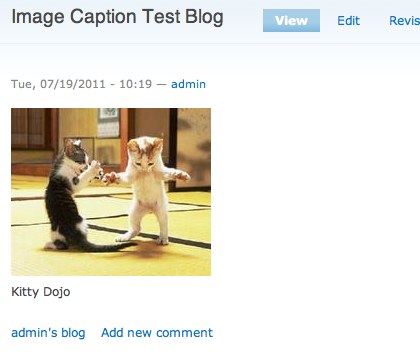
The image will display in the wysiwyg, but not the caption. Keep in mind it's the image caption filter that does the work of creating the divs when the content is displayed on a page. The wysiwyg knows nothing of the filter so it can't display the caption. To see the caption, you need to actually view the content. You'll need to style the caption on your own to get it to display how you want.
Comment #3
dkingofpa commentedEditing issue title to be more descriptive.
Comment #4
fletchgqc commenteddkingofpa's instructions are good. But I'll tell you a cool trick to get at least the space for the caption showing up in the WYSIWYG. These are some example styles, just copy the basic idea. In particular the use of the img.image-left[title] style.
.image-left {
float: left;
margin: 5px 20px 5px 0;
}
.image-right {
float: right;
margin: 5px 0px 5px 20px;
}
img.image-left[title], img.image-right[title] {
padding-bottom: 31px;
background-color: #eee;
}
span.image-left, span.image-right {
display: block;
border: 1px solid #aaa;
padding: 8px;
}
.caption {
display: block;
font-size: 0.8em;
color: #777;
line-height: 1.5em;
padding: 0 3px;
text-align: center;
}
Comment #5
esb commentedI am using ASP.NET with the CKEditor. I desperately need the caption ability you describe. Can you tell me how to implement it in ASP (i.e. without the drupal instructions) if that is possible?
Thanks