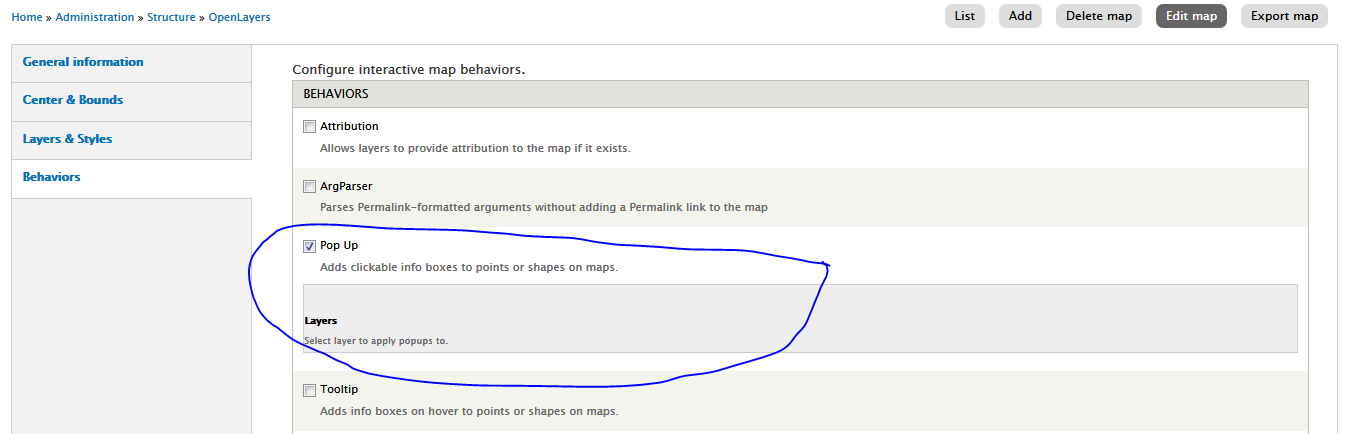
I have successfully configured data overlay and my tiles are displayed properly. I also figured out how to use Control.Geolocate after a little while but now I'm stuck with tooltips and popups : the options in map/behavior seems to be empty when I check tooltip box.
This wasn't my priority and as such I postponed it until today where I found (by mistake) that the tooltip and popup layers are actually in the map/behavior page but with a css "display: none;"
After activating them it works just great for the tooltips. The still doesn't works for me but I assume I will will find out soon.
If anyone can tell me whether this is an actual bug or if I'm just missing something.



Comments
Comment #1
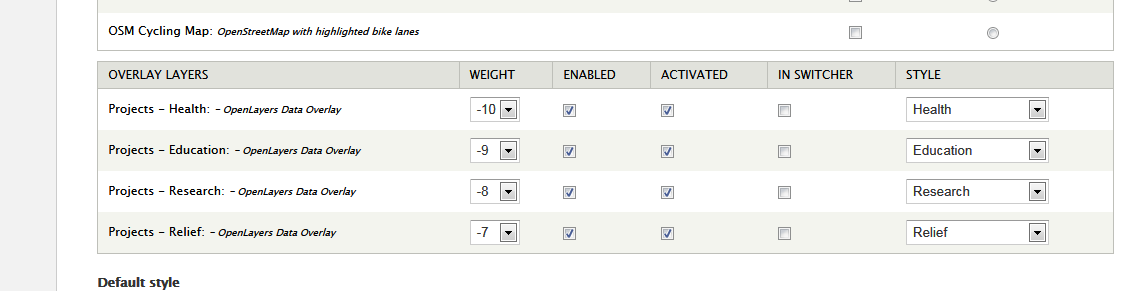
codeitwisely commentedhave you activated first the layers that you want to apply popups or tooltips on "layers & style" section of your preset?
Comment #2
BenjamiB commentedYes always. however I have multiple maps and they are all cloned of the default map which I was experimenting with
I just noticed the exact same problem over cluster behavior which I though was not working.
Apparently, OpenLayers is way more powerful than I though when it gets configured properly ;-)
Comment #3
sksmithson commentedI think this is the same issue. I have the layers enabled and activated but they do not appear in the select list for the pop up behaviours? See the screen shots attached.
Comment #4
leschekfm commentedI can confirm this. Yesterday i upgraded to the dev version, because in alpha1 the popup behavior wasn't working. The layers that were selectable in alpha1 were gone in dev.
Comment #5
TimelessDomain commentedsubscribing
Comment #6
zzolo commentedHmmmm. I am going to look into this. @leschekfm, since you upgraded, do your maps still work, or are the layers gone as well? I ask to help figure out if this a problem with the interface only or with data handling.
Comment #7
zzolo commentedThis was an issue I introduced when I was trying to get the Behaviors interface to work like it used to. It was just a JS thing, and had nothing to do with the actual data. Committed fix:
http://drupalcode.org/project/openlayers.git/commit/3e47a92
Comment #8
sksmithson commentedI can confirm this fixes my problem at #3. Thanks zzolo.
Comment #9
BenjamiB commentedI also confirm this fixed the problem, I would still like to notice that empty check boxes appears for unactivated layers but I can live with it. thank you very much
Comment #10
zzolo commentedHi @BenjamiB. That was another issue I fixed as well. Just resave the map and only the correct checkboxes will show.
Comment #11
leschekfm commentedWorks like a charm.
Thank you zzolo.