

Closed (outdated)
Project:
Chaos Tool Suite (ctools)
Version:
7.x-1.3
Component:
Stylizer
Priority:
Normal
Category:
Bug report
Assigned:
Unassigned
Reporter:
Created:
20 Jun 2011 at 21:21 UTC
Updated:
20 Jul 2026 at 20:34 UTC
Jump to comment: Most recent, Most recent file

Comments
Comment #1
merlinofchaos commentedOnce created it should simply show up in the list of available styles on a pane after you select 'change style' from the dropdown.
Comment #2
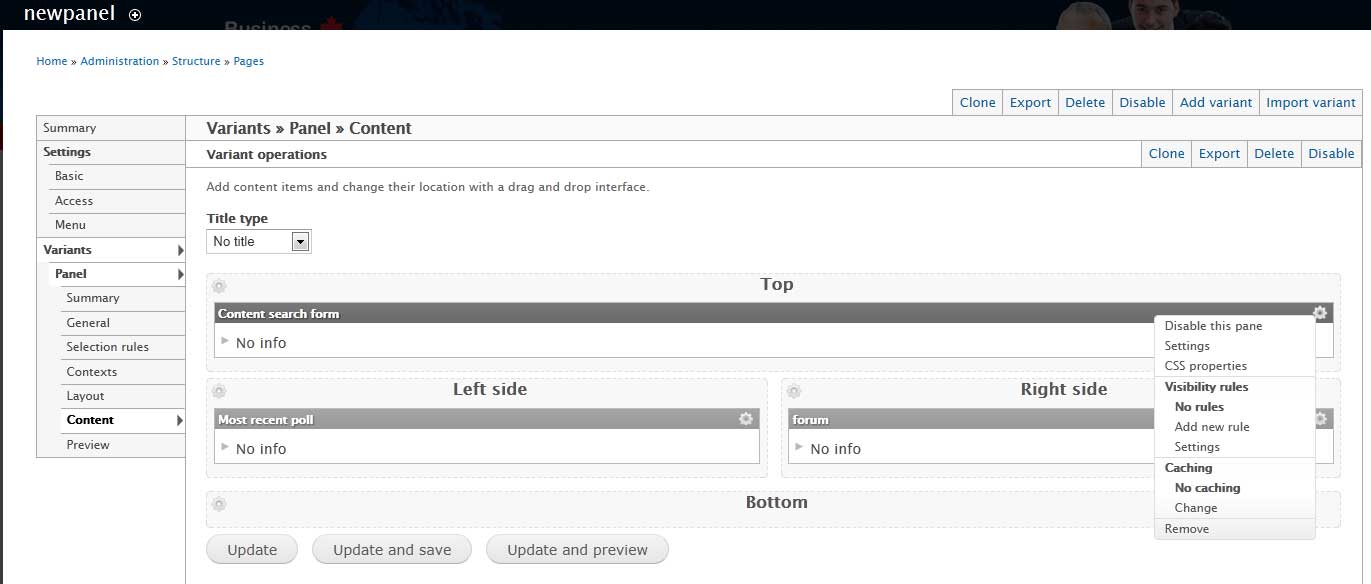
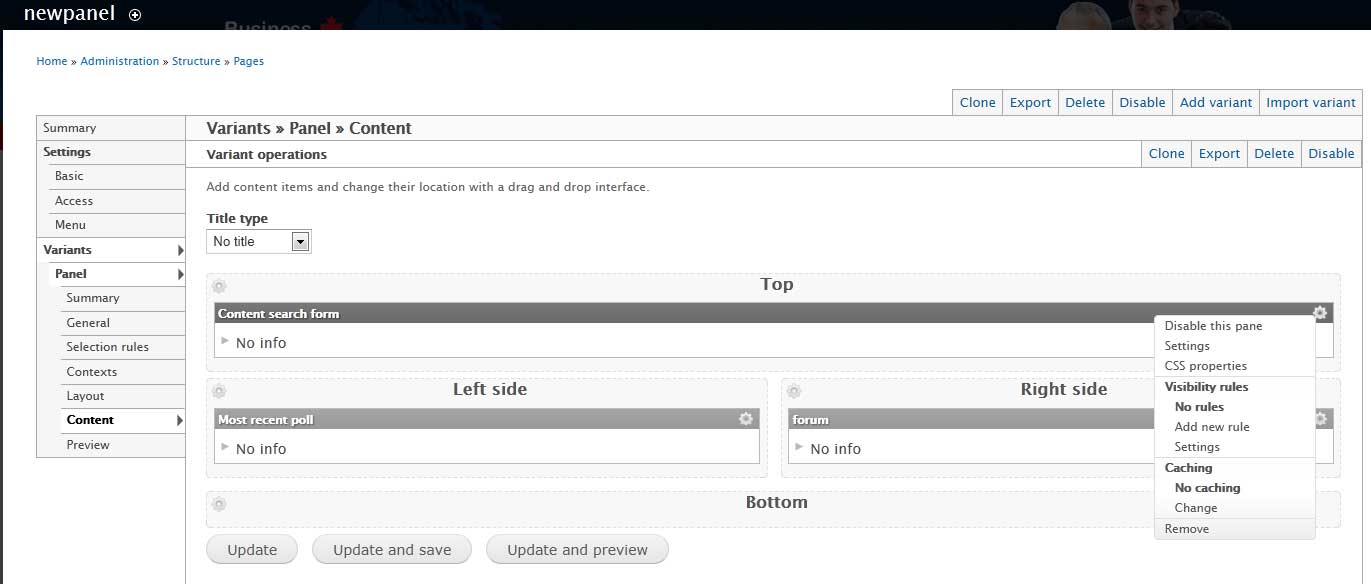
vlevkov commentedThank you very much for your help. But I can't find "change style"(
May be you can tell where is it can be?
Comment #3
merlinofchaos commentedMake sure you've got the permission -- there's a permission field for this setting to be available.
Comment #4
vlevkov commentedUnfortunately, permission is OK
Comment #6
topdawg commentedThis is an issue for me as well, no ability to change style. What's the point?
Comment #7
pelicani commentedi am also confused regarding how to enable styles for panes.
There isn't a normal option in the pane drop down as there was in drupal v6.
modules, permissions, etc all look ok.
Is there a new step in drupal 7 we need to enable the styles for panes?
Comment #8
f1mishutka commentedThe same issue here.
I've created custom style in stylizer, but i have no the way to apply it to the pane (Panel module).
Please help!
Comment #9
michaeltrowan commentedI think I'm getting a similar issue. I have multiple users setup with admin, and admin has permissions for stylizer (for everything, actually). My user (who did all of the module installs/etc) can see the stylizer menu entries in the pane gear drop down menus (between CSS Properties and Visibility rules).
But none of the other users see those menu entries and thus can't change the style. All users are created the same (just admin roles -- no other differences). I even created a new user from scratch, and it seems only the first user (mine) that was created can see these entries.
I'm sorta at a loss to why -- and it seemed related to this issue where people can't figure out how to get to the stylizer entries (I can, but my other users can't).
Comment #10
Ashlar commentedComment #11
hpedro commentedI am having exactly the same issue. I read somewhere that a Stylizer UI permissing is missing from the permission table.
Comment #12
xbrianx commentedI am having the same issue, the styles are no longer showing for me. I checked permissions and all looks ok there.
Comment #13
ronline commentedThe same here. The permission in admin/people/permissions#module-stylizer is checked. I have set a stylizer in admin/structure/stylizer but there are no styles to chose in the dropdown.
Comment #14
ronline commentedComment #15
japerryDrupal 7 is no longer supported, closing.