I like a lot the module, but like on issue http://drupal.org/node/500368 (D6) I tried to hide the text, because i just wanted to display the image.
I tried :
.menu_icon {
display: block;
overflow: hidden;
padding-left: 100%;
}
and
a.menu_icon {
display: block;
overflow: hidden;
padding-left: 100%;
}
but the class didn't show up in firebug ?? (i did drush cc)
What I did and what works is that I copied the menu_icons_css_item.tpl.php to my own template folder and added the css directly into this file.
It would be great if, in the settings, users could make a choice to show the text or just the image.


Comments
Comment #1
stevieb commentedme thinks you might have a double padding css conflict
- remove the padding from your main nav css
then it works
Comment #2
vgromm commented.menu_icon {
display: block;
overflow: hidden;
padding-left: 100%;
}
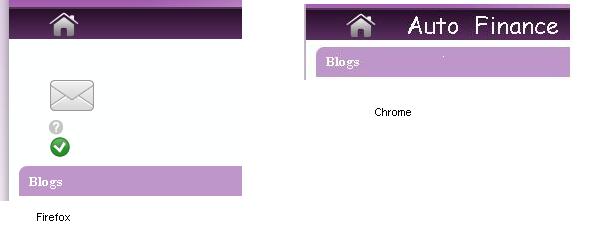
It works in Chrome, IE but does not work in Firefox...
In Firefox Menu texts shifted down and icons arranged into column. Please see attached images.
What should I check? I have played with padding in nav but nothing helps.
Comment #3
acrollet commentedI have tested this CSS in firefox 9, and it works correctly for me. I suspect that you may have a conflict with some other CSS in your theme. As this is the solution given in the README file and no other people have reported difficulty, I'm closing this issue.
Comment #4
sethfisher commentedThis doesn't work for me in Chrome or Firefox (7.x-3.0-beta1). If I put !important for the padding-left property, it works.
menu_icons.css is spitting out the following which is causing the conflict:
a.menu-608, ul.links li.menu-608 a {
background-image: url(/sites/default/files/menu_icons/menu_icon_608.png);
padding-left: 45px;
Comment #5
skomorokh commentedIf I or someone provided a patch to toggle the menu text on a per-entry basis via a checkbox, would that be considered for inclusion?
Comment #6
skomorokh commentedUrp, this actually exists---but only globally in the top level settings. Would be nice to adjust on a per-menu basis but for now this is just fine (CSS was fiddly for me also).
Does anything complicate moving it to the per-item form and check that setting instead of the global variable?