

 Come together with the global Drupal community in Rotterdam, 28 Sept – 1 Oct 2026. Sessions, contribution, connection, and Early Bird savings until 8 June.
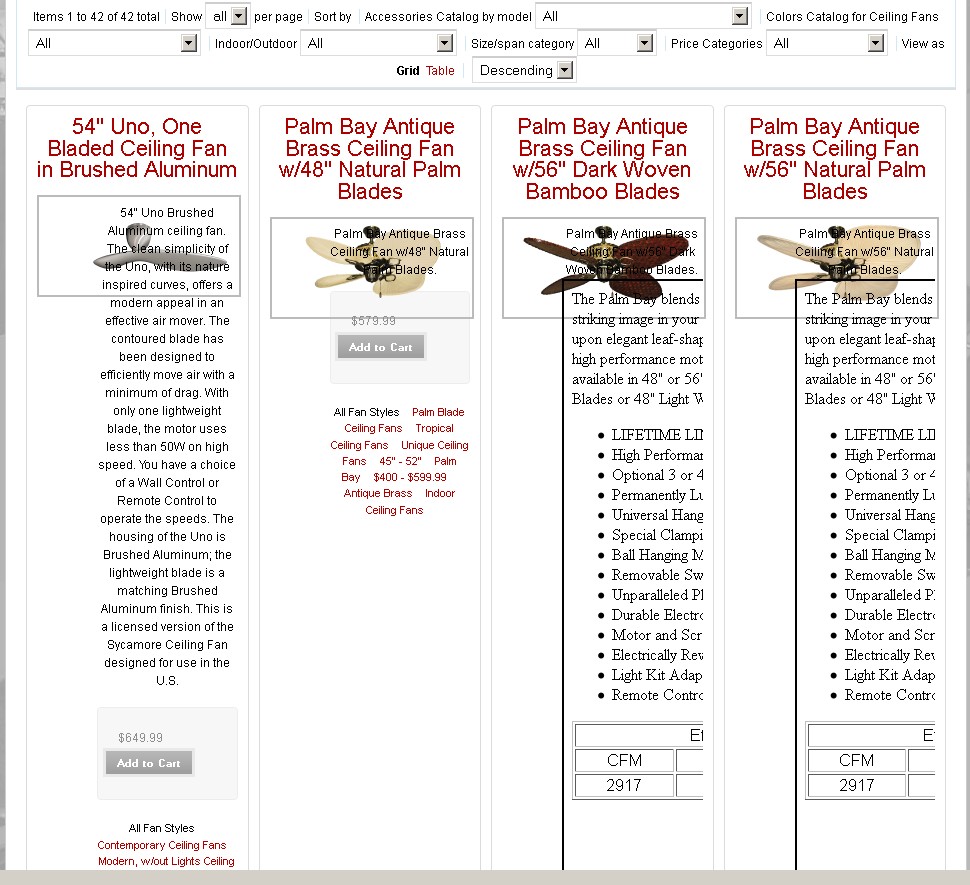
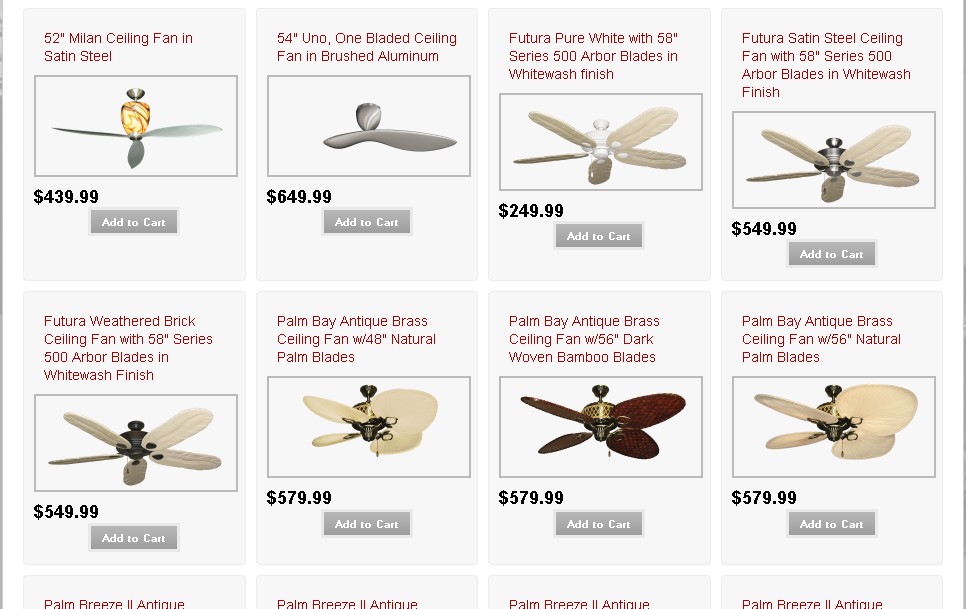
When I activate the uc_advanced_catalog 6.x-2.x it seems to add a bunch of additional elements to each product block. Where and how do I change the grid to change the grid view back to the minimalist approach I started with? Please see the attached images for clarification.
Thanks for your help. This is actually a great module and I'm happy to pay you something for the time and effort you've put into it so far.
Mike
| Comment | File | Size | Author |
|---|---|---|---|
| grid_wrong.jpg | 236.08 KB | slatton | |
| grid_correct.jpg | 124.73 KB | slatton |

Comments
Comment #1
slatton commentedFigured it out.
Go to Home » Dashboard » Site building » Display Suite » Layout
At first I just edited the Product Section and it did little to change my layouts, because i had a huge selection of Product Kits. So when I changed the settings in Product Kits... BLAM!
Problem solved.
Great module. Can I give you some money for your hard work?
Comment #2
sander-martijn commentedI have the same problem. I will try the suggested fix, but I still think this is unresolved. Any module with a backend ui this complex should not change things when I enable it - out of the box it should look exactly like it did before I enabled it, allowing me to add elements as I want to. Most of the best modules work that way. It's very disconcerting to enable a module and have it completely break my site and the layout I worked hard to get to look exactly like the design.
Comment #3
mogtofu33 commentedI'm agree, yhe way this module work is not the best, but i need to adapt to other modules to give the result i need.
I add some documentation and settings to set-up correctly this module.
regards.
Mog.