

Closed (duplicate)
Project:
Drupal core
Version:
7.7
Component:
update.module
Priority:
Major
Category:
Bug report
Assigned:
Unassigned
Reporter:
Created:
1 Jul 2011 at 04:16 UTC
Updated:
5 Aug 2011 at 14:23 UTC
Jump to comment: Most recent file



Comments
Comment #1
marco71 commentedI should maybe have posted this under the 7.x.dev but I used the 6-30-2011 version.
Comment #2
NotNotCow commentedHey,
I had a similar problem, (and on a test site I've lost my Views edit function, although it works on the full site, but that's for another thread:)
Caveat: I am not a drupal expert by any means, so perhaps worth waiting for a more experienced member, or make sure you try this on a test site first. I'd also like to hear back from more experienced user as to my solution. This solution is based on upgrading a sub-domain.
Temporary files:
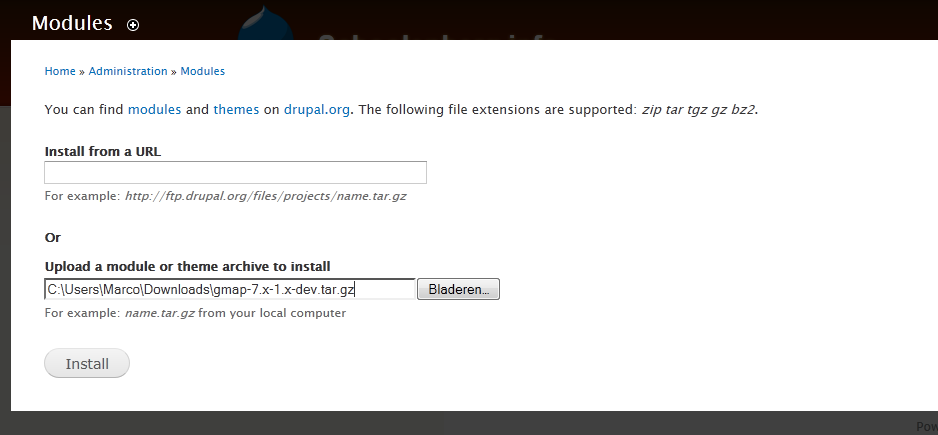
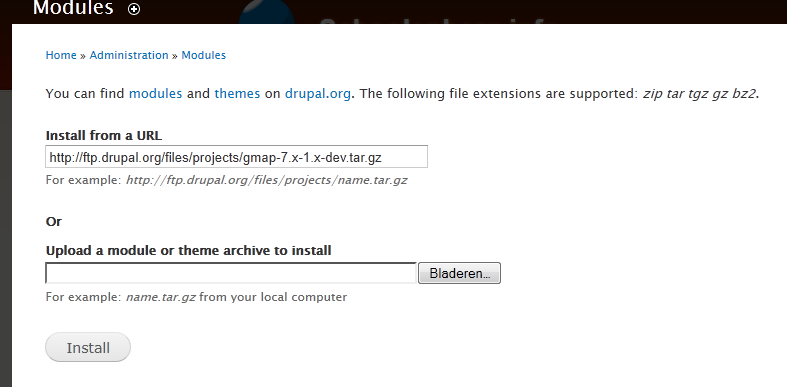
I could not upload/upgrade any modules, but found that if I went to: admin/configuration/media/file system
And then changed the temporary directory from /temp to temp the modules uploaded/updated.
Includes:
I always find, that when updateing drupal through filezilla, a couple of files (normally includes/admin.inc and sometimes form.inc do not upload as they should. I normally make a note and then go in through C panel, delete the files and re-upload, directly from the drupal folder.
Anywho, hope this helps, and as I say, make sure you test this out on a test site, as my solution may cause problems I have not foreseen.
Cheers
NNC
Comment #3
marco71 commentedHi NotNotCow,
Thanks I will try that. It sound like a possible solution.
Still I used WinSCP to upload. I think even in Bin mode.
If this is the solution I have to kick WinSCP as a tool.
Greets.
Comment #4
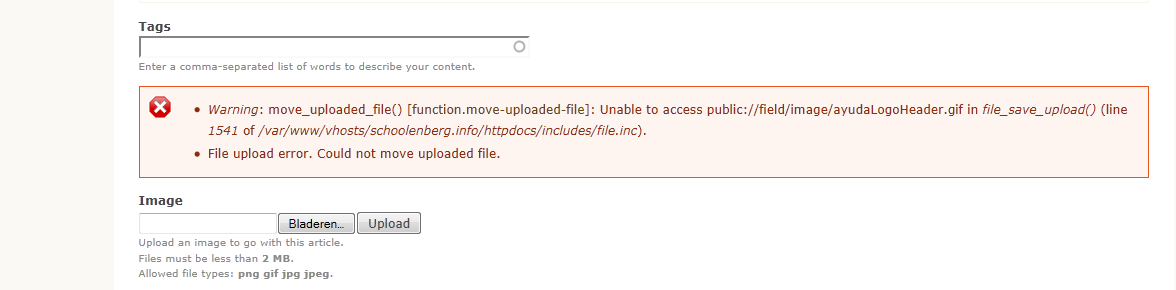
marco71 commentedI noticed now. This error also appears when I try to upload an image so must be some access I don't seem to have somewhere. However I have no Idea how to check if Drupal has rights to write to all needed destinations. Will look for ways to check in the forum. Sorry if this doesn't turn out to be a bug.
So I have been messing with this a bit more. And I guess I really need some help here.
This is a test site I play with so no problem on this machine but I need to do the security update on 3 other site.
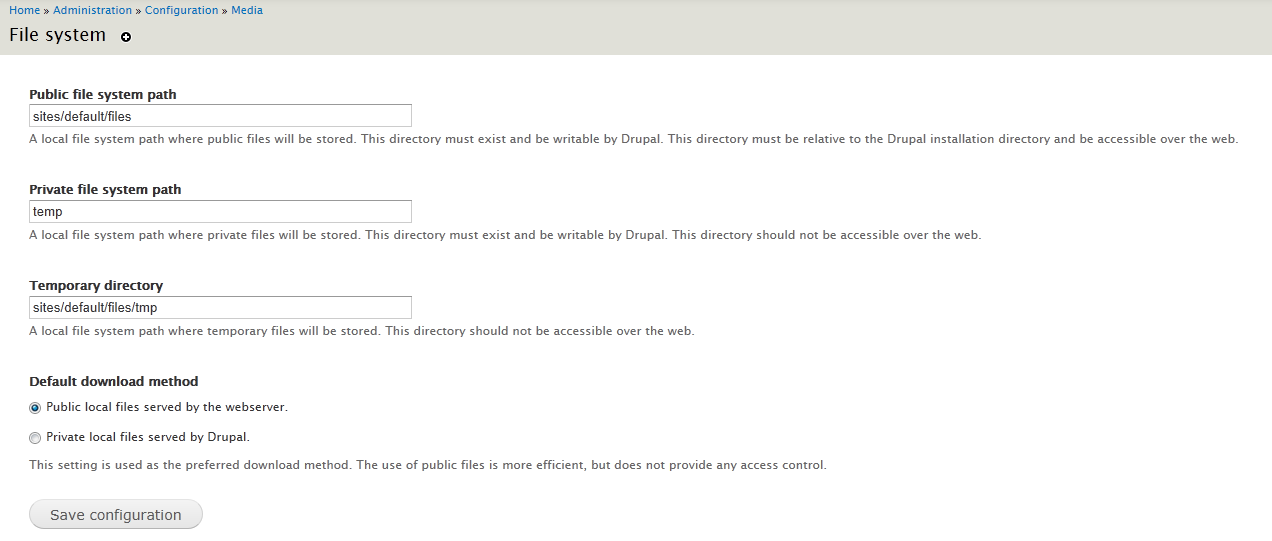
My file upload paths look like this:
Public file system path : sites/default/files
Private file system path : temp
Temporary directory : sites/default/files/tmp
These folders also get used by the process since I see directories being created like
"update-cache-aee25d3e"
And files like
"file7ENW03"
however it seems in the error msg there is mentioning of the destination for this tmp files to be written to.
a:2:{s:5:"%file";s:22:"temporary://fileH8fwB0";s:12:"%destination";s:57:"temporary://update-cache-aee25d3e/gmap-7.x-1.x-dev.tar.gz";}So I see "fileH8fwB0" being written to "sites/default/files/tmp".
install-new-mods-error-5.png shows my "admin/config/media/file-system"
It's probably my fault but I don't get any further. :-(
-I rebuild permissions
-Messed around with the paths tried a new folder.
No luck yet
Comment #5
bfroehle commentedThis feature is actually part of the core provided 'update.module', so I'm re-categorizing the issue.
Comment #6
marco71 commentedThank you.
Do you have a solution or any clue where to start looking?
Comment #7
bfroehle commentedI created a separate ticket for the WATCHDOG_ERR notice in #1206916: Notice: Use of undefined constant WATCHDOG_ERR. I'm not sure where to start with the real issue here.
Comment #8
marco71 commentedAhhh I have chown and chmod the upload directories after the update. Even though I hate to ssh.... Gave all these, temp, tmp ,files 777 but still gives me the same msg s
I thought this might help but no... So this is a true issue?
Comment #9
marco71 commentedAlso seem to have the same problem while simply uploading an image in an Article.
Comment #10
marco71 commentedHELP.....!
Comment #11
marco71 commentedSorry to have bothered everyone.
Someone I susspect my hosting provider has turned the mode to Fast CGI with safe mode enabled.
Grrrrr I am sure I had it as Apache module and no safe mode.
So I turned off safe mode and here we go I am back on line.... H!@@# i this only cost me 2 days....lol.
I had some contact with them about php version being a bit old. So I guess during that process of updating things where messed up.
Comment #12
NotNotCow commentedHey Marco71,
I'm glad you got there in the end! Your solution may also be why I can no longer view/edit my views after updating.
I'll post if this is this works:)
Best
NNC
Comment #13
marco71 commentedHappy to help. I hope it works for you. However I am not sure if I now have a security leak since I turned "safe mode" off.
Regards marco71
Comment #14
nardberjean commentedThe same error message appear in some test sites, just after upgrading from 7.4 to 7.7, the message is persistent and the performance of the sites is affected. No idea from which component does it come from. No idea which complementary information could be useful. No idea if there is any relationship with the bug of this page.
Comment #15
catchWhich error? Please post the exact error you're seeing to the issue.
Comment #16
nardberjean commentedNotice : Use of undefined constant WATCHDOG_ERR - assumed 'WATCHDOG_ERR' dans file_unmanaged_copy() (ligne 909 dans drupal-7.7/includes/file.inc).
If I translate in english:
Notice : Use of undefined constant WATCHDOG_ERR - assumed 'WATCHDOG_ERR' in file_unmanaged_copy() (line 909 in drupal-7.7/includes/file.inc).
I cannot make it appear in english. I am questionning me if the sites may have been damaged by the php 30 second limit during update (d7.4 -> d7.7)? (This may explain a lot of problems I experienced with drupal theses last 5 years ... an is an issue for the ability of drupal to run on cheap hosting).
Comment #17
lyricnz commented#16: this is unrelated issue, bug in 7.7.
#1206916: Notice: Use of undefined constant WATCHDOG_ERR
Safe Mode is not supported. You need to disable it.
Comment #18
nardberjean commentedI cannot disable Safe Mode, I would need to change my hosting provider or change Drupal for another software. Is there any scope statement clarifying theses issues for drupal?
Comment #19
nardberjean commentedAs suggested by #1206916: Notice: Use of undefined constant WATCHDOG_ERR#11, I applied http://drupalcode.org/project/drupal.git/commit/3ed6929 successfully. Thanks for you help.