

Closed (fixed)
Project:
Editable Fields
Version:
7.x-1.x-dev
Component:
User interface
Priority:
Major
Category:
Bug report
Assigned:
Issue tags:
Reporter:
Created:
3 Jul 2011 at 11:39 UTC
Updated:
4 Jan 2014 at 00:53 UTC
Jump to comment: Most recent, Most recent file


Comments
Comment #1
cees.vanegmond commented+1
Comment #2
tomlurge commentedme too, embarrassingly
Comment #3
spacereactor commentedFirst need to know where you want to field to display editable field.
For views, create view as normal and after click on the field that can be editable, under "Formatter" select "editable". Enable/disable "Click to edit" depend on your need.
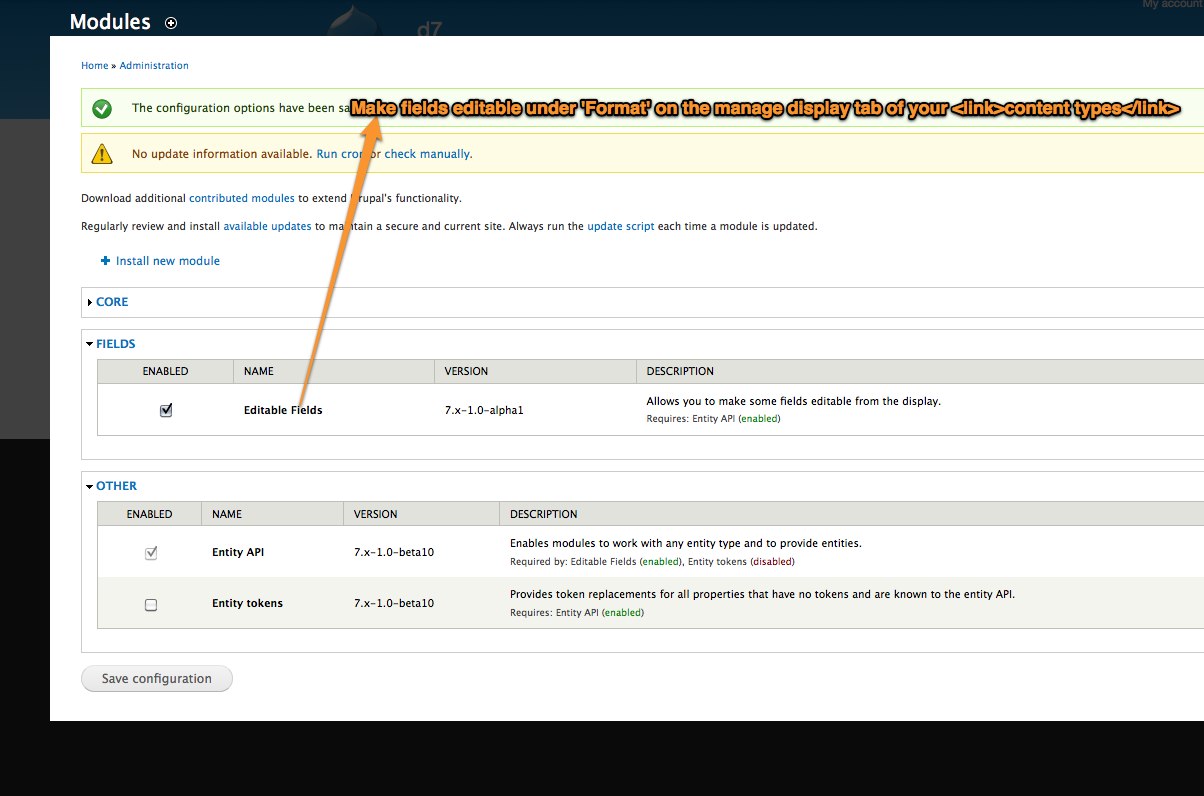
For content display, goto the content type choose manage display, Look for the field that you want to display as editable field, select "FORMAT" and change to "editable". Edit the field with the icon button that look like a gear. Enable/disable "Click to edit" depend on your need.
!!Important, not all field is editable. example you nid is fix and can't edit. Either edit theme css or use css injector to edit the css for the editable display.
Hope this help, i also first time using editablefields. if i miss out anything others please input.
Comment #4
damiankloip commentedThe editablefields project page explains how to get editable fields working. I got it working in a few seconds. Essentially it adds a new display formatter for fields...
Comment #5
LarsKramer commentedComment #6
yoroy commentedNot being able to find functionality is a definite UX bug, not a feature request. And this should be made more obvious in the UI itself. Documentation on another web site doesn't count as a fix imo.
Given the current situation it might be worthwhile to provide a more specific message after enabling the module:
Comment #7
LarsKramer commentedThe idea of showing a short instructive message after enabling the module is good.
However, as explained in #3, if you only want to make a field editable in a view, the configuration is done in Views UI, not in the content type display tab. So just showing the message you propose might confuse people who only need it to work in Views. And providing help only in form of a long temporary mesage is not a good solution.
Therefore I think a better solution would be to include the instructions from the project page in the README file, and on a "Help" page (which in Drupal 7 can be reached directly from the module list).
I don't have much experience submitting patches, but I will give it a try, if you agree this is the way to do it.
Comment #8
LarsKramer commentedJust found this related issue:
Update Readme with some basic instructions for use
EDIT:
And this: http://drupal.org/node/732912
Comment #9
LarsKramer commentedI have made a proposal for some configuration instructions here: #1203004: Update Readme with some basic instructions for use
Before doing any work with help pages, let me know what you think. I think we could use more or less the same text on the help page.
Comment #10
kika commentedDo you mean Drupal 7 / Views 3? Failing to see that "editable" setting. Using latest 7.x-1.x git branch
Comment #11
LarsKramer commentedYou need the dev version of Views for Drupal 7 as mentioned in #1206656: Error on Node view page: Argument 1 passed to drupal_array_get_nested_value().
See the attached image for location of field Formatter select box in Views UI.
Comment #12
LarsKramer commentedSetting this to postponed until #1203004: Update Readme with some basic instructions for use has been reviewed.
Comment #13
lokinder.chauhan commentedhello LarsKramer
thank for post.this save my time.
Comment #14
johnvHi Lars,
I guess with the new README.txt, which is committed last february, this can be closed?
Comment #15
Taxoman commentedYes, looks like sufficient instructions are in the latest README.txt file now.