I'm experiencing an issue that was well chronicled here. That issue, which resulted in a patch to core, has been closed and it was asked that any further problems have a new issue made - so here it is:
Symptom
Having cache and zlib compression turned on through php.ini for Drupal 5.1 and Drupal 4.7 sites results in either blank pages coming back or random ascii text as though the output was being double encoded. The only work around is to turn off compression or turn off the cache. The problem is highly browser dependent.
In that old issue thread from the link above, Dries voiced support for the idea of divorcing gzip compression duties from Drupal, an idea which was passed on in lieu of a patch which was thought to have fixed things. IMO, that is a good starting point for this thread - perhaps it's time to consider taking out gzip compression for cache from core and letting the PHP/Apache modules take care of it, or else get a more compatible arrangement within core.


Comments
Comment #1
moshe weitzman commentedSounds good. Are you planning on posting a patch?
Comment #2
jacauc commentedSubscribing
Comment #3
Caleb G2 commentedMoshe - I'm very clear that boostrap.inc and common.inc together are responsible for the current gzip'ing duties, but I'm somewhat unclear on how to untangle the whole knot from each other and/or the general caching mechanisms - or even where/if the general caching and the gzip crosses over.
For instance function page_set_cache() in common.inc gzips things in Drupal, but doesn't that also handle general caching duties apart from it? Then there's function drupal_page_footer which references page_set_cache() so I'm not sure how that's affect either...
I spent about an hour today looking at it and I will take another look, but I wouldn't mind at all if someone more familiar with Drupal caching and/or the compression would do so as well.
Comment #4
ahoeben commentedHere's another 'victim' of this bug, after the 4.7 'fix'
http://ivrpa.org (live site, cache disabled)
Drupal 4.7.6
PHP Version 4.4.2
Apache Version Apache/1.3.34 (Unix) PHP/4.4.2 FrontPage/5.0.2.2510
mod_zlib version 1.1.4
zlib enabled in .htaccess
Nothing special in settings.php
Comment #5
Caleb G2 commentedHere are my server specs btw. (forgot to include in original post)
Drupal 4.7.x AND Drupal 5.x
Zlib 1.2.1.2
PHP 5.1.6
Apache 1.3.x
php_flag zlib.output_compression on
php_value zlib.output_compression_level 2
(tried different compression_levels to no avail)
Also, just a note to ahoeben - I don't think you need anything in .htaccess if you've got it in your ini file.
Comment #6
killes@www.drop.org commentedDrupal 5.1
Apache/1.3.34 (Debian) PHP/5.2.0-8+etch1 mod_fastcgi/2.4.2
ZLib Support enabled
Stream Wrapper support compress.zlib://
Stream Filter support zlib.inflate, zlib.deflate
Compiled Version 1.2.1.1
Linked Version 1.2.3
Directive Local Value Master Value
zlib.output_compression On Off
zlib.output_compression_level 2 -1
zlib.output_handler no value no value
mod_gzip disabled.
I can't repdroduce this problem, tried with several clients (ff, wget, lynx).
Comment #7
killes@www.drop.org commentedI am wondering if this is related to http://drupal.org/node/111697
Comment #8
Caleb G2 commentedI am 100% certain the issue I'm experiencing is related to compression/zlib/Drupal Caching if that's what you mean. (the linked page doesn't seem to address any of those issues)
I've got myself committed to too many things right now and the Themerpack is probably more of a priority than this for me at the moment. I'll try and roll a patch for review at some point in the next couple months or so if someone doesn't beat me to it.
Comment #9
Caleb G2 commentedAfter posting the above comment and/or spending much time here and in IRC discussing server setup and such, I now remember what I wrote in the original post- that this is highly browser dependent issue. (meaning that the site appeared double compressed for one browser, but not for another in many cases)
Based on my experience in solving login problems this symptom makes me somewhat biased to think the issue here may exist within Drupal. (e.g., the way the headers a formed, etc)
Comment #10
edhel commentedYesterday I turned on cache and today some user(s) have problem - IE suggest to download file... actually this file is gzip-archive with HTML inside.
On my system IE one time also do so... and I turned off Drupal cache, refresh page, turn on Drupal cache again. After that problem on my system is disappeared and now I can't reproduce this 'feature' again...
At first for stability I make dirty hack of bootstrap.inc: change 532 line:
if (@strpos($_SERVER['HTTP_ACCEPT_ENCODING'], 'gzip') === FALSE && function_exists('gzencode')) {
to
if (function_exists('gzencode')) {
But now I devise other method w/o hack: add to sites/default/settings.php line:
unset($_SERVER['HTTP_ACCEPT_ENCODING']);
This line forces Drupal cache system turn off compression.
PS: Sorry for my english
Comment #11
owen barton commentedIn interesting proposal. I guess this comes down to looking at if an average server is likely to be CPU bound so as to make an impact if all pages are gzipped without caching - a tricky call to make.
Comment #12
Robardi56 commentedI confirm I experience this problem with MSIE 6, but not with firefox. MSIE users will see ASCII characters when I add php_flag zlib.output_compression On in htaccess.
Comment #13
Robardi56 commentedI meant MSIE 7, not 6. And I have drupal 5.1.
Comment #14
kndrI have found very interesting function, which solve this annoying problem. It is _decodeGzip function written by Richard Heyes in PEAR Package: HTTP_Request v.1.4.0 http://pear.php.net/package/HTTP_Request/
"The real decoding work is done by gzinflate() built-in function, this method only parses the header and checks data for compliance with RFC 1952"
I check this and it works for me. No more random text or "Warning: gzinflate(): data eror".
I have reproduced error with random ASCII text (or with gzinflate warning) when I add unset($_SERVER['HTTP_ACCEPT_ENCODING']) to settings.php (suggestion #10 by edhel).
Patch is dirty and need to be better ported to Drupal.
Comment #15
moshe weitzman commentedthanks kndr.
all that nasty code is probably whats needed in order to safely perform gzip from within a php app like ours. i always thought, and still think, we should leave this to webserver, even at the expense of some extra burned cpu cycles (for those who want compression).
Comment #16
drummFix the indentation.
Comment #17
kndrUnfortunatelly last patch with function _decodeGzip isn't solution. Today, I've got random ASCII text instead of page content. I tried turn off zlib compression. When I did it in settings.php, I got blank pages (which were previously cached) but when I set php_flag zlib.outputcompression to off in .htaccess file, page's content looks good. I don't understand this. Very strange.
Comment #18
killes@www.drop.org commentedkndr, can you post your system's configuration?
Adding some logging would be helpfull too to finally understand this issue.
Comment #19
kndrI don't know what kind of configuration is important for you. My webpage runs with Drupal 5.1 on webhosting environment:
Debian GNU/Linux
Apache 2.0.54
PHP 4.4.1
eAccelerator 0.9.3
Zend Optimizer v2.6.0
zlib 1.2.2
I've got blank pages with FF 2.0 and IE 6.0 but now, when I turned off zlib in .htaccess everything looks good.
Comment #20
Caleb G2 commentedThe only commonality I have with kndr is eaccelerator, zend optimizer, and zlib. I have entire version differences between the apache and php versions kndr identified, and run on centos not debian. The other commonality I have with kndr is that I *don't* have these problems when Drupal caching is turned off. (e.g., compression works just fine)
Guess the real question comes down to how much responsibility does Drupal want to claim for something that can be taken care of at a lower level of the stack, since el-cheapo hosting plans don't offer much in the way of cpu time (something compression is tough on), and since most people who roll their own probably prefer Drupal to be as hands-off as possible in terms of conflicting with other elements of their configuration, I'm wondering what the 'up side' of ever having Drupal handle compression duties is. The question seems relevant given the opposing directions people in the thread seem to be working from - 'fixing' the issue so that Drupal can continue compressing the cache itself vs. untangling Drupal from these duties entirely...
Comment #21
owen barton commentedIt seems like cached gzip serving could quite easily be pushed out to a contrib, what with our pluggable compression.
Not 100% sure how I feel about this, but I guess small sites generally don't get enough hits, and bandwidth is cheap enough nowadays that you would already be getting CPU warnings/bannings by the time you hit the bandwidth limits on a cheap shared host. Larger sites generally have more resources to install a pluggable gzip-ing caching engine (which could be mysql, memcache or file based) and deal with any obtuse server issues.
How does this sound to others?
Comment #22
drummCache insertions check zlib_get_coding_type(), but cache gets do not. Maybe this is the problem?
I'd like to avoid any reorganizations, such as pushing this to contributions, in Drupal 5.x.
Comment #23
drummThe code looks the same in Drupal HEAD, so bumping the version number.
Comment #24
nicholasthompsonSubscribing + Wondering if there is any progress on this issue?
Comment #25
kndrFor me, the only working solution was add "php_flag zlib.output_compression off" at the end of .htaccess file. Other attempts fell flat.
Comment #26
Caleb G2 commentedAfter mulling this over, I'm wondering if a disable/enable addition UI at admin/settings/performance, or a switch in settings.php, for turning on/off Drupal-based compression is an option? People who want to have their cache compressed by Drupal could have it that way, but anyone who wanted to disable it due to conflicts or the like could disable it with a click of a button or a simple value change inside settings.php.
Opinions on whether such functionality is something that would be committable?
Comment #27
nicholasthompsonFor me, +1 on that idea...
Is there a way PHP can query if Apache is trying to zlib the data? If so - why not disable Drupal's zlib-ing if Apache is doing it?
Comment #28
chx commentedPoor little abandoned issue. Let's make this optional.
Comment #29
Caleb G2 commentedThanks chx for picking up this issue. After testing the patch above it was discovered that if one disabled compression after the page was already cached it broke everything (e.g., encoded output appeared in browser instead of a happy drupal page).
After talking with chx in #drupal it was decided that cache_clear_all() should be added to system_settings_form_submit() to alleviate this problem. The attached patch reflects this change, and also includes slight modifications to the help text for the sake of consistency/readability. For anyone testing this patch, in order to tell if compression is working or not, you can simply tail your apache access log to see the size difference of the page.
Log entry when compression is off:
127.0.0.1 - - [22/Oct/2007:08:50:33 -0700] "GET /drupalhead/ HTTP/1.1" 200 4275
Log entry when compression is on:
127.0.0.1 - - [22/Oct/2007:08:50:34 -0700] "GET /drupalhead/ HTTP/1.1" 200 1359
(the page is 4275k when compression is off, 1359k when compression is on)
I've tested and all seems well to me. If someone else can test/rtbc, that'd be most excellent. :-)
Comment #30
dries commentedI think we need to explain the user what compressing does to your Drupal site, and why you might want to turn it on. The current form description assumes that the user is knowledgeable about this.
I'm still not 100% that an option is the best thing here.
Comment #31
Caleb G2 commentedPatch attached with more informative explanation about cache compression. :-)
Comment #32
Caleb G2 commentedThe only option which does not seem good is to ignore the issue altogether. The original issue about this was filed in 2004 (I started this new thread because it was specifically requested at the old thread)
Myself and others first suggested that compression be pulled out of core altogether since it could be considered that it should rightfully be handled on a more basic level of the stack. There was substantial resistance to that idea (perhaps rightfully so), and therefore a compromise was reached.
Having a switch someone can flip to turn on compression in the case when it's not available on their server can greatly improve performance. On the other hand having Drupal redundantly do something which is being handled at the system level is a waste and/or can be problematic for certain configurations, so a 'disabled' option is there.
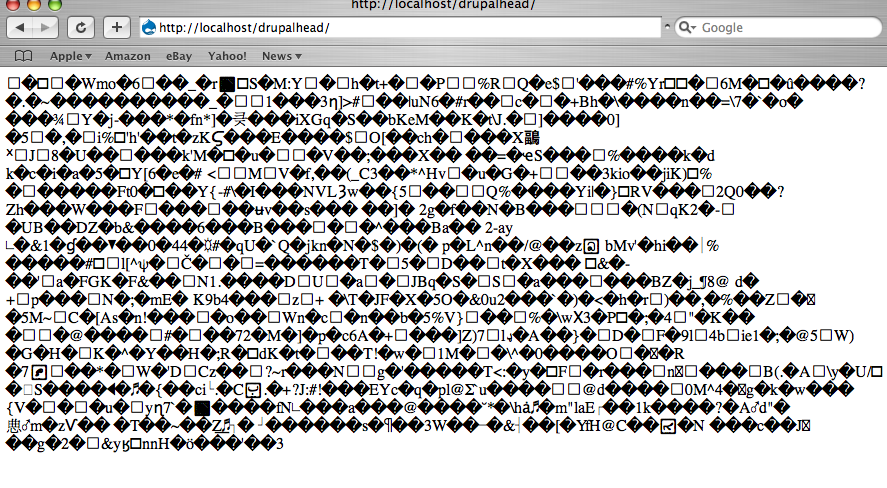
Just to give a visual example of what this looks like in a browser in the cases where compression is not handled correctly, I've attached a screenshot of this phenomenon in Safari - nothing renders at all except the encoded output. Having either group of people be stuck between a choice of looking at that, or not having compressed output as the alternative, is not much a of great choice. With the patch option everyone is happy and gets the benefit of compression. :)
Comment #33
nicholasthompsonI haven't tried this code - however it "mentally" compiles and the descriptions make sense. I hope this gets into core!
Comment #34
nicholasthompsonQuestion...
Would one of the large advantages of moving gzip compression from application (Drupal) to server (eg Apache or IIS) be that compression would apply to ALL pages rather than simply anonymous cached Drupal pages (as compression is an act done on content ready to be served)? This could therefore, in theory, cut bandwidth usage of HTML content by up to about 75%?
Comment #35
chx commentedYes but you do not always have access to the Apache config to set that up.
Comment #36
nicholasthompson@chx: That is true - but in that scenario would the Drupal Compression not be better?
So the two situations would be:
1) Apache CAN gzip and you have access to the config to enable... Disabled Drupal GZip and enable Apache. This allows for compression on ALL pages, not just anonymous drupal cached pages.....
2) Apache CANNOT gzip - fall-back to default drupal behaviour - internally gzip (if available) for cached pages only.
Comment #37
dries commentedI've committed a slightly modified version of this patch to CVS HEAD. Thanks.
Comment #38
zwoop commentedI haven't had a chance to look at your patches, but does this disable zlib.output_compression inside the Drupal PHP code? I posted a new bug (which you can close since you are already fixing this), which (amongst other things) make sure zlib.output_compression is disable if the cache object is cached already. See http://drupal.org/node/187912.
Comment #39
(not verified) commentedAutomatically closed -- issue fixed for two weeks with no activity.
Comment #40
athoik commentedThe problem still exist if you select output_handler = ob_gzhandler.
Take a look here http://drupal.org/node/187912#comment-643604 i have submitted a patch that checks
if we are using output_handler or zlib.output_compression.
Comment #41
gábor hojtsyHm, why reopen this when you have another issue for discussion?
Comment #42
dharamgollapudi commentedsubscribing...
Comment #43
ixis.dylan commentedThis patch doesn't appear to fix the issue for me, and it's the same issue that's been causing me problems for almost 3 years. Cache misses from clients that don't support compression (like crawlers) generates a cached page that doesn't work for future requests from a browser that does support compression.
Also, unless it's been fixed/changed in PHP very recently, you can't disable zlib compression from within PHP code, just from the php.ini file. Output buffering has already begun, so it's too late to stop it in runtime. I've seen two or three patches against Drupal that attempt to change this setting to fix this bug.
Here's a suggestion for a fix: stop attempting compression within Drupal's code and leave it up to PHP or the web server. Is it really such a boost in performance to have to compress and decompress every page on its way in and out of the (database-based) cache?
Comment #44
millions commentedI'm not sure which post is best for my issue but it seems to apply here:
I was running into a problem with Drupal Caching on causing IE6 to display blank pages: http://drupal.org/node/227294
The patch offered as a solution causes my pages to render as gibberish as posted in comment #32 by Caleb when accessing the front page with Safari, Firefox, or Opera with caching enabled.
As of now, the only solution that solves both is to disable caching. I'd like to be able to enable it. Is there a solution that fixes both issues?
Comment #45
millions commentedI'm having issues with zlib double compression. I applied a patch in my previous post which I believe may have caused the double compression in FF but I'm not a coder so I'm not sure how to remedy the situation.
I'm on apache 1.3, drupal 5.10. Is there an easy way to disable zlib? I tried my .htaccess and it gave me 500 Internal Server Errors.
I also tried my sites/default/settings.php file with ini_set and that didn't work either.
I'm on Godaddy, I have access to my php.ini file on the site, but running phpinfo says that the loaded file is php5.ini which is not in my root directory...
Comment #46
naught101 commentedduplicate of http://drupal.org/node/187912
I'm still having this problem in drupal 5.7, will upgrade to drupal 5.x soon.