

 The 2026 Drupal Business Survey is open. Your response will help shape the future of the Drupal business ecosystem.
Hello,
I am using this module to add a tooltip on hover. I have used beautytips_add_beautytips() function and ajaxPath property to get the data dynamically to show on the tooltip.
This seems to be working great, But I am facing two issues :
1) In Mozilla Firefox the tooltip is totally breaking. Its not opening correctly.
2) I have done shrinkToFit : true
In other browser it is working fine, But for the first time when it loads, it won't shrink properly i.e the width and height doesn't change properly for first time. From second time it loads with correct height and width.
Please suggest anything that I could be doing wrong or is an error with module.
Looking forward to here from you soon.
| Comment | File | Size | Author |
|---|---|---|---|
| #5 | onhover.png | 34.38 KB | mich5 |
| #5 | Sans titre 2.png | 5.53 KB | mich5 |
| #4 | options-filled.png | 31.66 KB | soulfroys |
| #4 | no-error.png | 32.94 KB | soulfroys |
| #4 | error.png | 65.81 KB | soulfroys |


Comments
Comment #1
swortis commentedI can confirm the same behaviors with Firefox 5 (and actually Safari 5.1 as well)
Comment #2
stephenh commentedHi Swortis,
I would like to replicate this issue so I can find a solution for you. Can you send me a screenshot of the issue. Can you also send me the $options array you are using with the beautytips_add_beautytips() function and tell me where you are calling this function from (i.e. from within a custom module or from within a theme's template.php file.
Thanks.
Comment #3
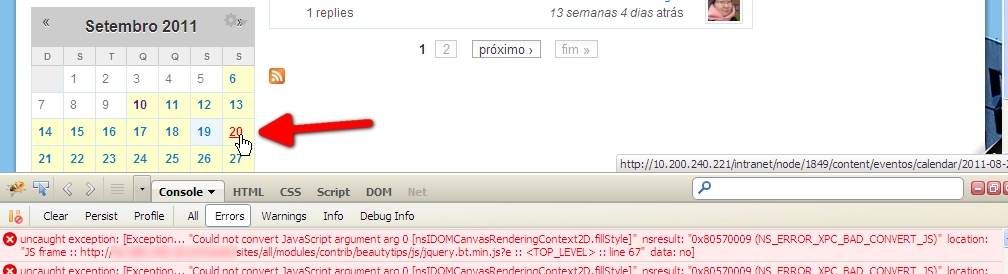
soulfroysFirst of all, thanks for this great module. The same problem here, only in Firefox (6). The error message:
Comment #4
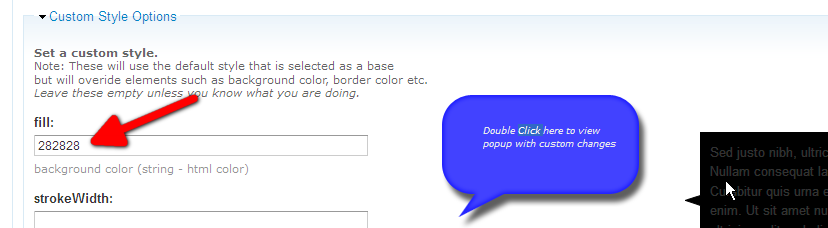
soulfroysNew information: the error only occurs when at least one option is filled.
[EDITED - "FIXED"]
My fault, I forgot the hash in colors.
Comment #5
mich5 commentedhello,
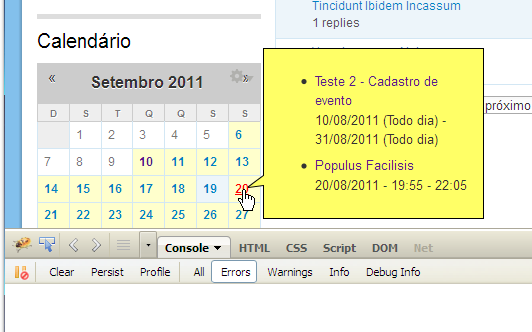
I've this problem only with FF (3.6 mac to 6 pc) : text is outside de box for a block with php code, the box itself is on the block and the link is not always active...
I have defined a custom style.
this produce the attached pictures.
Any idea ?
thanks
Comment #6
mich5 commentedI use fusion theme (acquia prosper) with block 'float right' and center align content options enabled.
Without these options it's working as expected, no offset.
Comment #7
kleinmp commented@mich5 can you determine whether css option from float or the center align is causing the issue? I tried things out with the acquia prosper theme, but couldn't recreate the issue. Sometimes the css needs some tweaking to get the tips to appear properly.
Comment #8
mich5 commentedI just checked/unchecked skinr options with the block, didn't tweak css file at the moment.
In fact only center align content within its container is causing box offset, not float block to the right.
Comment #9
pifagor commented