Nice module! After I installed it and inserted [coolplayer] tags, for example,
[coolplayer]
http://www.vsocial.com/video/?d=5255
[/coolplayer]
to a node page, it works very well.
But it can be read from the introduction of this project page:
[coolcode] tag. And CoolFilter can also add syntax highlighting and generate code file on fly for download, base on PHP:PEAR:Text_Highlighter.

Now it can support languages below, and you can easily add languages by yourself
# cpp# css# diff# dtd# html# java# javascript# mysql# perl# php# python# ruby# sql# xml
I'm not good at multimedia on Web sites. I still don't know what the [coolcode] tags are used for. Why and when does one need using the tags? Thanks!


Comments
Comment #1
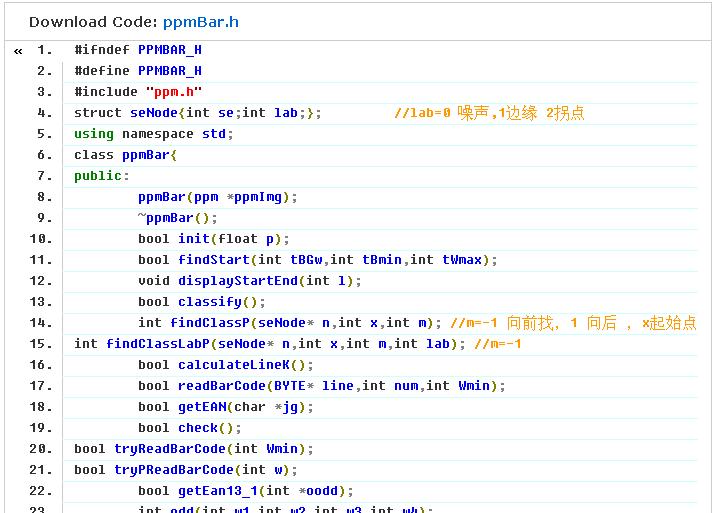
lllkkk commented[coolcode] is not used for media display. It is used for highlighting programming languages, like C++,JAVA or PHP.
Comment #2
astra commented[coolplayer] and [coolcode] tags are put together in the Coolfilter module, but I don't know what the programming code is used for? For theming the layout of the media display? For increasing speed to download the multimedia files? Or for something else?
Comment #3
lllkkk commentedhaha:) [coolcode] has no relationship with media, it just like tag
<code>. But more useful, like the picture in attachment.Comment #4
astra commentedThanks!