I updated to uc_views 3.1 and now my bulk operations view is broken.
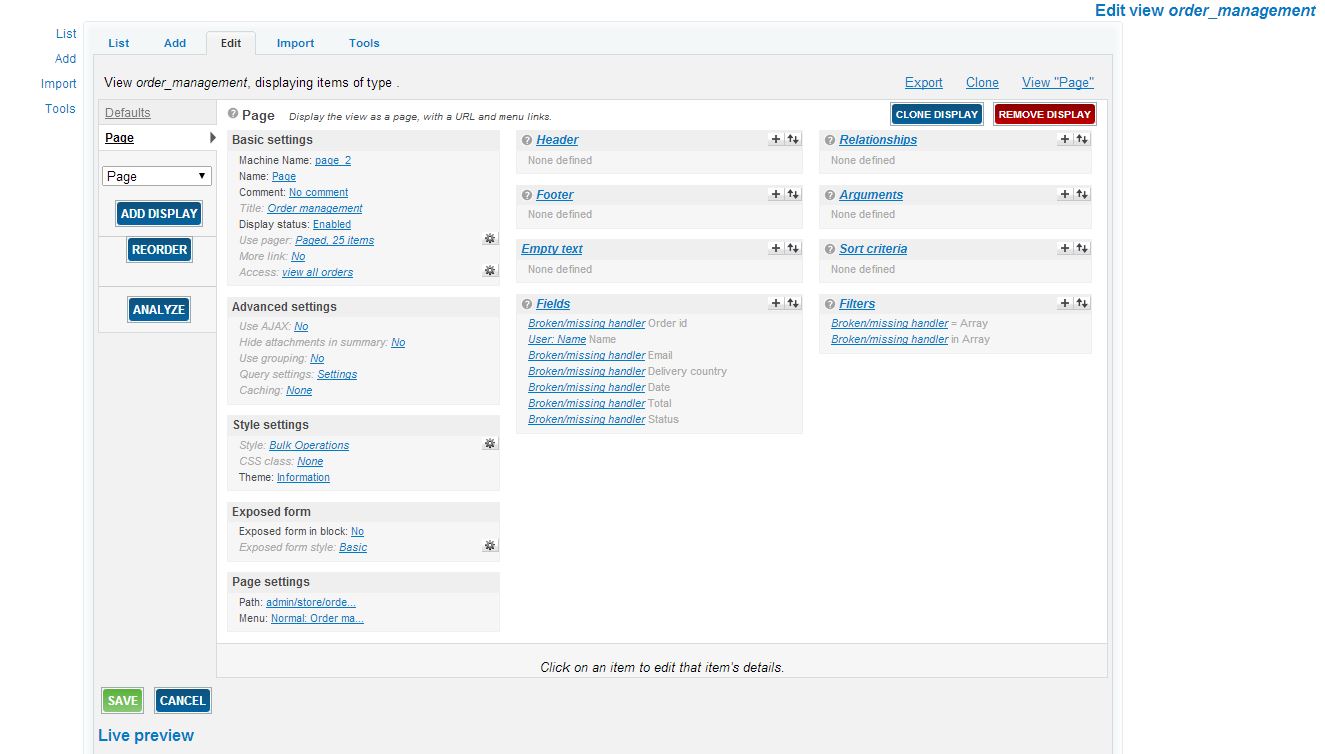
These are the fields in the view:
Fields
Broken/missing handler: uc_orders > order_id
User: Name Name
Broken/missing handler: uc_orders > primary_email
Ubercart order: Recipient's country name Delivery country
Broken/missing handler: uc_orders > created
Broken/missing handler: uc_orders > order_total
Broken/missing handler: uc_orders > order_status
As you can see only the user name and the delivery country are showing in the view.
Filters
Broken/missing handler: uc_orders > order_id
Broken/missing handler: uc_orders > order_status
And both filters are broken
And there are no bulk operations present on the page. When I try to go into bulk operations for that view I receive this error message:
An error occured at /admin/build/views/ajax/display/order_management/page_2/style_options.
Error Discription:
Fatal error: Call to a member function click_sortable() on a non-object in /home/content/49/5044949/html//sites/all/modules/views/plugins/views_plugin_style_table.inc on line 197
Help, I am new to using views and this has got me up against a wall



Comments
Comment #1
AllyMediaGroup commentedI am still fighting this issue with order management view. Moving to bug reporting since I think this is a bug.
Comment #2
thedavidmeister commentedwhat version did you upgrade from?
if it was a migration across major versions, you can't expect that to work without rebuilding whatever views you had working in v 2 or 3
Comment #3
longwaveYeah, you will have to revert your view and make any alterations again I'm afraid.
Comment #4
AllyMediaGroup commentedI upgraded from uc_views 3.0 to 3.1. It is the view that is included in the uc_views module called order management. I am not a coder and I don't know how to recreate the view.
Comment #5
longwaveYou don't need to be a coder. Go to Site building > Views and click "Revert" on the order_management view to reset it.
Comment #6
AllyMediaGroup commentedThere is not a revert for this view. Any one else with any ideas?
Comment #7
AllyMediaGroup commentedThis is still broken any other ideas? Thanks for all feedback about this issue
Comment #8
AllyMediaGroup commentedHas anyone had this issue and found a fix. Now I get even less.
Comment #9
AllyMediaGroup commentedComment #10
AllyMediaGroup commentedadding files for clarification