

Closed (fixed)
Project:
Omega
Version:
7.x-3.0
Component:
User interface
Priority:
Minor
Category:
Support request
Assigned:
Unassigned
Reporter:
Created:
15 Sep 2011 at 21:11 UTC
Updated:
13 Sep 2012 at 18:31 UTC
Jump to comment: Most recent file



Comments
Comment #1
himerus commentedIf a sidebar (or ANY region) is empty when the page is built by Drupal, Omega will NOT render it unless you have selected the option(s) for that region/zone that specify to ALWAYS render (force) the section to be printed.
Otherwise, this is the intended behavior, and works as intended in Omega by simply removing the region...
You will want to however, likely make your surrounding regions grow to fill the space...
If you look at the default settings for the content zone, which includes the content, sidebar_first, and sidebar_second regions, you can see how this is configured so that the content region grows to fill up the space of a sidebar should it be empty... (the Primary Region setting inside the zone configuration)
Comment #2
jgpippin commentedThat is what I had thought, but I'm having trouble adjusting my settings to reflect this. Brilliant theme, by the way - I'm enjoying development with this theme much more than I had with Zen.
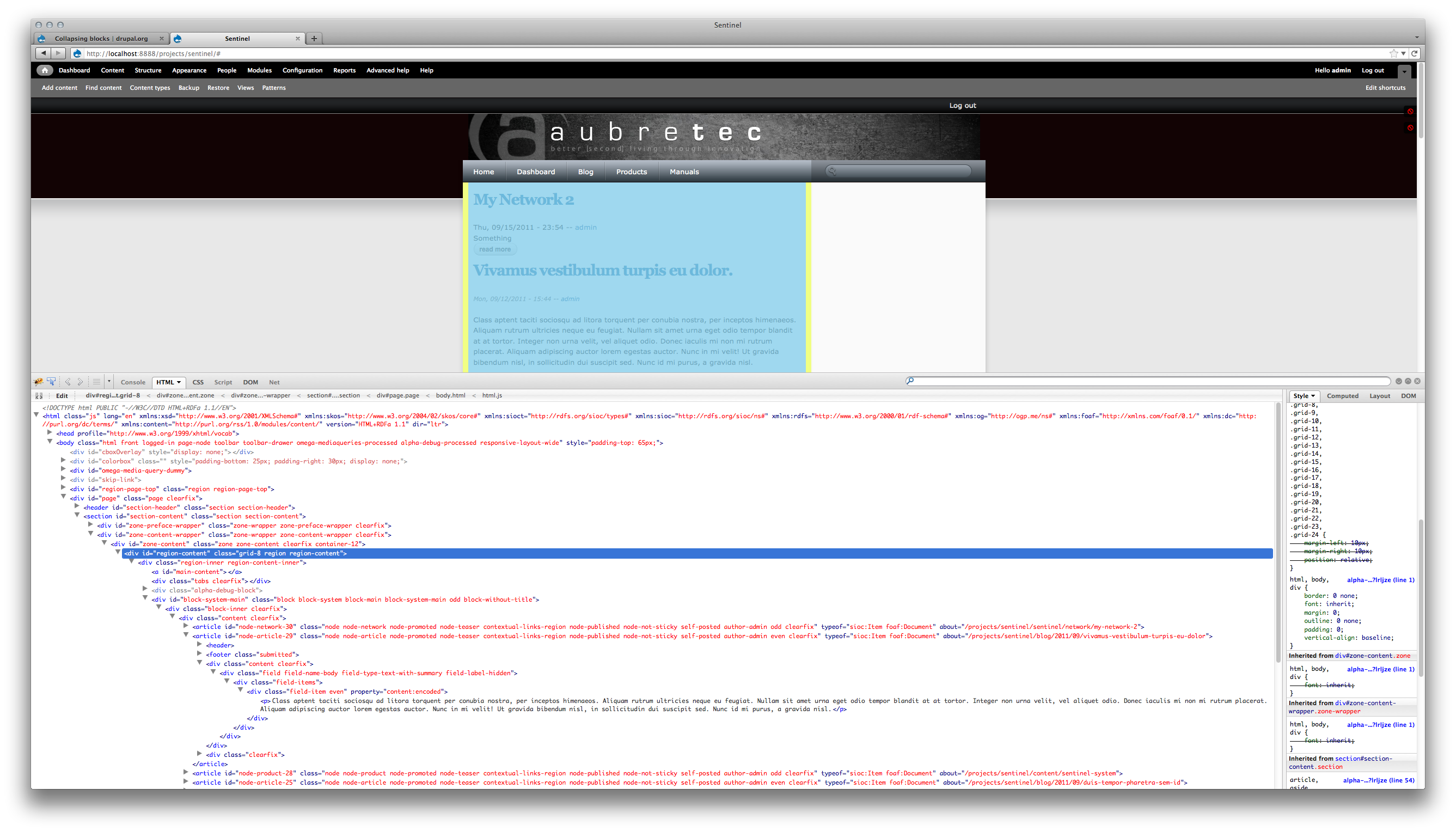
I'm attaching two screenshots - one shows my expanded zone configuration for the Content Zone, and one shows the firebug console that displays that the content region is being assigned grid-8. I'm sure there's just some basic misunderstanding on my part - I'm hoping one of these screenshots will clearly display what it is.
Comment #3
jgpippin commentedAdjustment - I uploaded the wrong screenshot. Attached are the two screenshots I meant to upload.
Comment #4
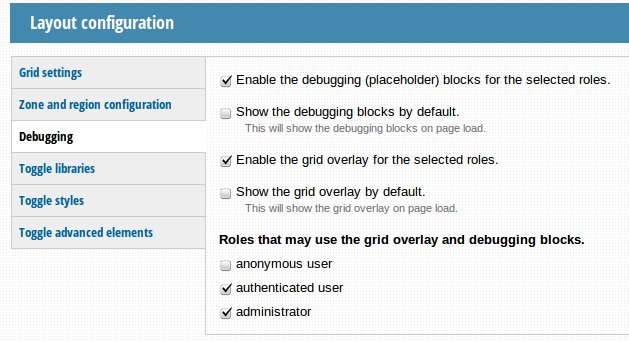
jgpippin commentedI found the issue; it's the debugging blocks. If the debugging blocks are enabled they force the rendering of all regions even if they are empty and the debugging blocks are not currently displayed.
Comment #5
peter.thorndycraft commentedHi there,
I know this was set to closed but I too am having this issue. Its effecting only one of my sites but I have checked the debugging (turned off) and there are no overrides in any templates. It seems to be only happening when a user is logged in.
Kindest regards,
Peter Thorndycraft
Comment #6
sardbaba commentedThanks, I'm having the same issue and disabling debugging blocks does the trick.
Comment #7
sardbaba commentedHi Peter, that's probably because you have the debugging blocks enabled for authenticated/admin user... see "Roles that may use the grid overlay and debugging blocks." checkboxes. In the attachment you will see that debugging blocks are enabled (turned off by default but they exists and can be shown clicking on the right "alpha-block-toggle" link) just for authenticated/admin users.
Hope this helps.
Mauro