

Closed (cannot reproduce)
Project:
MAYO
Version:
7.x-1.x-dev
Component:
User interface
Priority:
Normal
Category:
Bug report
Assigned:
Unassigned
Reporter:
Created:
21 Sep 2011 at 16:26 UTC
Updated:
12 Nov 2015 at 22:46 UTC
Jump to comment: Most recent, Most recent file

Comments
Comment #1
mermentau commentedI tried to duplicate your issue with no luck. All blocks stay as sorted in Structure>Blocks for both left and right column. Could you please double check and maybe do the same test with Bartik? This is with the latest Dev version.
Your issue indicates 7.x-1.x-dev. Did you try it with that one or a release version like 7.x-1.1?
Comment #2
mermentau commentedComment #3
xaviaranda commentedIn the 7.x-1.2 the order of blocks does not change. And in the block section, the MAYO tab does'nt visible. What happen?
Thank you.
Comment #4
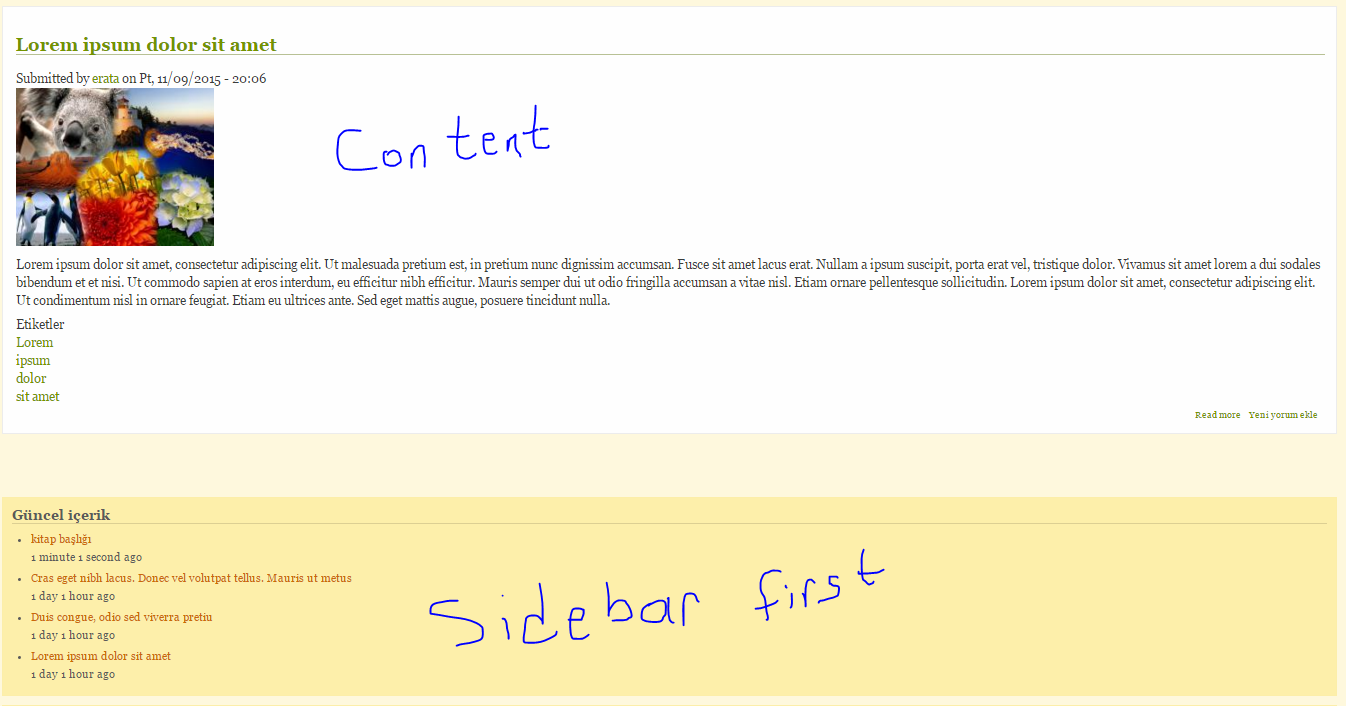
erata commentedhi, i tried mayo theme drupal 8 r3. my sidebar first and second blocks are under content area. i tried but can not show sidebar first blocks on left area. you can show problem attached image belove.