Closed (fixed)
Project:
Basic
Version:
7.x-2.0-rc3
Component:
Code
Priority:
Normal
Category:
Support request
Assigned:
Reporter:
Created:
27 Sep 2011 at 21:12 UTC
Updated:
29 Sep 2011 at 13:35 UTC


Hey everyone,
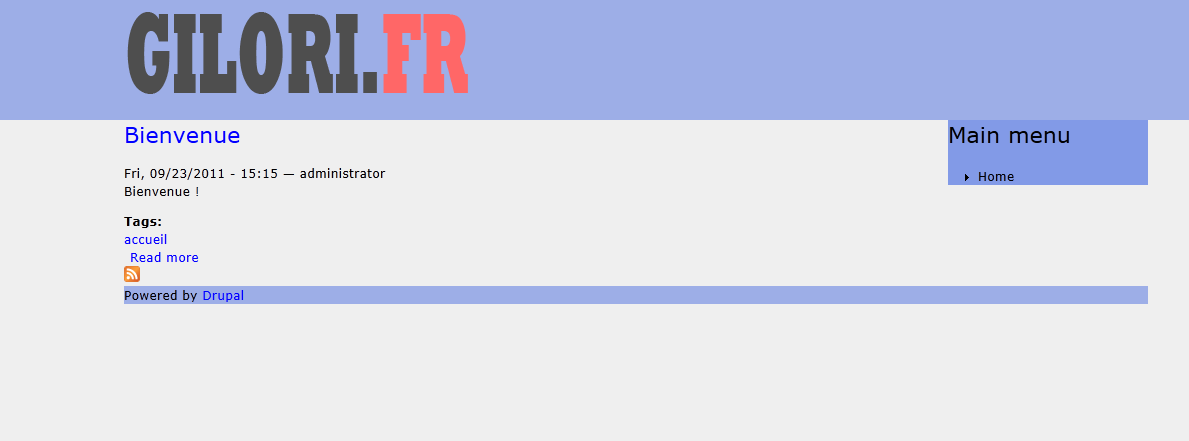
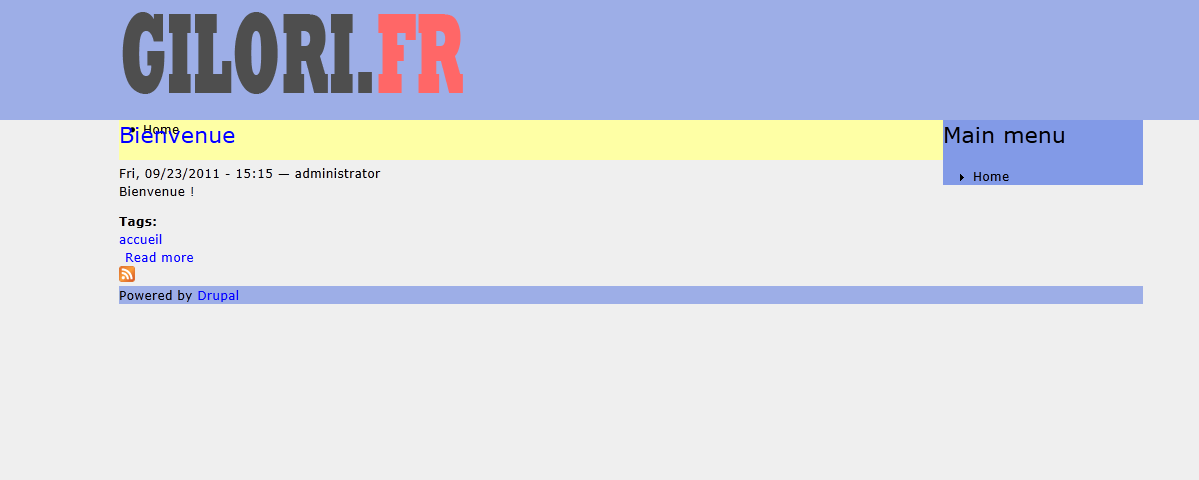
It seems like I've some troubles with the navigation menu and the breadcrumb thing.
These two features are one on the other like in the screenshot, the only thing I can do is to remove the following code in page.tpl.php : (there is a second screenshot with the following code removed)
<?php if ($main_menu || $secondary_menu): ?>
      <div id="navigation" class="menu <?php if (!empty($main_menu)) {print "with-primary";} if (!empty($secondary_menu)) {print " with-secondary";} ?>">
        <?php print theme('links', array('links' => $main_menu, 'attributes' => array('id' => 'primary', 'class' => array('links', 'clearfix', 'main-menu')))); ?>
        <?php print theme('links', array('links' => $secondary_menu, 'attributes' => array('id' => 'secondary', 'class' => array('links', 'clearfix', 'sub-menu')))); ?>
      </div>
    <?php endif; ?>
I'm not saying this is a bug or whatever, but I'm missing something on that point and I can't find the reason of this.
Any help would be appreciate ! (:
Thanks !
| Comment | File | Size | Author |
|---|---|---|---|
| without_nav.png | 20.4 KB | gnowar | |
| with_nav.png | 22 KB | gnowar |

Comments
Comment #1
damiankloip commented@gnowar, I think this is to do with the css, not the php code in the template.
Comment #2
gnowar commentedHumm that's what I thought but I could'nt find the solution.
Now I set the #navigation height to 40px and I added a margin-top of 40px to #content.
It works fine but it's strange to have this issue when you start from a clean theme, isn't it ?
Thank you btw !
Comment #3
damiankloip commentedThere have been quite a few people having issues with the negative margin stuff, hence the reason it will be gone in the new 3.x branch that we have recently began development on. :)
Comment #4
gnowar commentedOk, thank you for the reply !