I have read the read me and everything else that I can find on Node Export. But I am having a lot of problems getting much to work.
I am trying to move blogs from one Drupal install to another. I have enabled all the modules and going to a node I can easily see the tabs for each of the supported formats. I choose one, lets say serialize. I copy the code. then I go to the new site Node export: import link under Add content, and paste it in there. When I choose import I get this error
Node export was unable to recognize the format of the supplied code. No nodes imported.
It does not matter what format I choose.
What have I forgotten to do?
Thanks
Todd


Comments
Comment #1
danielb commentedNot sure what the problem is exactly.
A safe bet on getting it to work is to disable all the format modules (node_export_csv, node_export_serialize, node_export_xml) on both sites.
Then just use the default to export.
If that fails, perhaps something is going wrong during the copy-paste, and you should use the file download/upload method instead?
Comment #2
danielb commentedThe other possibility is that different modules are enabled on the two sites causing a compatibility issue. This is certainly true of the modules within the node export package, but possibly others too.
Reopen if you require more assistance regarding this, or can narrow down the problem further.
Comment #4
tarzadon commentedI recently got this message as well.
I tried importing via "Upload file" as well as "Paste code". The only thing I noticed were that 2 of the nodes I was importing were different content types as the other nodes. After I excluded those nodes from the export, I was able to import them.
Not sure if that was the real issue though.
Comment #5
iantresman commentedI also just received this error message, using defaults throughout, to export a particular content type.
Turns out I was trying to import a "Feature" I had created, a tar file, rather than a .export file.
Comment #6
mirabuck commentedI ran into this as well. Turning off all sub modules except CSV sorted it for me.
Comment #7
brycefisherfleig commentedI ran into this as well. For me, this was only occuring when I tried to import content types with image fields. The major problem was that I had not enabled file attachments to be exported with the nodes. The form is very clear, but I just didn't realize I needed to turn this on. I now have it working with drupal 7.15 using the node_export_features submodule without problems.
To enable files to be sent with the node:
1) Login as admin on the source server (where the nodes are now)
2) Go to /admin/config/content/node_export
3) Scroll down most of the page to the "File fields" box.
4) Check the box next to each content type you want to export which has images
5) Save
6) Login as admin to the destination server (where you want the nodes to be imported)
7) Repeat steps 2 - 5 on this server
8) Make sure that all settings on the source and destination server are the same.
9) Save
This process seemed to fix the issue for me.
Comment #8
Screenack commentedI had this same error with the dsv format. Just for kicks, I did a node-export-export and then, without modification, tried a node-export-import of the freshly exported csv file. Same error message, both using drush or the "paste" UI option.
Comment #9
vegemite4me commentedThis happened to me when importing into D7.20 from D7.0, both using the same version of node_export 7.x-30. I had defaults set on both sites. I ended up getting it to work by exporting as XML.
Comment #10
Katy J commentedThanks brycefisherfleig - this saved me.
Comment #11
cfischer50 commentedGlad to see it is being worked on. I just want to export/import between versions of a development site. For me, opening the node-export file and deleting the initial error messages allowed me to successfully export-import the file between sites. Would be nice if the error messages appeared someplace other than the export file - like in the export form page - since it seems to be formatted for html anyway. This is the initial set of error messages pasted here and shown without the html tags:
Notice: Undefined variable: nids in /home/ ... /sites/all/modules/node_export/node_export.pages.inc on line 332
Notice: Undefined variable: code_string in /home/ ... /sites/all/modules/node_export/node_export.pages.inc on line 332
Warning: implode(): Invalid arguments passed in /home/ ... /sites/all/modules/node_export/node_export.pages.inc on line 440
Notice: Undefined index: in /home/ ... /sites/all/modules/node_export/node_export.pages.inc on line 447
Comment #11.0
cfischer50 commentedfixing typo
Comment #12
ajaynimbolkar commented1)I have Exported basic page content using feature module in Drupal 7.27 version.
2)Try to enable feature module in another Drupal instance having same version after enabling feature exported module its giving as below error
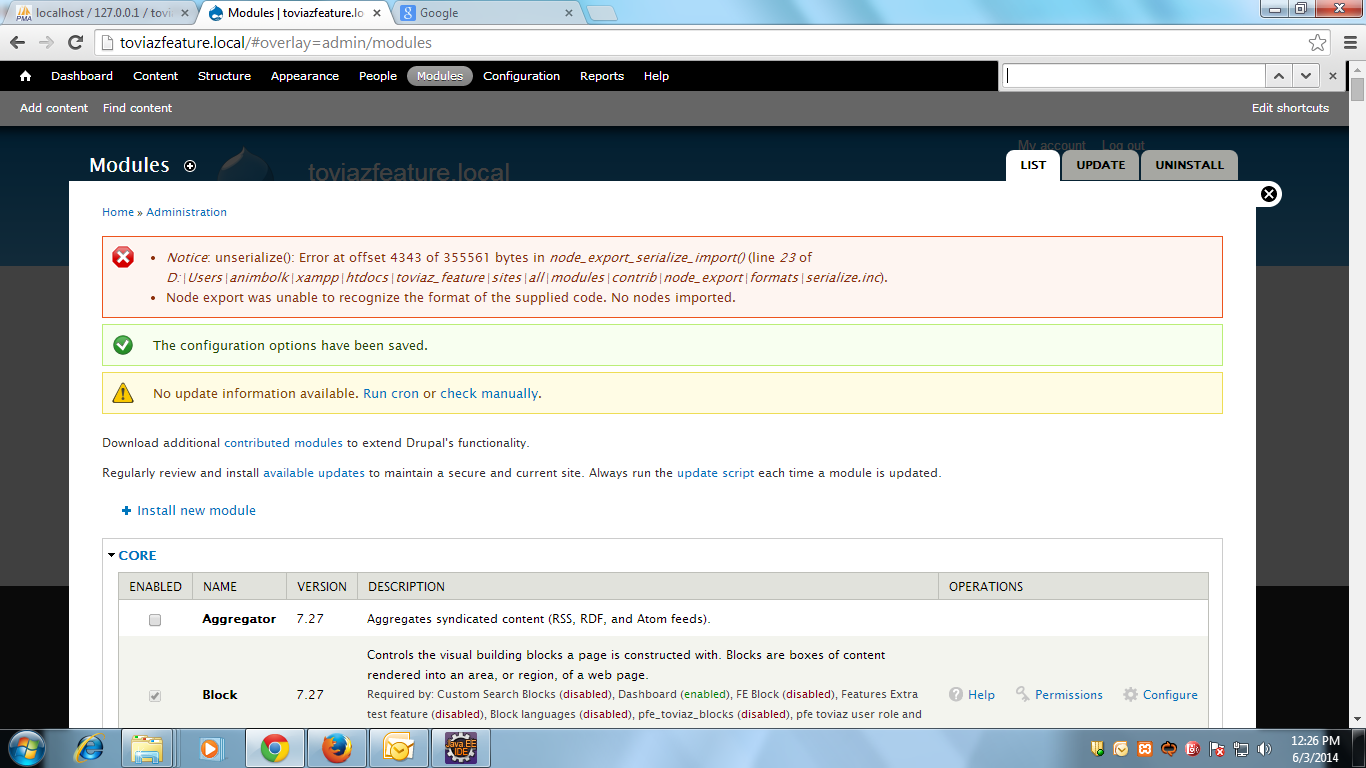
Notice: unserialize(): Error at offset 4343 of 355561 bytes in node_export_serialize_import() (line 23 of D:\Users\xxx\xampp\htdocs\xxx_feature\sites\all\modules\contrib\node_export\formats\serialize.inc).
Node export was unable to recognize the format of the supplied code. No nodes imported.
Comment #13
darby3On the off-hand chance I'm not the only person stumbling into an issue with Drupal 6 node export (and I can save someone the resulting 2-3 minutes of head-scratching): I had Devel turned on and it was adding memory usage material at the end of the exported file. Turned off Devel. Worked like a charm.
Comment #14
fubarhouse commentedI'm getting this error too, but in light of the last few comments I've tried on multiple drush versions (6.0.0, 7.0.0, 8.0.0) with no change.
Devel has been disabled in these cases, and the same problem exists when trying through Drupal's GUI.
I intend on trying a couple more things, so if I manage to get around it I'll tell you all.
Comment #15
nehapandya55 commentedI got same issue but when i check configuration i got both site have different format and File export mode when i set format "Drupal var export" and File export mode " Inline Base64" for both site issue resolve for me and able to import node successfully.
Comment #16
zendka commentedI got the same error. I had a look at the exported file: it contained an array with the exported content and... some HTML formatted message from the devel module. I manually removed the HTML and it worked.