

Closed (fixed)
Project:
Video Embed Field
Version:
7.x-1.0-alpha5
Component:
Code
Priority:
Normal
Category:
Bug report
Assigned:
Unassigned
Reporter:
Created:
16 Oct 2011 at 14:18 UTC
Updated:
18 Jan 2012 at 23:20 UTC
Jump to comment: Most recent file


Comments
Comment #1
dgastudio commentedok, it happens only until save field options. After save, the notice dissapear.
Comment #2
paul_constantine commentedThere is no buttom to save the field-options anymore.
Now what?
Comment #3
jec006 commentedKervi, I fixed that notice, thanks.
Paul,
I'm not seeing this issue. Try clearing cache.
What theme are you using? any other information you can provide to help me reproduce would be useful
Edit: A screenshot might also help
Comment #4
webadpro commentedIve had the same issue, but as comment #1 said, once you save the field option the error goes.
Comment #5
jec006 commentedI think this is actually fixed, but definitely was occuring.
Please reopen if not fixed.
Comment #7
paul_constantine commentedAgain I have to go back to the alpha-4 version.
There is no button to save any field settings. After clearing the cache the configuration options for this module are gone altogether. Even when trying to access the configuration via the module page I get no configuration for "video_embed_field".
Comment #8
jec006 commentedHey Paul,
What version are you using? This original issue was against alpha5, i think most of this should be cleaned up in beta1 ?
Are you still seeing errors or warnings?
I noticed you don't have tabs on the page and the youtube settings aren't showing either. I'll see if I can reproduce and fix.
Comment #9
jec006 commentedComment #10
jec006 commentedWhat page are you on when you're seeing that ? Like what is the path portion?
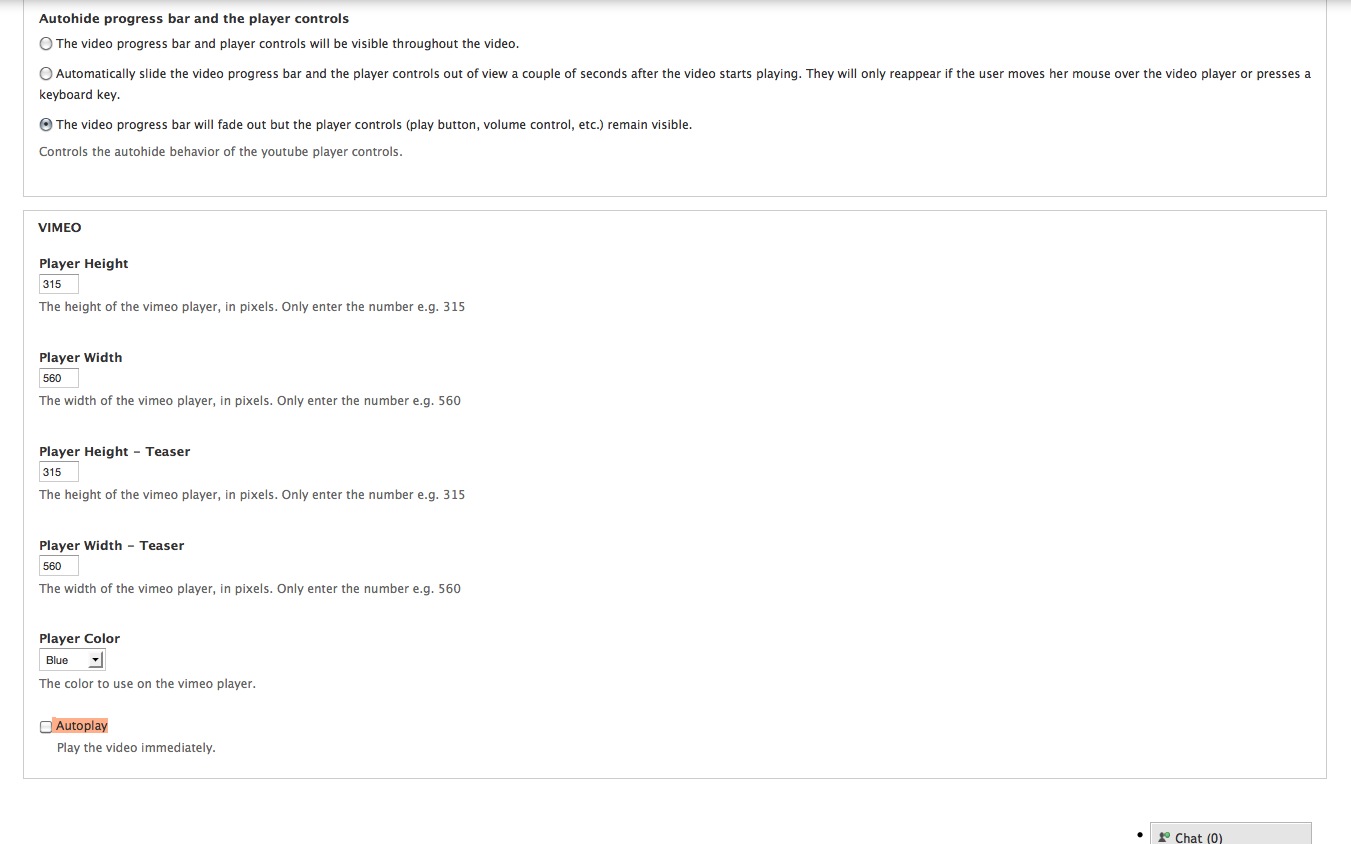
In alpha5 we moved all the settings to be on the field settings so the configuration page should be gone. I'll remove the link in the info file for configuration. I'm not able to reproduce the field settings page not having a save button and I see vertical tabs - your field settings do not look like the new ones.
I've attached a screenshot of how it should look
Comment #11
paul_constantine commentedI'll try it again with the beta version. Maybe I was looking in the wrong places for the field settings.
The first place I looked was under the page "configuration". After clearing the cache I did not find the configuration settings under configuration anymore. I then looked under modules, found the "configure" link, but that did not find the configuration either.
Now I noticed in your screenshot that you used the tab "structure". So I will now reinstall the beta and try my luck there.
Update:
Found my error. I was still looking in the wrong places. Did the correct thing now and checked the field settings, saved them and now everything works.
Thanks for the screenshot. That helped.
Comment #12
jec006 commented