
Sample TAC configuration: Store chain
Scenario
- The website is for a store chain.
- There are three stores: Store A, Store B, and Store C.
- Both managers and employees use the site.
- Certain content for each store should be restricted to people at that store. In particular:
- Employees from Store A should be able to View, but not Update, schedules for Store A.
- Managers should be able to both view and update these schedules.
- Users from other stores should not be able to see these schedules.
Taxonomy configuration
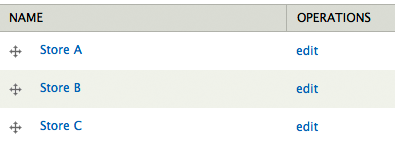
Create a "Restricted store content" vocabulary at admin/structure/taxonomy. Add terms for Store A, Store B, and Store C.
Role configuration
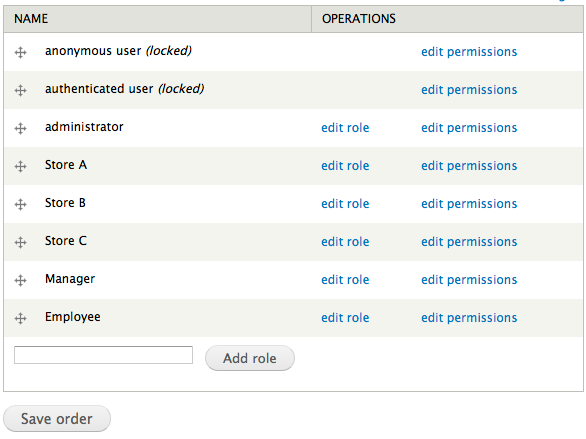
Create five roles at admin/people/permissions/roles:
- Store A
- Store B
- Store C
- Manager
- Employee
Content type configuration
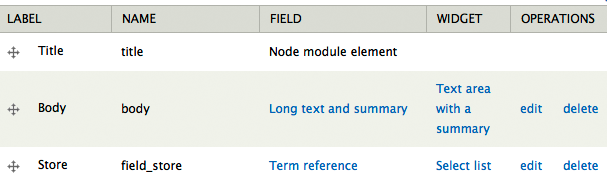
Create a "Schedule" content type. Add a "Store" term reference field to this content type, using the "Restricted store content" vocabulary.
TAC configuration
Anonymous user role
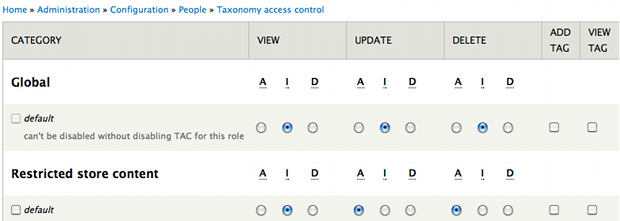
For the "Restricted store content" vocabulary default, set:
- View: Deny
- Update: Deny
- Delete: Deny
- Create: Unchecked
- List: Unchecked

Authenticated user role
Same configuration as the anonymous user role.
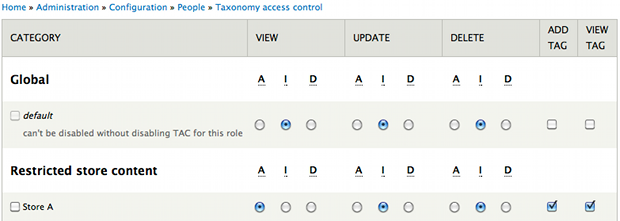
Store A role
For the "Store A" term, set:
- View: Allow
- Update: Ignore
- Delete: Ignore
- Create: Checked
- List: Checked
Store B role
Use the same pattern as the Store A role.
Store C role
Use the same pattern as the Store A role.
Manager role
For the "Restricted store content" vocabulary default, set:
- View: Ignore
- Update: Allow
- Delete: Allow
- Create: Unchecked
- List: Checked
By allowing view access to be inherited from Role A, B, or C, this has the effect of showing managers with these roles only the content for their store, so they do not see other stores' content to edit it.
Help improve this page
You can:
- Log in, click Edit, and edit this page
- Log in, click Discuss, update the Page status value, and suggest an improvement
- Log in and create a Documentation issue with your suggestion
