Profiles
The information provided in this page was incorrect -- removed by author.

RealName allows you to change the display of a user's identity based on properties other than their username, including actual name, email address, or user ID.
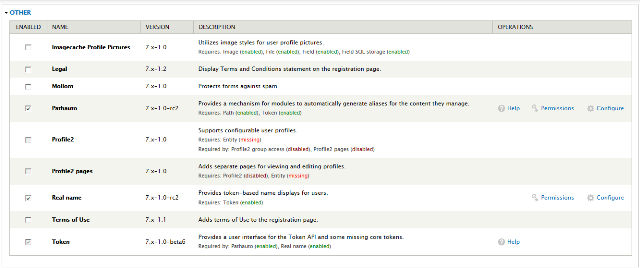
Click on the "Configure" of the RealName module in order to set up how RealName will display. Whatever name you decide in place of the "user's name", is referred to as "Real name" for the token [user:name].
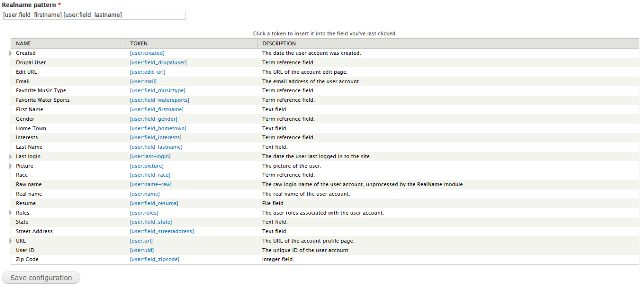
In these example configuration settings, we replaced the standard token [user:name] with [user:field_firstname] [user:field_lastname] to display the first and last name of the person, instead of their username.
In order for this setting to work, of course, you must ensure there are configured fields in the user profile page for "firstname" and "lastname" and that the person has entered their first and last name in those fields.
A simple way to see if the RealName module works as set, simply log in and select an article to comment on, and see if your username is now displayed as you have chosen from whatever token settings you've selected instead of the original username.
The information provided in this page was incorrect -- removed by author.

Drupal is a registered trademark of Dries Buytaert.
