Closed (works as designed)
Project:
SimpleMenu
Version:
7.x-1.x-dev
Component:
Code
Priority:
Normal
Category:
Bug report
Assigned:
Reporter:
Created:
3 Nov 2011 at 10:36 UTC
Updated:
19 Nov 2011 at 23:44 UTC


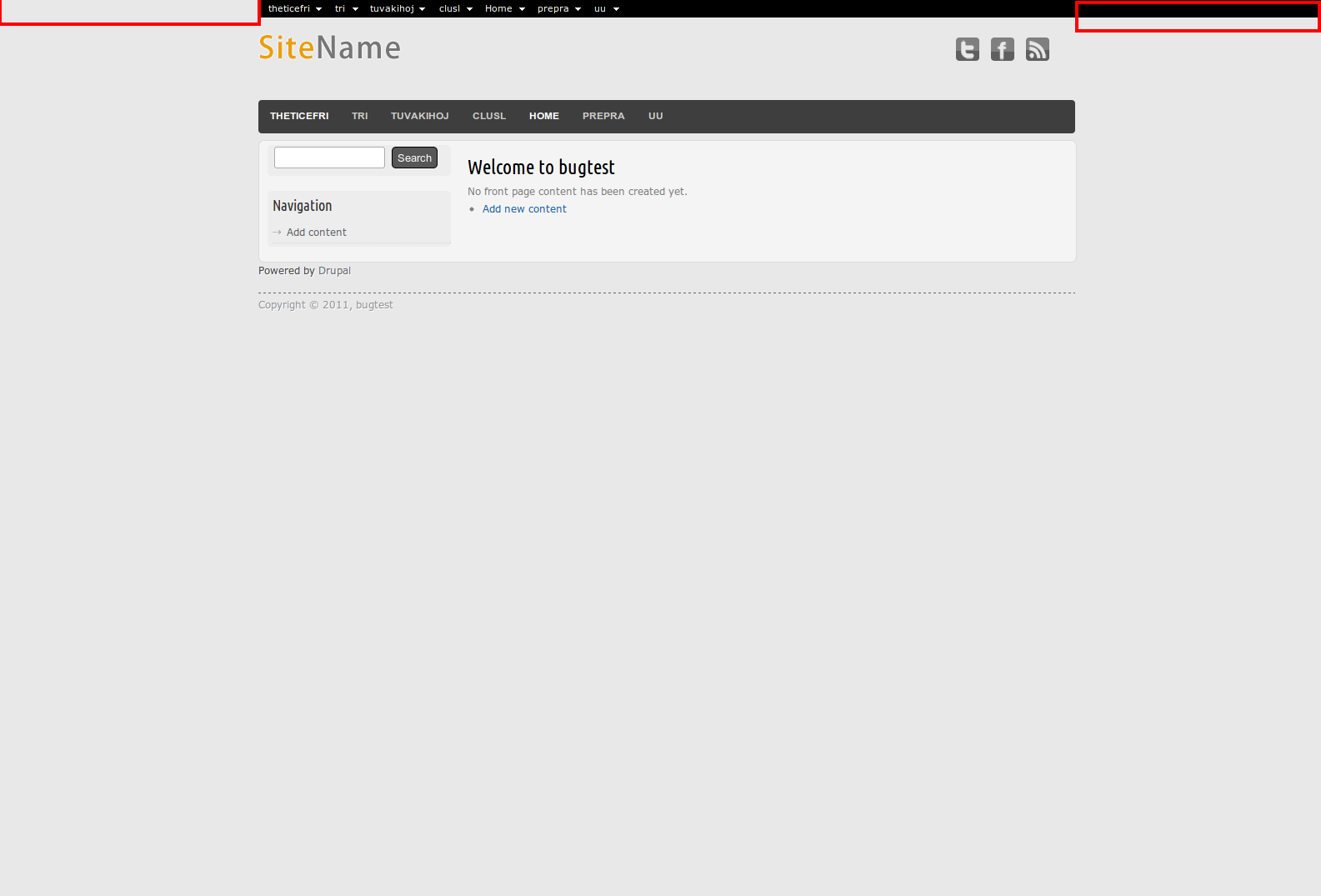
Hi, when simplemenu is used with the Touch theme, the upper bar doesn't start at the left side of the screen but aligned with the body.
I don't really know if this is a theme bug or a simplemenu bug.
Screenshot attached.
| Comment | File | Size | Author |
|---|---|---|---|
| bugtest.png | 69.19 KB | mariogalan |

Comments
Comment #1
AlexisWilke commentedThat would be a theme problem... they probably use the body to center the content.
This would force the margin on the simplemenu. Not much you can do except change the theme to do that in the first <div> instead.
Comment #2
crobinson commentedI tested this with the latest version of the Touch theme, and confirmed that they are applying a width/margin to the body DOM element. There is no way to put SimpleMenu any higher in the DOM. This is a Touch theme issue and would affect any module like SimpleMenu.
It doesn't affect Toolbar because that facility uses position: fixed. It's for admin use only, so this is acceptable for that instance. SimpleMenu has a Position: Fixed option in its settings. I made a trivial change (7e51943) to improve how it behaves for themes like this.
If you only want SimpleMenu for an admin menu, please try that setting with the latest version of SimpleMenu 7.x-1.x-dev. If you want to use it in your site theme, you'll need to file an issue with the Touch theme developers and ask them to apply their centering/width settings on #wrapper, not body.
Comment #3
mariogalan commentedHi crobinson, I asked the Touch theme developer for a solution and he said basically the same as you did.
Thanks for your help!
Comment #4
crobinson commentedThanks for the update, mariogalan!