

 The 2026 Drupal Business Survey is open. Your response will help shape the future of the Drupal business ecosystem.
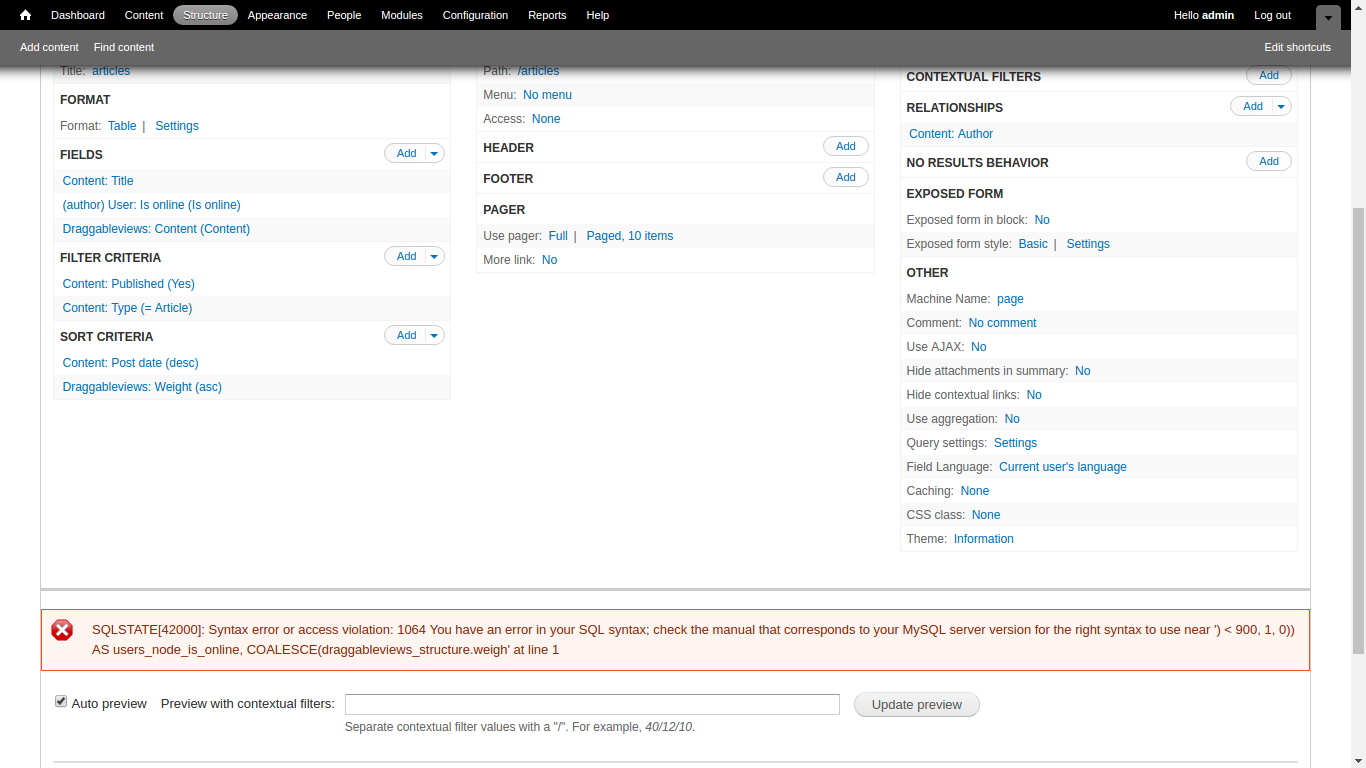
Getting following error, when i activate the user is_online field in views:
SQLSTATE[42000]: Syntax error or access violation: 1064 You have an error in your SQL syntax; check the manual that corresponds to your MySQL server version for the right syntax to use near ')) < 900, 1, 0) AS users_node_is_online, 1 AS expression FROM node node LEFT JO' at line 1
And this number as message: 1321465151
| Comment | File | Size | Author |
|---|---|---|---|
| #17 | my_friends_view_with_is_online_field.txt | 33.68 KB | Triumphent |
| #12 | usebasetableinsteadofalias-1343744-12.patch | 759 bytes | harsh.behl |
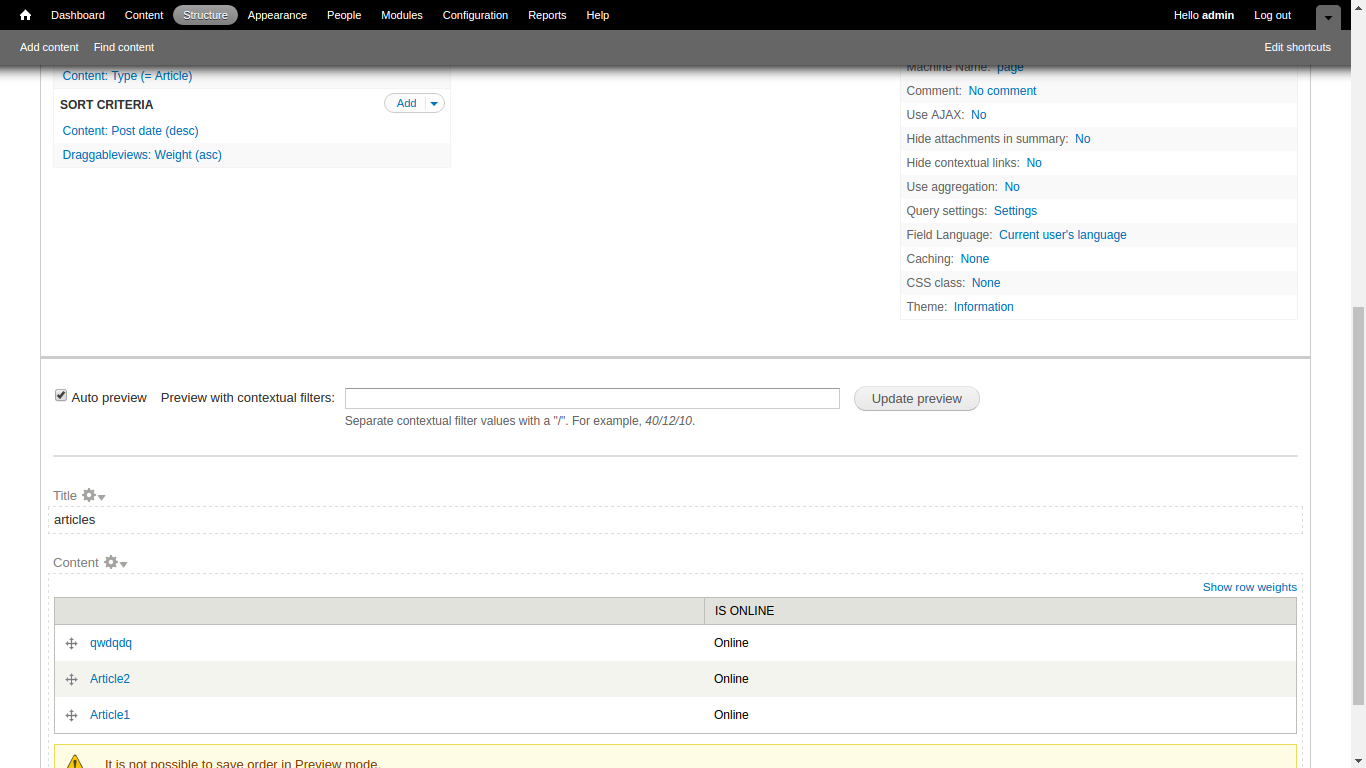
| #9 | afterpatch.png | 70.56 KB | harsh.behl |
| #9 | beforepatch.png | 120.23 KB | harsh.behl |
| #5 | removing-usersprefix-1343744-5.patch | 726 bytes | harsh.behl |

Comments
Comment #1
kaztur commentedAlmost the same error trying to add is_online field into comments type view:
SQLSTATE[42000]: Syntax error or access violation: 1064 You have an error in your SQL syntax; check the manual that corresponds to your MySQL server version for the right syntax to use near ')) < 1800, 1, 0) AS users_comment_is_online, 1 AS expression FROM kazb_comment ' at line 1Comment #2
ionmedia commentedand error
Comment #3
Triumphent commentedDon't hold your breath, you won't get an answer.
Comment #4
michelleI doubt anyone can hold their breath for 4 years, anyway. ;)
Comment #5
harsh.behl commentedHi,
I have updated a patch.The problem seems to be in views/views_handler_field_is_online.inc file in left join it is taking table name as users_node but it should be node only.
Comment #6
Triumphent commented@pen: Applying your patch not only DOES NOT fix the problem but also makes other views disappear!
Comment #7
Triumphent commentedComment #8
harsh.behl commented@Triumphent: At my end it is working fine.Please elaborate more which type of view you are creating. I am working on a views in which I filter out all articles and showing author is online.
Please elaborate your case.
Comment #9
harsh.behl commentedImages Attached
Comment #10
liam mcdermott commentedI would have answered but I was holding my breath for 4 years.
Thanks very much for contributing a patch, pen! Just looking at the patch, this is worrying:
I might be wrong, but it doesn't seem like this is how the Views API is meant to be used, it smells like a hack that will work in a particular case but might cause issues with other types of Views (like Triumphent found). If I get time I'll test it myself though.
Comment #11
harsh.behl commented@Liam, Actually, the problem is in join the name is coming users_node. If you will work on that may be this could be helpful.
Comment #12
harsh.behl commentedAgain some rework using basetable name instead of table alias i.e. node instead of users_node is an example of real table name and its alias.
Comment #13
Triumphent commented@Liam & @pen. Great to see you can hold your breath that long, that would make you a super gold medalist in the swimming competitions at the Olympics!
But, seriously. The module and the "is_online" field work in most instances with Views, except when it's a view that includes the User Relationships module like in displaying my friends, for example. Then the error message appears in the preview.
Hope that helps.
Comment #14
Triumphent commented@open. I just tested your latest patch and I am happy to report it doesn't send other views into hiding.
And the error message is now different:
SQLSTATE[42S22]: Column not found: 1054 Unknown column 'user_relationships.uid' in 'on clause'
Let me know if you want to see the whole query.
Hope that helps.
Comment #15
harsh.behl commented@Triumphent yes that will help if you can provide the whole query or the scenario. Ca you provide me the view in which you are getting this error.
Comment #16
Triumphent commented@pen: Sorry for the delay. Here is the query with the "is_online" field included:
SELECT user_relationship_types_user_relationships.plural_name AS user_relationship_types_user_relationships_plural_name, users_user_relationships.picture AS users_user_relationships_picture, users_user_relationships.uid AS users_user_relationships_uid, users_user_relationships.name AS users_user_relationships_name, users_user_relationships.mail AS users_user_relationships_mail, user_relationships.changed AS user_relationships_changed, 'user' AS field_data_birthdays_user_entity_type, 'user' AS field_data_field_user_country_user_entity_type, MAX(IF((1469033857 - .timestamp) < 300, 1, 0)) AS users_user_relationships_is_online
FROM
{user_relationships} user_relationships
LEFT JOIN {users} users_user_relationships ON user_relationships.requestee_id = users_user_relationships.uid
LEFT JOIN {users} users_user_relationships_1 ON user_relationships.requester_id = users_user_relationships_1.uid
LEFT JOIN {user_relationship_types} user_relationship_types_user_relationships ON user_relationships.rtid = user_relationship_types_user_relationships.rtid
WHERE (( (user_relationships.approved = '1') AND (user_relationships.requester_id = '1' ) )AND(( (users_user_relationships.status <> '0') AND (user_relationships.rtid IN ('1')) )))
GROUP BY user_relationship_types_user_relationships_plural_name, users_user_relationships_picture, users_user_relationships_uid, users_user_relationships_name, users_user_relationships_mail, field_data_birthdays_user_entity_type, field_data_field_user_country_user_entity_type, user_relationships_changed
ORDER BY user_relationships_changed DESC
LIMIT 20 OFFSET 0
Again, the error is:
SQLSTATE[42000]: Syntax error or access violation: 1064 You have an error in your SQL syntax; check the manual that corresponds to your MySQL server version for the right syntax to use near ') < 300, 1, 0)) AS users_user_relationships_is_online FROM user_relationships u' at line 1
and the view returns a "No result" behavior. When the "is_online" field is removed, the view returns the pictures, names, etc.
Hope that helps. :)
Comment #17
Triumphent commented@pen: Attached is an export file of the view.