Closed (fixed)
Project:
Genesis
Version:
6.x-2.4
Component:
Code
Priority:
Critical
Category:
Bug report
Assigned:
Reporter:
Created:
16 Nov 2011 at 21:56 UTC
Updated:
23 Nov 2011 at 22:48 UTC
Jump to comment: Most recent file


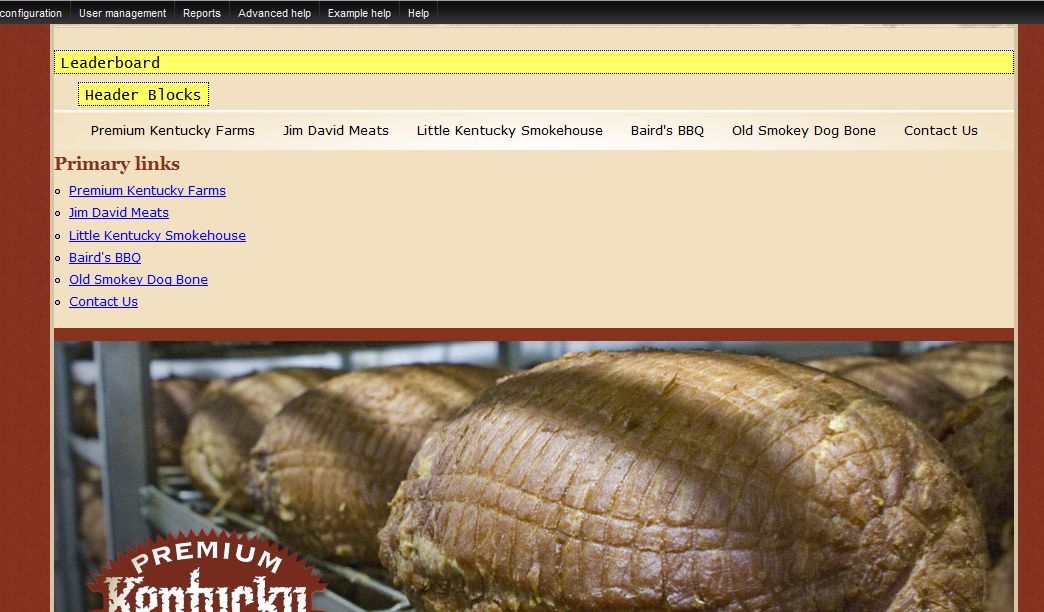
The problem is two fold: I can't move my primary links (highlighted in yellow on the screen cap) because according to the blocks page they aren't asssigned to a block. When I do assign them to the block I get a duplicate copy but unstyled.
One thing the screen cap doesn't show is the edit menu for the block appears next to the duplicate and not up above with the "real" primary links. Please note that I have not modified any of the page templates in any way.
| Comment | File | Size | Author |
|---|---|---|---|
| #3 | Capture.JPG | 113.08 KB | drupal5o3 |
| Capture.JPG | 46.57 KB | drupal5o3 |

Comments
Comment #1
drupal5o3 commentedOne thing the screen cap doesn't show is the edit menu for the block appears next to the duplicate and not up above with the "real" primary links. Please note that I have not modified any of the page templates in any way.
Comment #2
Jeff Burnz commentedI dont really understand what I am looking at here, and what you want to achieve, can you give me some more info? Cheers.
Comment #3
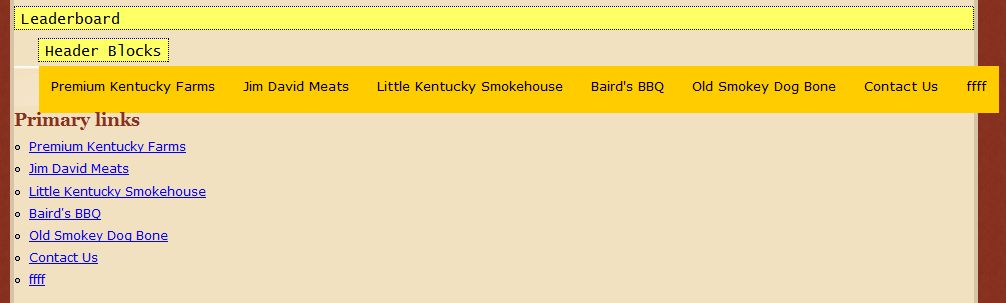
drupal5o3 commentedWhat I want is to be able to show different menus on different pages. The screen cap I sent shows the primary links horizontally right above a rotor block. That should mean, according to the template, that they are assigned to the region "secondary content", but when I go to the blocks page the only item assigned to the secondary content region is my rotor banner.
I'm including a screenshot so that you can see what happens when I assign the primary links to the secondary content region.
Comment #4
drupal5o3 commentedI found a different solution. Thanks.
Comment #4.0
drupal5o3 commentedleft out from original post