Active
Project:
Node Gallery Slideshow
Version:
6.x-1.x-dev
Component:
User interface
Priority:
Normal
Category:
Bug report
Assigned:
Unassigned
Reporter:
Created:
19 Nov 2011 at 20:35 UTC
Updated:
23 Nov 2011 at 16:38 UTC


I created a small node gallery of 3 images. I installed Node Gallery Slideshow and I can now see a link and a tab for that in my gallery. But when I try to display the slideshow it doesn't show any images. The main image is not there and the small thumbnails below show only as placeholders. See the attached screenshot.
Thanks for your help!
| Comment | File | Size | Author |
|---|---|---|---|
| empty_slideshow.jpg | 3.57 KB | kirilius |

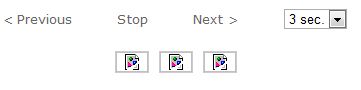
Comments
Comment #1
MIT88 commentedHi please did you find solution for this probleme. because i have the same. i will be thankful if you help me :)
Comment #2
kirilius commentedNot yet
Comment #3
MIT88 commentedi finally find the solution; you have juste to activet the Clean URLs:
in .htaccess make sure the following lines exist otherwise copy paste them , make sure to replace /drupal6 by your site's directory otherwise it won't work. Save changes.
# Rewrite URLs of the form 'x' to the form 'index.php?q=x'.
RewriteEngine on
RewriteBase /drupal6
RewriteCond %{REQUEST_FILENAME} !-f
RewriteCond %{REQUEST_FILENAME} !-d
RewriteCond %{REQUEST_URI} !=/favicon.ico
RewriteRule ^(.*)$ /drupal6/index.php?q=$1 [L,QSA]
and in httpd.conf:
Change line 194
#LoadModule rewrite_module modules/mod_rewrite.so
to
LoadModule rewrite_module modules/mod_rewrite.so
change the AllowOverride directive from None (default) to All :
AllowOverride All
reload your appche and go to admin/settings/clean-urls you can activate it ;)
good luck
Comment #4
kirilius commentedYes, I think that was the problem. My D6 installaiton got messed up and clean URLs were not enabled.
Thanks!