

Closed (duplicate)
Project:
Availability Calendars
Version:
7.x-3.x-dev
Component:
Documentation
Priority:
Normal
Category:
Task
Assigned:
Unassigned
Reporter:
Created:
21 Nov 2011 at 18:07 UTC
Updated:
8 Apr 2015 at 09:45 UTC
Jump to comment: Most recent, Most recent file

Comments
Comment #1
fietserwinIt is true that this module, especially the 6.x versions, lacks some documentation, but you can find some in the readme. But what is wrong on your site is that some basic styling is missing. The installation should have given you a message about visiting the styling page (admin/settings/availability-calendars/styling).
For 6.x, I'm not going to write the documentation anymore. but I am leaving this issue open for 7.x, though I won't be able to write it soon myself ... So anyone who wants to share his/her experiences, be welcome. Texts as well as sample code are welcome. Eventually I will publish the documentation in html using the advanced help module, so both plain (unformatted) and html formatted texts are welcome.
Comment #2
Bluemac commentedHI did any one fix this in 7 Im not found a way to do it yet in 7 this admin/settings/availability-calendars/styling doesnt seem to exist sorry but im a beginner at this any help would be great
Comment #3
Bluemac commentedI actually found the availability Calender Styling page, under configuration, calender, config then styling tab. I have changed some of the setting s but nothing has changed.
basically the calender is show crushed up with none of the functions working. I have deleted my main css page and this had no effect.
http://1043498814.9651307.temp.prositehosting.co.uk/?q=node/25
any help out there would be greatly appriciated
Comment #4
fietserwinIn D7 it is "admin/config/content/availability-calendar/styling", but that should also be easy to find via the admin menu or admin toolbar and admin pages.
Comment #5
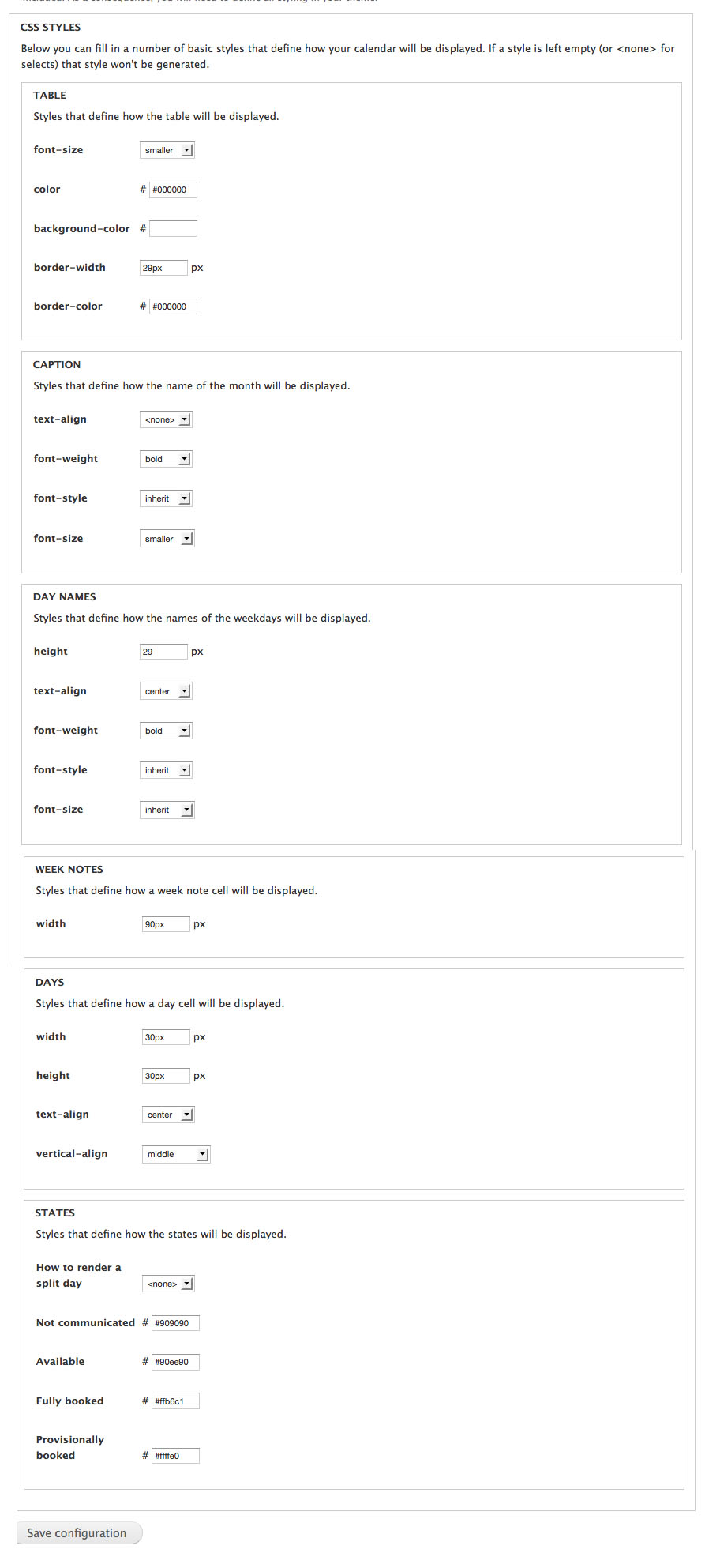
fietserwinThat post crossed your one. So you did find the styling page, but did not set a width and height for the cells. try something from 28 to 30 pixels. That will normally do fine.
Aside: the fact that the table cells don't get a "correct" width automatically, has to do with the fact that to allow for split day rendering I had to place absolutely positioned span's in the cell and such elements don't influence the width of their parent(s) if that is set to auto.
Comment #6
Bluemac commentedI found the section yes but its not 100% clear the settings for width and height see below what i have at the moment.
thanks
john
Comment #7
fietserwinThe custom styles are not loaded. I get an internal server error if I try to load the generated css file. Did you check the "generate ..." checkbox on the style form? Did you correctly configure your server? (we are talking about the file sites/default/files/availability_calendar/availability_calendar.css. Possibly the webserver does not have permission to generate the directory or file.
Comment #8
Bluemac commentedyes its all there and seems correct to me,
Im sure its css related but cannot figure it out, any chance you can share your CSS sheets with me for the clander and see if that fixs mine also?
Comment #9
fietserwinNo it's not all there: "internal server error" on loading the css file http://1043498814.9651307.temp.prositehosting.co.uk/sites/default/files/.... Go figure out what is wrong there.
Comment #10
Bluemac commentedthis is now visable the issue was the .htaccess file if you re name this you can then see the file. this file seems to be produce by the calender when you chnage and save the .css file via the modules styling.
however although this is availble now it has made no difference to the orginal issue of the calenders not looking right?
any more ideas?
Comment #11
Bluemac commentedstrange put it just jumped into life!! need to try it now thanks for your help must have been the htaccess file
Comment #12
fietserwinDocumentation issue is now handled under issue #2461481: Documentation Required.