

Closed (outdated)
Project:
Gallery formatter
Version:
7.x-1.0
Component:
User interface
Priority:
Normal
Category:
Bug report
Assigned:
Unassigned
Reporter:
Created:
1 Dec 2011 at 22:22 UTC
Updated:
13 Nov 2024 at 10:36 UTC
Jump to comment: Most recent

Comments
Comment #1
vIQleS commentedOh - and the bar.
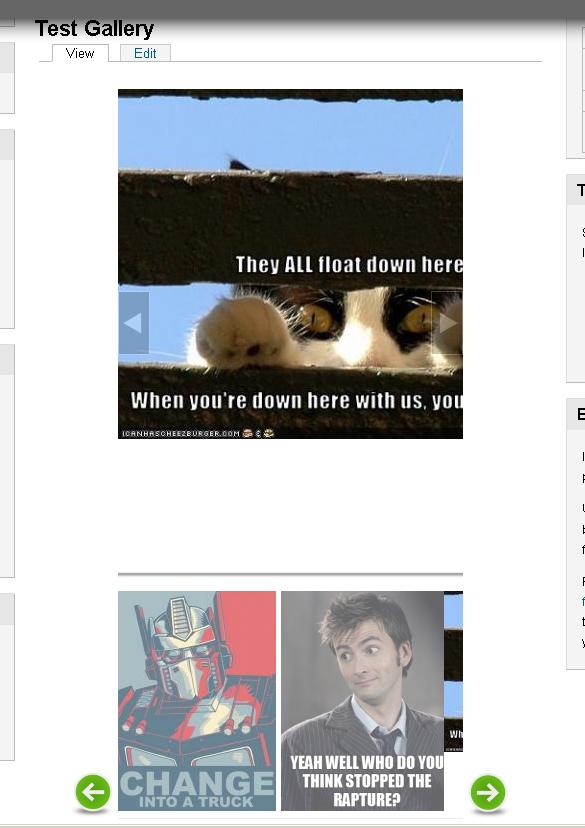
As you can see in the picture, it's only showing a sliver of the third photo, this isn't continued on the next 'page' of thumbs...
Comment #2
KriS-2 commentedI head same problem...
I found solution for this issue that I little "play" with .css styles of gallery and green arrow style.
Only I didn't have success with pointer which shows thumbs... it's always on beginning of slide instead in the middle of first thumb pic.
If You or someone find solution for that issue I will appreciate to post here.
Thanx,
K.
Comment #3
kscheirerIs this still a problem with the latest dev version?
Comment #4
astonvictor commentedI'm closing it because the issue was created a long time ago without any further steps.
if you still need it then raise a new one.
thanks