

 Come together with the global Drupal community in Rotterdam, 28 Sept – 1 Oct 2026. Sessions, contribution, connection, and Early Bird savings until 8 June.
Hi,
I was just wondering if the D7 version is working with cck fields.
Trying to prepopulate a term from a dropdown list of taxonomy terms and in this case it is field_country
Have tried:
node/add/article?edit[field_country][value]=5
node/add/article?edit[field_country[und]][value]=5
node/add/content?edit[field_country][0][article]=5
Would most appreciate any pointers in the right direction :)
| Comment | File | Size | Author |
|---|---|---|---|
| #4 | form-1.gif | 6.11 KB | liliplanet |
| #4 | form-2.gif | 6.21 KB | liliplanet |
| #4 | taxonomy-list.gif | 3.9 KB | liliplanet |
| #4 | select-list.gif | 6.73 KB | liliplanet |
| #4 | article.gif | 27.79 KB | liliplanet |



Comments
Comment #1
TXANKETE commentedTry this:
node/add/article?edit[country][value]=5
node/add/article?edit[country[und]][value]=5
node/add/content?edit[country][0][article]=5
Comment #2
liliplanet commentedthank you so much for your reply TXANKETE, but tried all you mentioned with no results.
field_country is a drop-down list of taxonomy terms and value 5 is for example Belgium
so basically i would like please:
node/add/ .. type is 'article' .. select from taxonomy called 'category' .. 'the value of 5'
'field_country' is the field in my content type.
would so love to make this work :) most appreciate any direction ..
Comment #3
TXANKETE commentedTry this:
node/add/article?edit[country][und][value]=5
Comment #4
liliplanet commentedMost appreciate your reply, but already tried that in #1 (and unfortunately no joy)
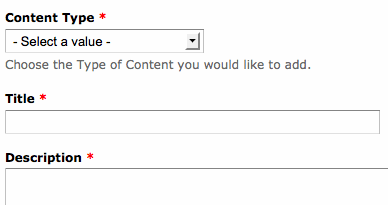
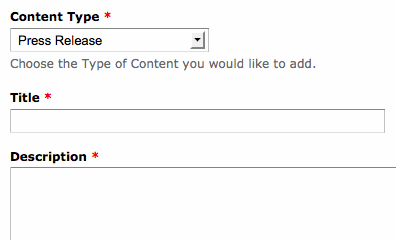
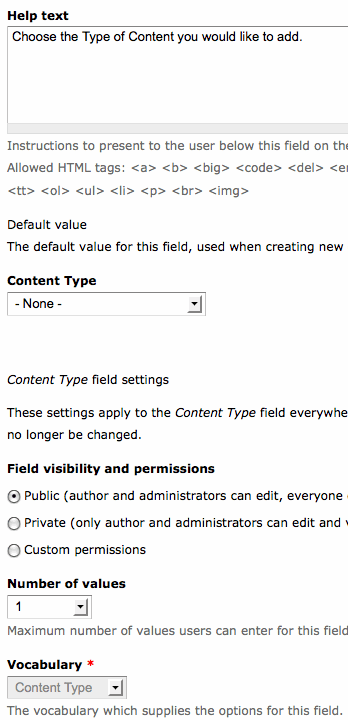
I'm attaching screenshots, maybe that might push us in the right direction :)
Would love to make this work and most thankful for your help.
Comment #5
TXANKETE commentedI solved the problem
You must enter the full path. Try these:
http://www.my-site/node/add/article?edit[field_country][value]=5
http://www.my-site/node/add/article?edit[field_country[und]][value]=5
http://www.my-site/node/add/content?edit[field_country][0][article]=5
Comment #6
liliplanet commentedThank you TXANKETE, I do use the full address in my url.
At a loss now and unfortunate that I cannot solve this .. maybe another solution is www.drupal.org/project/multistep to make sure users select the correct category before they continue with the form.
Most appreciate your help :)
Comment #7
adriancotter commentedHey Liliplanet,
One thing you have to make sure is that you are setting the value of the option, not the text (but it looks like you are already doing that).
For instance, this is my SELECT field:
CaliforniaOn my form it populates correctly, using:
http://url.com/node/add/contenttype?edit[field_states][und]=84
If your select form was similar name="field_country[und]" then this should work:
node/add/article?edit[field_country][und]=5
Comment #8
R.J. Steinert commented> http://url.com/node/add/contenttype?edit[field_states][und]=84
That example worked for me.
Comment #9
R.J. Steinert commented> http://url.com/node/add/contenttype?edit[field_states][und]=84
That example worked for me.
Comment #10
liliplanet commentedComment #12
rudyard55 commented# 7 worked for me too. Thanks adriancotter.