Overriding the basic gift pages with views
As the basic module is very strict with hardcoded lists and displays for the "buy-a-gift"-phase, you might want to use views for customized

You are browsing documentation for an older version of Drupal, which is not supported any longer, and the information may not be correct. See current documentation for Contributed modules
The Node Gift module provides an ability for users to "buy" nodes for each one if they have enough Userpoints.
The idea is simple. You have community on your website. Users receiving virtual moneys (Userpoints) during the activity (writing articles, uploading images, commenting, etc). How to motivate them to be more active on your site? This is why Node Gift module was created! With Node Gift you can create unlimited number of gift nodes and every user can "buy" node for another. Gifts are displayed on user profile page under Gifts tab.
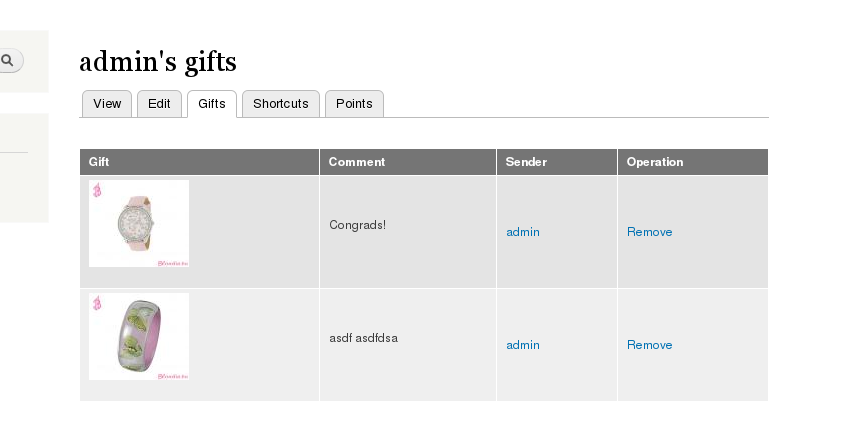
Copy module into the sites/all/modules folder then go to the modules page and enable it.
Make sure that the "buyer" have enough userpoints.
Module provides his own node type - Gift, but you may use any node content type if it contains at least one field of Number Integer type. This field will be used to specify the price for "gift".
Module adds 2 permissions: "Access node gift form" and "Administer node gift settings". "Access node gift form" is required to see Buy button. Usually authenticated users should have this permission. "Administer node gift settings" is required for administrators. Make sure to set these permissions properly.
Edit Gift node type (or any other type). Expand Node Gift fieldset and set settings for this Gift type.
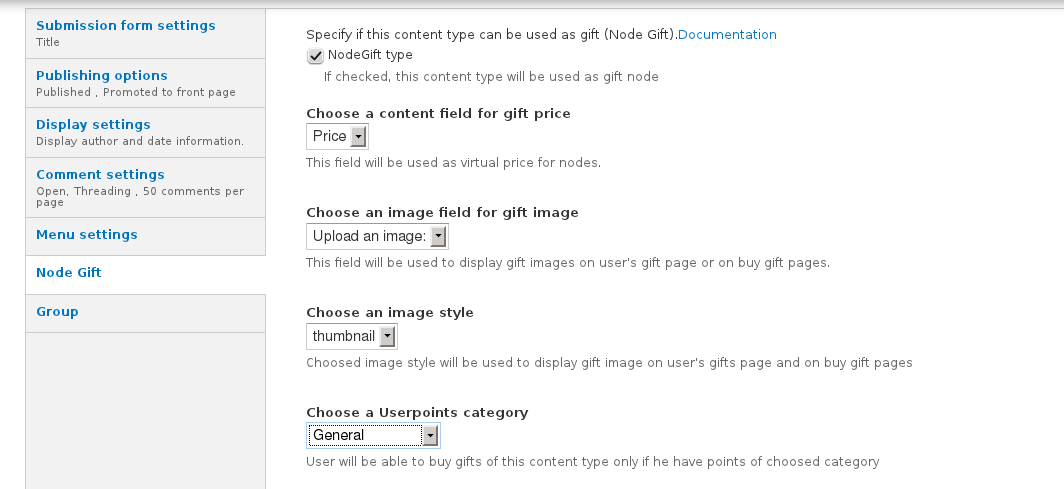
Save. Add some nodes.
Login as "buyer" and open the node you want to "buy". If you have a permission "Access node gift form" and have enough Userpoints you will be able to see Buy Me button. See attached screenshot.
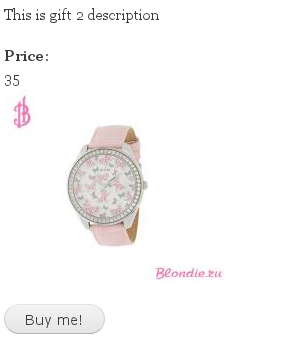
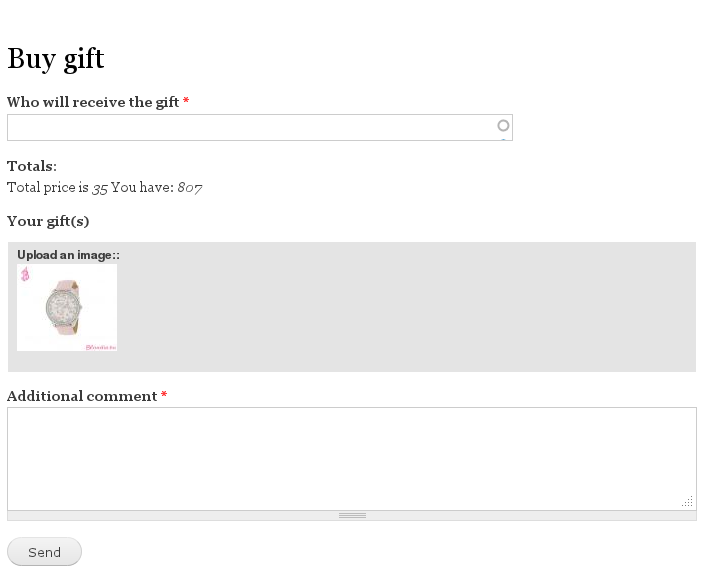
Click on Buy me button, enter username for gift receiver, enter the comment, send. You'll be redirected to the list of gifts on the receiver's account.
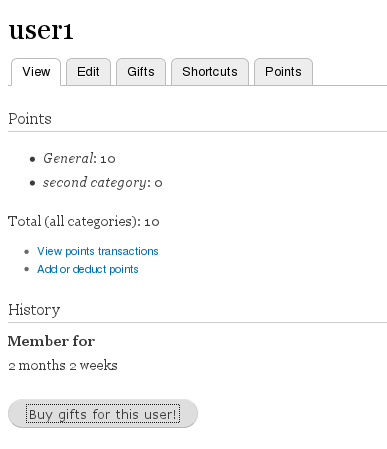
Open any account. Click on Buy Gifts for this user button.
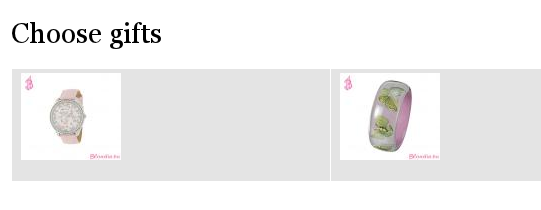
On the next page choose the gift you want to buy.
On the last page add Gift comment and you're done!
As the basic module is very strict with hardcoded lists and displays for the "buy-a-gift"-phase, you might want to use views for customized

Drupal is a registered trademark of Dries Buytaert.
