

Closed (fixed)
Project:
Lightbox2
Version:
7.x-1.x-dev
Component:
User interface
Priority:
Normal
Category:
Bug report
Assigned:
Unassigned
Reporter:
Created:
21 Dec 2011 at 07:04 UTC
Updated:
15 Jun 2016 at 12:56 UTC
Jump to comment: Most recent, Most recent file

Comments
Comment #1
epawel commentedI have the same problem in D7 - please help...
Comment #2
shashi_lo commentedStill a problem. Please advise!
Comment #3
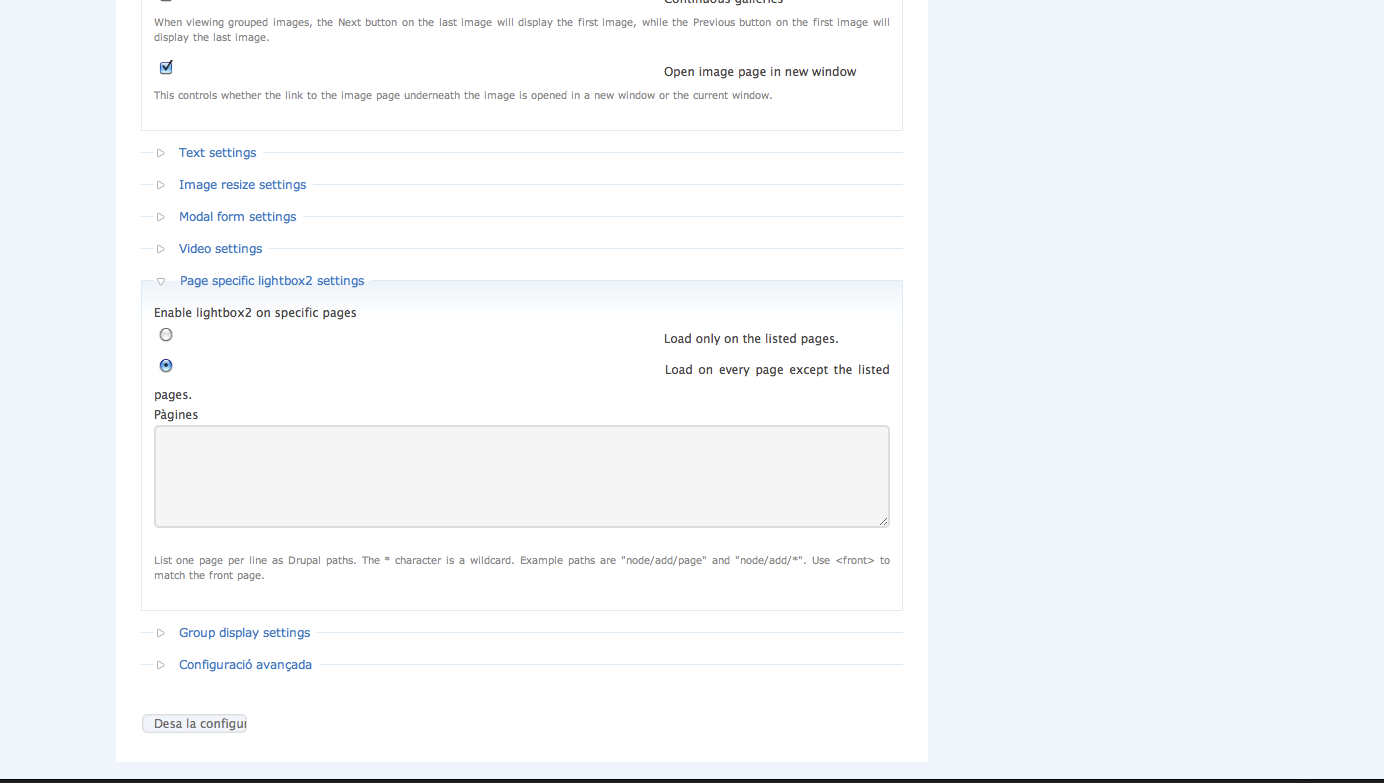
narcisgirona commentedmake sure you have checked: Load on every page except the listed pages. Under page specific lightbox 2 settings section. then:
"<" a href="node/xxx/lightbox2" rel="lightframe[group|width:500px; height: 500px][caption]">link text
put away "" from "<"
Comment #4
ricovandevin commentedThe page--node--lightbox2.tpl.php delivered with this module is not usable for Drupal 7. If you want to use a template for node content in the lightbox you better make a copy of your own page.tpl.php and adjust that one to your needs.
Comment #5
trante commentedOn the contrary of documentation's "Opening node content in a lightbox" part, this feature doesn't work for Drupal 7.
http://drupal.org/node/252260
I suppose this is a bug for D7 version.
If this won't fix out of the box, please tell us so we can switch to colorbox.
Thank you
Comment #6
gebiss commentedLooking for the same solution. The node displays in the lightbox but all together with other elements (sidebars, etc. ) The 'lightbox2' at the end of the URL doesn't help to get rid of the elements on D7.
Jacek
Comment #7
zrodimel commentedAny luck with this?
Comment #8
Kvark commentedHello, to be honest this is actualy not a bug
Today I am play a lot around "How to show node in popup window?" and look like I find a brilliant solution for this :)
To do that, you will need to use such modules:
1. http://drupal.org/project/menu_attributes
2. http://drupal.org/project/content_page
1st allow add rel attribute to node - actually not only rel - many of them! (we can write that is needed e.x. lightframe[|width:400px; height:300px; scrolling: no;][FAQ] )
2nd - add nice future - open only content of node, without anything else - setup is simple: into menu you should add link to needed node like this: node/42?ajax_request
Wualia! :)
p.s. to show node without a title use this: http://drupal.org/project/exclude_node_title
Comment #10
phrequency commentedUse colorbox + colorbox_node
Works like a charm.
Comment #11
steeph commentedThis works just fine after putting page--node--lightbox2.tpl.php in the theme's directory and replacing its content by only the part of page.tpl.php I need in the lightbox.
Comment #12
mvy88 commentedcolorbox node + colorbox worked awsome for me... just donot give the precedding ../ infront of the images to display them... cheers..:)
Comment #13
calebgilbert commentedAs steeph mentions taking page--node--lightbox2.tpl.php (found inside your lightbox2 directory) placing it in your theme directory and replacing its content with only the parts you need is key to getting this working correctly. Also, it was also very helpful to add a html--node--lightbox2.tpl.php file to my theme directory (you'll need to make this file - it doesn't come with lightbox2). Here is is what my html--node--lightbox2.tpl.php looks like:
The effect is very stark node output - it even leaves out all the css/js for the site. This is what I was going for personally - if you however you want any individual CSS/JS add it to the section, but do not add it using add_drupal_js/css unless you want all of your site's other styles/scripts to come along for the ride.
Comment #14
plato1123 commentedAnyone have brilliant ideas for pop out windows in d7 that aren't tied to the window they popped out of? Trying to do a music player that pops out and then lives in the background as the person browses from page to page. Lightboxes are great but they don't quite work for what I'm trying to do.
Comment #15
smurfxx commentedIs it possible to open a proportional lightbox? Like width=90% and height=90%?
Comment #16
steeph commented@plato1123 That sounds like you just want to open a page in a new browser window/popup.
@smurfxx Yes, you can style lightboxes to fit your site just like any other HTML.
Please open a new issue next time. This has nothing to do with the issue you posted it in. It should have been a support request.